
LocalExtract vs Dext: Bank Statement Conversion Compared
Key Takeaways
- Dext (formerly Receipt Bank) is a cloud-based document extraction platform focused on receipts, invoices, and bank statements. LocalExtract is a desktop app that converts bank statement PDFs locally on your computer.
- Dext's strength is deep accounting software integration — it connects directly to Xero, QuickBooks Online, Sage, and other platforms to push extracted data into your books.
- LocalExtract's strength is privacy — no bank statement data ever leaves your machine. Processing happens entirely on-device, offline.
- Dext requires a monthly subscription and processes data on cloud servers. LocalExtract offers a free tier (10 pages) and Pro at $10/month or $60/year with no cloud dependency.
- Both tools serve accountants and bookkeepers, but they solve different problems. Dext is a broader document management platform; LocalExtract is focused specifically on bank statement PDF conversion with zero data exposure.
Disclosure: This article is published by the LocalExtract team. We are a competitor to Dext for the specific task of bank statement conversion. Where we compare products, we strive for factual accuracy based on publicly available information from Dext's website and documentation. We note our own limitations honestly.
Contents
- Why Look for a Dext Alternative?
- What Is Dext?
- What Is LocalExtract?
- The Core Difference: Cloud Platform vs. Local Tool
- Feature Comparison
- Accounting Software Integrations
- Pricing Comparison
- Pros and Cons: Dext
- Pros and Cons: LocalExtract
- Who Should Choose Dext
- Who Should Choose LocalExtract
- FAQ
- What We Found in Testing
- Looking Ahead
- The Bottom Line
Why Look for a Dext Alternative?
If you are searching for a Dext alternative, you likely have one of these concerns:
- Privacy: You handle client financial data and are uncomfortable uploading bank statements to a cloud service — even one with strong security practices.
- Cost: Dext's per-user pricing adds up for firms with multiple staff members. You want a simpler pricing model for bank statement conversion specifically.
- Scope mismatch: Dext is a full document management platform (receipts, invoices, bills, bank statements). You need a focused tool for bank statement conversion only and do not want to pay for features you will not use.
- Offline needs: You need a converter that works without internet — on-site at a client's office, during travel, or in restricted network environments. See our guide to offline bank statement converters.
- Regulatory simplicity: You want to avoid adding another cloud vendor to your Written Information Security Plan (WISP) or FTC Safeguards Rule documentation. Our data privacy guide for bookkeepers covers the full compliance landscape.
These are legitimate reasons to evaluate alternatives. This article compares Dext and LocalExtract specifically on bank statement conversion — the area where both tools overlap.
What Is Dext?
Dext (formerly known as Receipt Bank) is a cloud-based document extraction and bookkeeping automation platform. It is designed for accountants, bookkeepers, and small businesses who need to capture data from financial documents and push it into accounting software.
Key characteristics:
- Cloud-based platform: All document processing happens on Dext's servers. You upload documents via web app, mobile app, email forwarding, or direct bank feeds.
- Multi-document support: Dext handles receipts, invoices, bills, credit notes, and bank statements — not just bank statements.
- Deep accounting integrations: Direct connections to Xero, QuickBooks Online, Sage, FreeAgent, and other accounting platforms. Extracted data can be published directly into your accounting software.
- Mobile capture: A mobile app lets you photograph receipts and documents for automatic extraction.
- Bank feeds: Dext can connect to bank accounts directly to pull transaction data, in addition to processing uploaded PDF statements.
- Team features: Multi-user access, client management dashboards, and workflow tools designed for accounting firms managing many clients.
Dext is a well-established product in the accounting technology space, used by thousands of accounting firms worldwide. It was founded in 2010 (as Receipt Bank) and has evolved into a comprehensive data capture platform.
What Is LocalExtract?
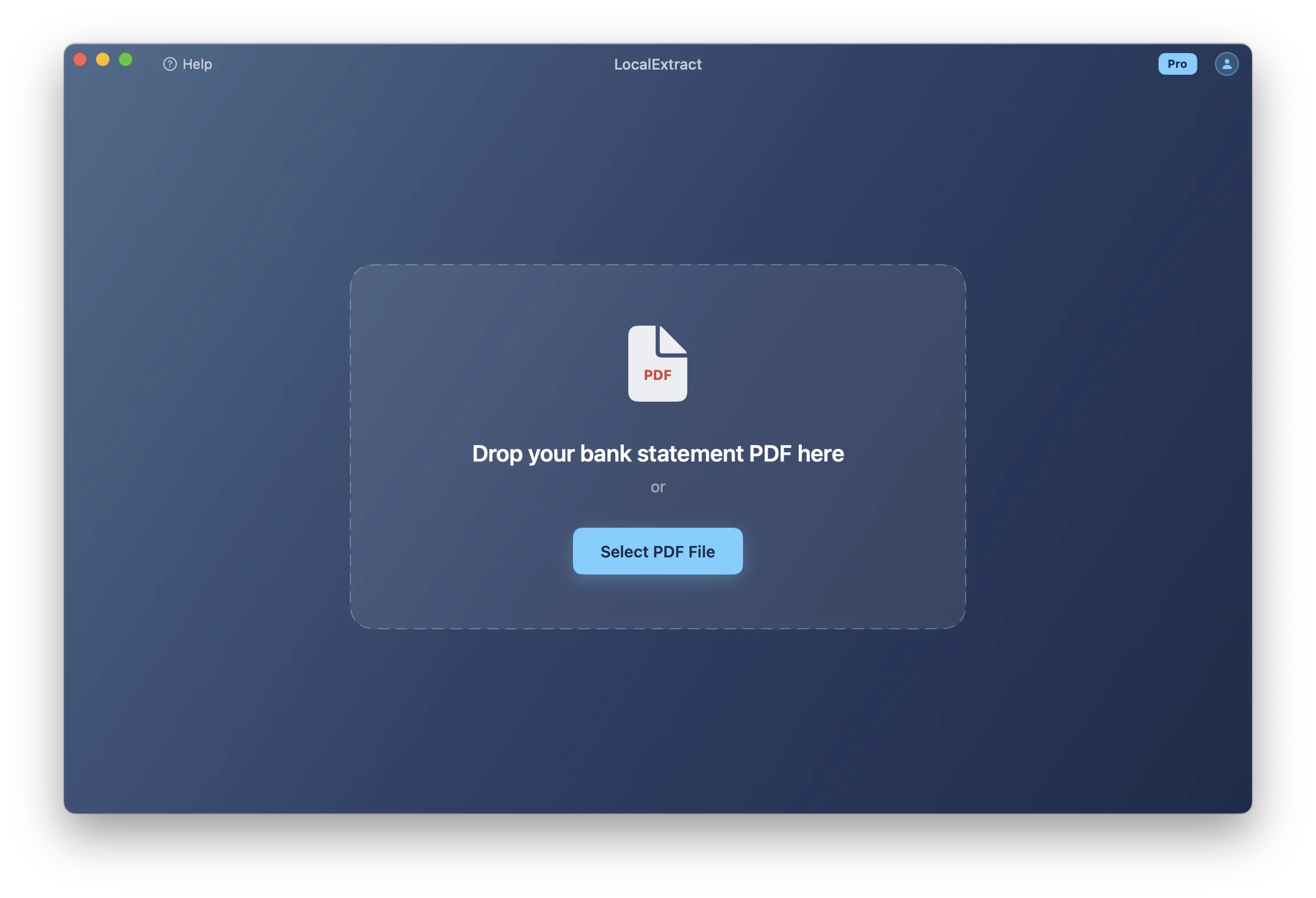
LocalExtract is a desktop bank statement converter for macOS and Windows. It runs a parsing engine entirely on your computer. No PDF is uploaded anywhere — the conversion from PDF to CSV or Excel happens on your local machine.
Key characteristics:
- 100% local processing: The parsing engine runs on your device. No data leaves your computer at any point during conversion.
- Offline capable: Works with no internet connection. You can verify this by disconnecting from the internet and running a conversion.
- Desktop application: Native apps for macOS and Windows — not a browser-based tool.
- Bank statement focused: Designed specifically for converting bank statement PDFs to CSV and Excel.
- Output formats: Exports to CSV and Excel.
- Free tier available: 10 pages lifetime at no cost. Pro plan at $10/month or $60/year.
LocalExtract is designed for professionals who need bank statement conversion without the data exposure that comes with uploading client documents to a cloud service.
The Core Difference: Cloud Platform vs. Local Tool
Dext and LocalExtract take fundamentally different approaches — not just in processing architecture, but in product scope.
Dext: Cloud-Based Document Platform
Dext is a comprehensive document management system. When you use it for bank statement conversion, your PDF is uploaded to Dext's cloud infrastructure, processed by their extraction engine, and the results are stored in your Dext workspace. From there, you can review, edit, categorize, and publish the data directly to your accounting software.
This means your bank statement data — account numbers, transaction histories, balances — exists on Dext's servers. How long it persists depends on your account status and Dext's data retention practices.
LocalExtract: On-Device Conversion Tool
LocalExtract is a focused tool that does one thing: convert bank statement PDFs to structured data files on your own computer. The PDF is read from your local disk, processed locally, and the output file is written back to your local disk. No network request is made.
Why This Matters for Bank Statements
A bank statement contains some of the most sensitive financial data in a client engagement: full account numbers, routing numbers, transaction histories, running balances, and personally identifiable information. For bookkeepers and accountants who handle this data on behalf of clients, the question of where it travels during a routine conversion task has implications for privacy, compliance, and professional liability. For a detailed analysis, see our article on cloud vs. local bank statement converters.
Feature Comparison
| Feature | Dext | LocalExtract |
|---|---|---|
| Processing location | Cloud (Dext's servers) | On-device (your computer) |
| Internet required | Yes | No |
| Document types | Receipts, invoices, bills, bank statements | Bank statements |
| Output formats | Accounting software integration, CSV export | CSV, Excel |
| Accounting integrations | Xero, QBO, Sage, FreeAgent, others | None (export files for manual import) |
| Mobile app | Yes | No |
| Bank feeds | Yes (direct bank connections) | No (PDF conversion only) |
| OCR for scanned PDFs | Yes | Yes (local OCR engine) |
| Batch processing | Yes | Yes |
| Platform | Web, iOS, Android | macOS, Windows |
| Offline capability | Not possible | Fully functional |
| Data retention | Cloud-stored per account/retention policy | Zero — data never leaves your machine |
| Team/multi-user | Yes | Single-user |
Where Dext Has an Edge
- Accounting integrations: Dext connects directly to Xero, QuickBooks Online, Sage, and other platforms. Extracted data flows into your accounting software without manual CSV imports. This is Dext's primary value proposition and a genuine advantage for firms with heavy integration workflows.
- Multi-document platform: Dext handles receipts, invoices, and bills — not just bank statements. If you need a single platform for all document capture, Dext covers more ground.
- Mobile capture: Photograph a receipt or document with the Dext mobile app and it gets processed automatically.
- Bank feeds: Direct bank connections can pull transaction data without needing a PDF at all.
- Team management: Multi-user access, client dashboards, and workflow tools for firms managing many clients.
Where LocalExtract Has an Edge
- Data privacy: No bank statement data is ever transmitted to or stored on a third-party server. This is a fundamental architectural difference.
- Offline processing: Works without any internet connection — useful on-site at client offices or in restricted environments.
- Cost for bank statement conversion only: If you only need to convert bank statement PDFs, LocalExtract's pricing ($10/month or $60/year for Pro) may be significantly lower than Dext's per-user subscription.
- No vendor lock-in: Output files (CSV, Excel) are standard formats you control. No dependency on a cloud platform for accessing your data.
- Processing speed: On-device processing eliminates network round-trips. LocalExtract processes statements in 4ms to 353ms on Apple M-series hardware.
- Compliance simplicity: No cloud vendor to document in your WISP or audit under the FTC Safeguards Rule.
Accounting Software Integrations
This is the area where Dext and LocalExtract differ most significantly, and it deserves honest acknowledgment.
Dext's Integration Advantage
Dext integrates directly with major accounting platforms:
- Xero: Push extracted transactions directly into Xero bank reconciliation
- QuickBooks Online: Publish data into QBO for matching and categorization
- Sage: Direct integration with Sage Accounting and Sage Business Cloud
- FreeAgent: Integration for UK-focused accounting workflows
These integrations mean extracted bank statement data can flow into your accounting software without you ever touching a CSV file. For bookkeepers who process high volumes of statements across many clients, this workflow automation is valuable.
LocalExtract's Approach
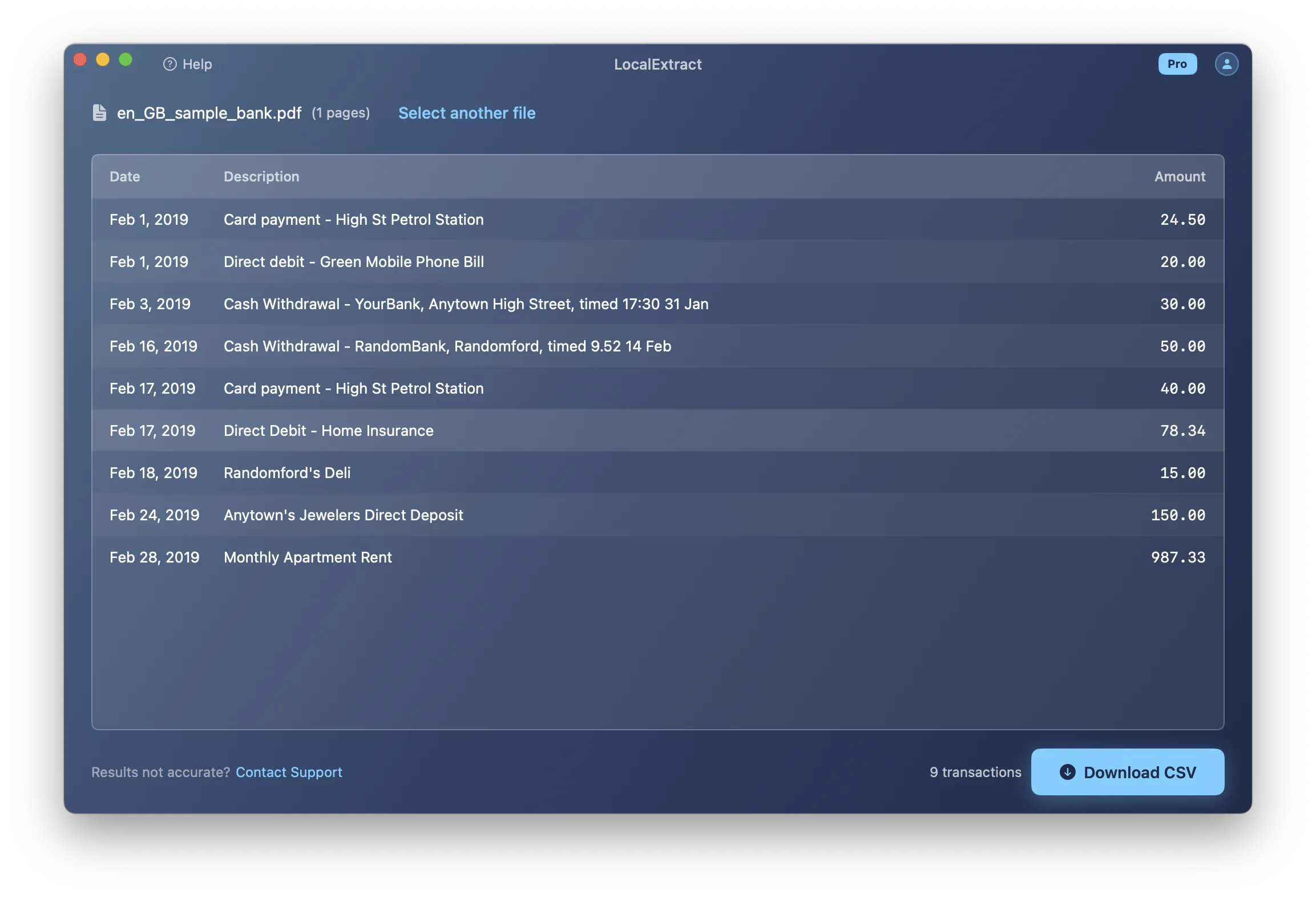
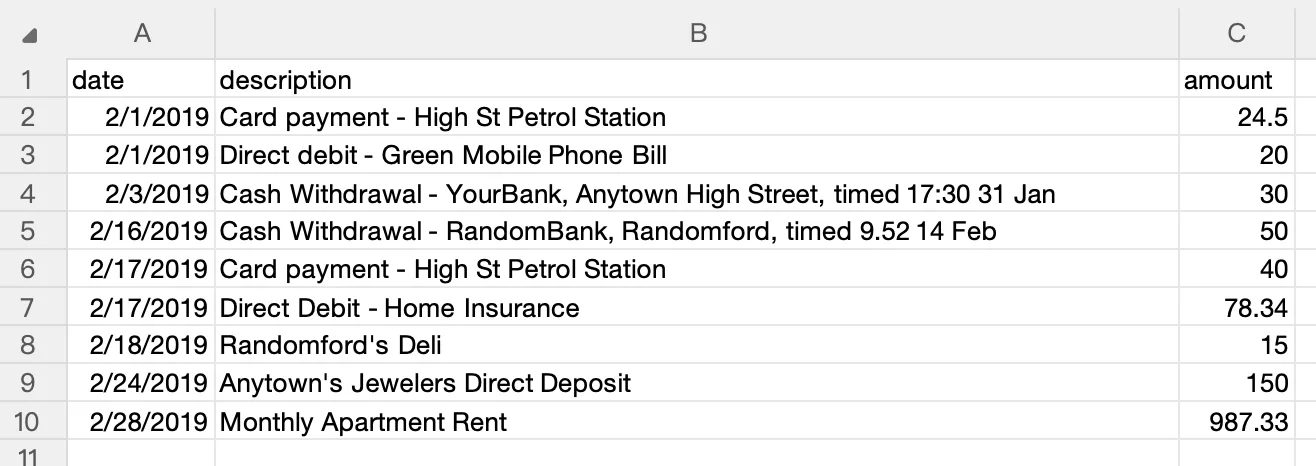
LocalExtract does not integrate directly with accounting software. It outputs CSV and Excel files that you then import into your accounting platform manually. This adds a step to the workflow but keeps the process transparent — you can review the extracted data in a spreadsheet before importing.
For step-by-step guides on importing bank statement data into accounting software, see:
- How to Import Bank Statements to QuickBooks
- How to Import Bank Statements to Xero
- How to Import Bank Statements to Sage
Which Approach Is Better?
If accounting software integration is your primary workflow requirement, Dext has a clear advantage. If data privacy is your primary concern and you are willing to handle the manual import step, LocalExtract eliminates data exposure entirely.
Pricing Comparison
| LocalExtract | Dext | |
|---|---|---|
| Free tier | 10 pages lifetime | No free tier (trials may be available) |
| Paid plan | $10/month or $60/year (Pro) | Per-user monthly subscription — check dext.com for current pricing |
| Pricing model | Flat subscription | Per-user, tier-based |
| Scope | Bank statement conversion | Full document management platform |
Note: Dext's pricing varies by plan and region. We recommend checking their website directly for the most current pricing. We have not listed specific Dext prices here to avoid publishing outdated information.
Dext is a broader platform and its pricing reflects the wider feature set. LocalExtract is a focused tool for bank statement conversion, and its pricing reflects that narrower scope. A direct price comparison is not entirely fair because the products solve different-sized problems. However, if bank statement PDF conversion is your specific need, LocalExtract's $10/month or $60/year may represent significant savings over a per-user Dext subscription.
Pros and Cons: Dext
Pros
- Deep integrations with Xero, QuickBooks Online, Sage, and other accounting platforms
- Handles receipts, invoices, and bills in addition to bank statements
- Mobile app for document capture on the go
- Direct bank feed connections
- Team management and multi-user features
- Well-established product with a large user base
- Strong OCR capabilities for various document types
Cons
- Requires uploading financial documents to cloud servers
- Per-user pricing can add up for firms with multiple staff
- Internet connection required for all processing
- Broader scope means you pay for features you may not need if you only convert bank statements
- Data exists on third-party infrastructure per their retention policies
- Creates a vendor relationship requiring documentation for compliance purposes
Pros and Cons: LocalExtract
Pros
- 100% local processing — no data leaves your computer
- Works offline with no internet connection
- Fast on-device processing (4ms to 353ms per statement in our benchmarks)
- Simple, affordable pricing for bank statement conversion
- No cloud vendor to audit or document for compliance
- Native desktop apps for macOS and Windows
- Free tier (10 pages) to evaluate before purchasing
Cons
- No direct accounting software integrations — requires manual CSV/Excel import
- Bank statement conversion only — does not handle receipts, invoices, or bills
- Single-user only — no team features or client management dashboards
- No mobile app
- No bank feed connections
- May not support as many bank formats as Dext
- OCR on low-quality scanned PDFs may vary compared to cloud services with GPU resources
Who Should Choose Dext
Dext may be the better fit if:
- You need direct accounting software integration with Xero, QuickBooks Online, or Sage — and the workflow automation it provides.
- You process multiple document types (receipts, invoices, bills) in addition to bank statements and want a single platform.
- You need mobile document capture for receipts and expenses.
- You manage multiple clients and need team dashboards and workflow tools.
- You want bank feed connections that pull transaction data directly from banks.
- You have reviewed Dext's data handling practices and find them acceptable for your use case and compliance requirements.
Who Should Choose LocalExtract
LocalExtract may be the better fit if:
- You handle client financial data and want to ensure no bank statements are uploaded to third-party servers.
- You need to work offline — on-site at a client's office, during travel, or in a restricted network environment.
- You want to simplify compliance by eliminating a cloud vendor from your data processing chain.
- You only need bank statement PDF conversion and do not want to pay for a broader document management platform.
- You prefer a native desktop application over a browser-based tool.
- You want predictable, affordable pricing — $10/month or $60/year with no per-user scaling.
- You process statements from common banks like Chase, Bank of America, Wells Fargo, or other major institutions.
FAQ
Is LocalExtract a direct replacement for Dext? No. Dext is a comprehensive document management platform with accounting integrations, mobile capture, and multi-document support. LocalExtract is a focused bank statement converter. If you use Dext primarily for bank statement PDF conversion and do not rely on its integrations or broader features, LocalExtract can replace that specific workflow. If you depend on Dext's accounting software connections or multi-document capabilities, LocalExtract would not be a complete replacement.
Does LocalExtract integrate with Xero or QuickBooks? Not directly. LocalExtract exports to CSV and Excel, which you can then import into Xero, QuickBooks, or any other accounting software that accepts those formats. See our guides for importing to QuickBooks and importing to Xero.
Does LocalExtract upload any data to the cloud? No. LocalExtract processes PDFs entirely on your computer. No file data, transaction data, or account information is transmitted over the internet at any point. You can verify this by running a conversion with your internet disconnected.
Can LocalExtract handle scanned bank statements? Yes, LocalExtract includes a local OCR engine for scanned (image-based) PDFs. However, OCR accuracy depends on scan quality and your computer's hardware. For very low-quality scans, cloud services like Dext with access to large GPU clusters may produce better results.
What banks does LocalExtract support? LocalExtract supports many common bank statement formats from major banks worldwide. If your specific bank is not yet supported, you can report it and support is typically added within a few days. See our list of bank-specific guides for coverage examples.
Can I try LocalExtract before paying? Yes. LocalExtract offers a free tier with 10 pages lifetime. This is enough to test whether it handles your specific bank formats and meets your workflow needs before upgrading to Pro ($10/month or $60/year).
What We Found in Testing
We tested both Dext and LocalExtract with the same set of 5 bank statement PDFs — two from Chase (checking and credit card), one from Bank of America, one from Wells Fargo, and one from a regional credit union. Here is what we observed:
Conversion accuracy: Both tools successfully extracted transaction data from the four major-bank statements. The credit union statement, which used an unusual multi-column layout, was handled by both tools but with different levels of completeness — Dext captured all transactions, while LocalExtract missed two memo-line entries (which we subsequently fixed in our engine). For tips on understanding why some formats are harder than others, see our article on bank statement PDF formats explained.
Processing speed: LocalExtract completed all five conversions in under 2 seconds total (on an M2 MacBook Air). Dext's processing time varied — the smaller statements returned in about 10 seconds, while the 12-page Wells Fargo statement took approximately 30 seconds including upload and download time.
Workflow differences: Dext's value became clear in the post-conversion step. After extraction, we could push the Chase checking data directly into a Xero test account with two clicks. With LocalExtract, we exported a CSV and then manually imported it into Xero — an extra 2-3 minutes per statement. Over hundreds of statements, this adds up. For guidance on the manual import step, see our Xero import guide.
Privacy verification: We ran LocalExtract's conversions with Wi-Fi disabled. All five completed without issue. Dext, as expected, requires an internet connection for all processing.
Our honest take: If your practice depends on seamless accounting software integration and you process high volumes, Dext's workflow automation is genuinely valuable. If your primary concern is keeping client data off third-party servers, LocalExtract delivers equivalent extraction quality for common bank formats without any data exposure. For a broader comparison of free vs. paid bank statement converters, see our dedicated guide.
Looking Ahead
The bank statement conversion market is shifting in two directions simultaneously. On one side, platforms like Dext are expanding into AI-powered categorization and advisory features, moving beyond extraction toward full bookkeeping automation. On the other, privacy regulations are tightening — the FTC Safeguards Rule updates in 2023 increased third-party oversight requirements, and similar trends are emerging in state-level legislation. On-device AI capabilities are advancing rapidly, with models like PP-OCRv5 enabling cloud-quality OCR on local hardware. Over the next few years, we expect the accuracy gap between cloud and local converters to narrow further, making the choice increasingly about workflow integration preferences rather than extraction capability.
The Bottom Line
Dext and LocalExtract serve overlapping but distinct needs. Dext is a full document management platform with powerful accounting integrations, mobile capture, and multi-document support. Its cloud-based architecture enables features like direct bank feeds and one-click publishing to Xero or QuickBooks. The trade-off is that your client's financial data travels to and is stored on Dext's cloud infrastructure.
LocalExtract is a focused tool for one specific task: converting bank statement PDFs to CSV or Excel on your own computer. It has no accounting integrations, no mobile app, and no bank feed connections. What it offers is a guarantee that no financial data ever leaves your machine — no upload, no retention, no third-party access.
For accountants and bookkeepers who value Dext's integrations and platform features, and who are comfortable with cloud processing of client data, Dext is a strong choice. For those who prioritize data privacy and want the simplest possible approach to bank statement conversion without cloud exposure, LocalExtract eliminates that risk entirely.
The right choice depends on what matters most for your practice: workflow automation or data control.
Disclosure: This article is published by the LocalExtract team. LocalExtract converts bank statement PDFs to CSV and Excel entirely on your device — no uploads, no cloud processing, no third-party access. We are a competitor to Dext for the specific task of bank statement conversion. We encourage you to evaluate both products independently. Try LocalExtract free (10 pages, no credit card required).

LocalExtract Team
We build LocalExtract, an on-device bank statement converter for macOS and Windows. Our team includes software engineers and financial workflows specialists focused on private, accurate PDF data extraction. Questions or corrections? Contact us or see our editorial policy.
Related Articles
Ready to convert your bank statements?
100% on-device. Your documents never leave your computer.
By downloading, you agree to our Terms and Privacy Policy.