
Data Privacy Guide for Bookkeepers Handling Client Documents
Key Takeaways
- Bookkeepers who handle client financial documents are subject to federal and state data privacy regulations — most notably the FTC Safeguards Rule under the Gramm-Leach-Bliley Act.
- "Client data" includes everything from bank statements and invoices to payroll records and tax documents — all of which contain personally identifiable information (PII) and financial details.
- Cloud storage, email, and third-party tools all create potential exposure points that bookkeepers must evaluate and manage.
- Tool selection — from accounting software to document converters to file sharing — should include privacy as a selection criterion, not an afterthought.
- A basic incident response plan is not optional; it is a regulatory expectation and a practical necessity.
This article is for informational purposes only and does not constitute legal advice. Regulations change, and enforcement varies by jurisdiction. Consult a qualified attorney or compliance professional for guidance specific to your practice.
Why Data Privacy Matters for Bookkeepers
Bookkeepers occupy a unique position in the data privacy landscape. Unlike many professionals who handle limited categories of personal information, bookkeepers routinely access the full spectrum of a client's financial life — bank accounts, credit cards, payroll records, vendor payments, tax information, and more.
This breadth of access creates a correspondingly broad responsibility. A data incident affecting a bookkeeper's files does not expose a single record type — it can expose an entire client's financial picture, and often the financial data of multiple clients simultaneously.
Disclosure: This article is published by the LocalExtract team. We build an on-device bank statement converter. While this guide covers privacy broadly and is not focused on our product, we have a commercial interest in the privacy topic. LocalExtract is mentioned as one tool option among several.
Yet many independent bookkeepers and small bookkeeping firms operate without formal data privacy policies, relying on common sense rather than structured practices. Common sense is a good start, but it is not sufficient when federal regulators have specific expectations and when a single data incident can destroy client trust and, potentially, a practice.
This guide provides a practical framework for bookkeepers who want to handle client data responsibly and in compliance with applicable regulations.
Contents
- What Counts as "Client Data"
- Regulations That Apply to Bookkeepers
- Cloud Storage Risks
- Email: The Overlooked Risk
- Document Handling Best Practices
- Tool Selection Criteria
- Physical Security
- Access Control and Authentication
- Data Retention and Disposal
- Incident Response Basics
- Building a Simple Written Security Policy
- FAQ
- Our Experience: Implementing Privacy Practices
- Looking Ahead
- Conclusion
What Counts as "Client Data"
Before you can protect client data, you need to understand what qualifies. The scope is broader than most bookkeepers realize.
Financial documents
- Bank statements — account numbers, routing numbers, transaction histories, balances
- Credit card statements — card numbers (partial or full), spending patterns, merchant details
- Invoices and receipts — vendor relationships, pricing, purchase details
- Payroll records — employee names, Social Security numbers, salary information, bank account details for direct deposit
- Tax documents — W-2s, 1099s, K-1s, containing SSNs and financial summaries
- Loan documents — loan amounts, terms, collateral details
Metadata and derived data
- Accounting software databases — contain aggregated versions of all the above
- Spreadsheets and working papers — may contain copied or summarized financial data
- Email correspondence — may contain financial details discussed with clients
- File names and folder structures — even file names like "Smith_2025_BankOfAmerica_Checking.pdf" reveal client identity and banking relationships
Client identity information
- Full legal names and addresses
- Employer Identification Numbers (EINs)
- Social Security numbers (on tax documents)
- Phone numbers and email addresses
- Business structure details
All of this information is protected under various regulations, and all of it passes through a bookkeeper's hands in the normal course of business.
Regulations That Apply to Bookkeepers
Several overlapping regulatory frameworks govern how bookkeepers should handle client financial data.
FTC Safeguards Rule (GLBA)
The FTC Safeguards Rule, issued under the Gramm-Leach-Bliley Act (GLBA), is the most directly applicable federal regulation for bookkeepers. It applies to "financial institutions," which the FTC defines broadly to include tax preparers, accountants, and other professionals who handle consumer financial data.
The Safeguards Rule, significantly updated in 2023, requires covered entities to:
- Designate a qualified individual to oversee the information security program
- Conduct a risk assessment that identifies reasonably foreseeable internal and external risks to the security, confidentiality, and integrity of customer information
- Design and implement safeguards to control the risks identified in the assessment
- Regularly monitor and test the effectiveness of safeguards
- Train staff in security awareness
- Oversee service providers by selecting those capable of maintaining appropriate safeguards, requiring them by contract to maintain safeguards, and periodically assessing them
- Maintain an incident response plan
- Report security events to the FTC (for entities maintaining information on more than 5,000 consumers)
For a solo bookkeeper, some of these requirements may seem disproportionate. However, the FTC does not exempt small businesses. The expectation is that the program should be appropriate to the size and complexity of the business, but some version of each element should exist.
IRS Publication 4557
IRS Publication 4557: Safeguarding Taxpayer Data is a guidance document for tax professionals. While primarily aimed at tax preparers, it is relevant to bookkeepers who prepare or support tax preparation. It recommends creating a Written Information Security Plan (WISP) and provides a checklist of security measures including data encryption, access controls, and security awareness training.
State laws
State-level regulations add additional requirements:
- Data breach notification laws — all 50 states have breach notification laws requiring disclosure when personal information (typically including financial account data) is compromised. Notification deadlines range from 30 to 90 days after discovery.
- California (CCPA/CPRA) — imposes consumer data rights and obligations on businesses that handle personal information of California residents, even if the business is not based in California.
- New York (SHIELD Act) — requires businesses that handle the private information of New York residents to implement reasonable safeguards.
- Massachusetts (201 CMR 17.00) — requires comprehensive written information security programs.
Professional standards
- AICPA Code of Professional Conduct — while primarily governing CPAs, its confidentiality principles are broadly recognized as standards of professional conduct in the accounting profession.
- State boards of accountancy — may impose specific requirements depending on your credentials and jurisdiction.
- Engagement letters — your contracts with clients likely include confidentiality clauses that create contractual obligations beyond regulatory requirements.
Cloud Storage Risks
Many bookkeepers use cloud storage — Google Drive, Dropbox, OneDrive, Box — for client files. Cloud storage offers convenience and accessibility but introduces specific privacy considerations.
What cloud storage means for your data
When you store a client file in cloud storage, you are placing that file on servers operated by a third party. The data is:
- Encrypted in transit (via HTTPS) and typically encrypted at rest on the provider's servers
- Accessible to the provider in the sense that they manage the encryption keys and infrastructure
- Subject to the provider's terms of service regarding data access, retention, and law enforcement cooperation
- Stored in data centers that may span multiple geographic regions and jurisdictions
Shared access risks
Cloud storage platforms make file sharing easy — sometimes too easy. A misconfigured sharing link can expose client files to anyone with the URL. "View" access does not prevent screenshots or downloads in many platforms. And files shared with collaborators remain accessible until sharing is explicitly revoked.
Practical recommendations
- Enable two-factor authentication on all cloud storage accounts
- Audit sharing settings regularly — review who has access to what
- Use client-specific folders with restricted access rather than broad shared drives
- Understand the provider's encryption model — do they hold the keys, or do you?
- Consider zero-knowledge encryption tools (Cryptomator, Boxcryptor) that encrypt files before they reach the cloud provider
Cloud storage is not inherently insecure, but it does require active management to maintain appropriate privacy.
Email: The Overlooked Risk
Email is the most common way bookkeepers receive client documents, and it is one of the least secure.
Why email is risky
- Standard email (SMTP) is not end-to-end encrypted. Messages pass through multiple servers in transit and may be stored in plaintext on intermediate mail servers.
- Email accounts are high-value targets. A compromised email account exposes every client document ever received or sent via email.
- Email is permanent by default. Documents sent years ago remain in mailboxes indefinitely unless actively deleted.
- Forwarding and auto-forwarding can redirect sensitive documents without the sender's knowledge.
Practical recommendations
- Use a secure file sharing portal instead of email for receiving client documents. Services like Sharefile, SmartVault, or even a properly configured cloud storage folder with upload-only access are more secure than email attachments.
- If clients must email documents, request password-protected files with the password communicated separately (by phone or text).
- Delete client documents from your email after downloading them to your secure file system.
- Enable two-factor authentication on your email account — this is non-negotiable for any account that handles client financial data.
Document Handling Best Practices
Beyond storage and transmission, the day-to-day handling of client documents affects privacy.
Principle of least privilege
Access to client data should be limited to those who need it for their specific role. If you employ staff or use contractors, they should have access only to the clients and documents relevant to their work — not blanket access to all client files. For healthcare-adjacent financial work, see our guide on HIPAA and bank statement processing.
Processing workflow
When processing client documents like bank statements, consider the privacy implications of each step:
- Receiving the document — use secure file transfer, not unencrypted email
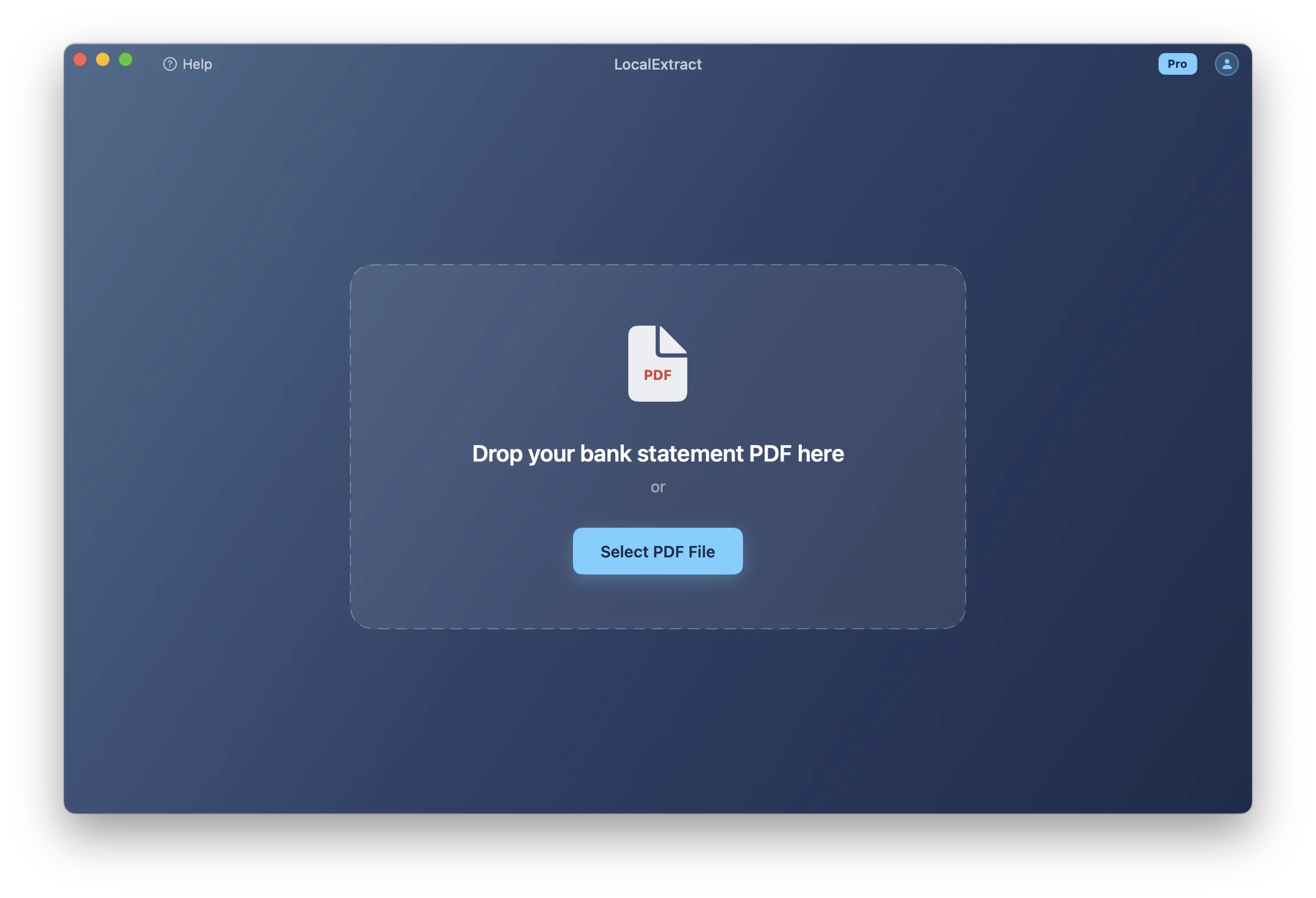
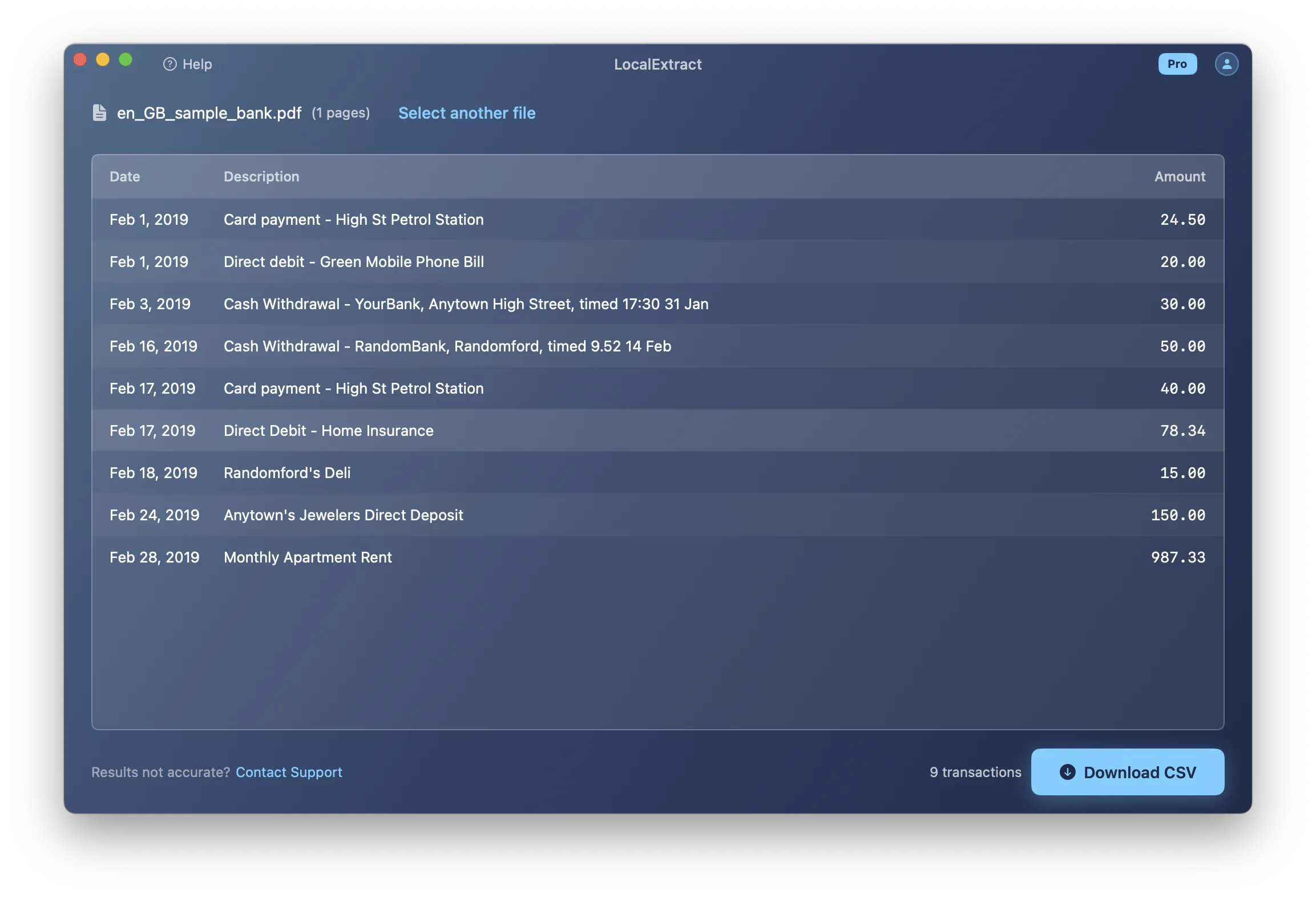
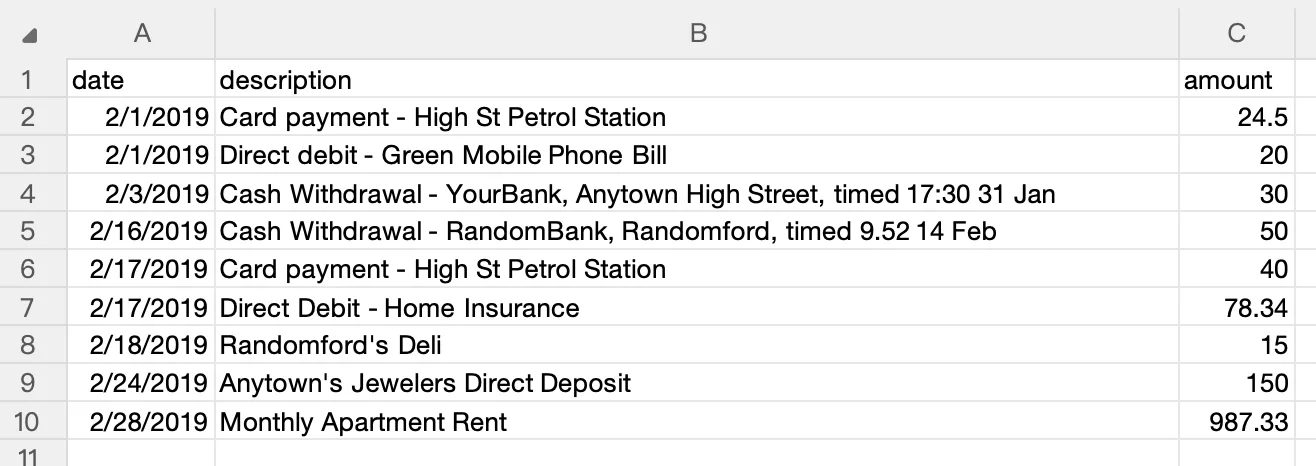
- Converting or processing — use tools that process locally rather than uploading to third-party servers when possible. For example, a bank statement converter that runs on your own machine (such as LocalExtract, which processes on macOS and Windows without uploading data) keeps the data within your control throughout the conversion process.
- Storing the output — save converted files in your organized, access-controlled file system
- Importing into accounting software — ensure the accounting platform's security settings are properly configured
- Archiving or disposing — follow your retention policy (more on this below)
Screen privacy
When working in shared spaces — coworking offices, client locations, or even home offices with family present — client financial data on your screen is visible to anyone nearby. Use a privacy screen filter on your monitor and lock your computer when stepping away.
Printing
Printed client documents should be treated with the same care as digital files. Do not leave printouts unattended, use a cross-cut shredder for disposal, and avoid printing sensitive documents on shared printers.
Tool Selection Criteria
Every tool that touches client data is part of your data protection surface. Here is a framework for evaluating tools from a privacy perspective.
Questions to ask about any tool
| Question | Why It Matters |
|---|---|
| Does this tool transmit client data to external servers? | Data that leaves your control creates third-party risk |
| What is the provider's data retention policy? | How long do they keep your clients' data? |
| Where is the data processed and stored? | Jurisdictional differences affect legal protections |
| Does the tool require an account? | Account creation creates an identity link to your usage |
| Can the tool function offline? | Offline capability indicates truly local processing |
| What are the provider's breach notification obligations? | You need to know if their systems are compromised |
| Is the source code auditable? | Open-source tools allow verification of privacy claims |
Applying these criteria
Accounting software — QuickBooks Online, Xero, and Sage Cloud all process data on their servers. This is generally accepted as necessary for core accounting functions, but be aware of the data exposure it creates and ensure your provider has adequate security certifications (SOC 2, for example).
Document converters — tools that convert bank statement PDFs to CSV or Excel. Cloud converters upload client bank statements to third-party servers. On-device converters like LocalExtract process files locally. For bank statements specifically, local processing avoids an unnecessary data exposure point. See our cloud vs. local converter comparison for a detailed analysis.
Communication tools — Slack, Teams, and similar platforms may contain client financial details in messages. Ensure these platforms have appropriate security settings and retention policies.
Backup solutions — backups of client files should be encrypted. Cloud backups should use zero-knowledge encryption when possible.
Physical Security
Data privacy is not purely a digital concern. Physical security of devices and documents matters.
Device security
- Full-disk encryption — enable FileVault (macOS) or BitLocker (Windows) on every device that handles client data
- Strong passwords or biometrics — for device login
- Automatic lock — set screen lock to activate after 2-5 minutes of inactivity
- Remote wipe capability — enable Find My (Apple) or similar services in case of device theft
Office security
- Lock the office when unattended
- Secure filing cabinets for physical documents
- Visitor policies — do not leave client files visible when visitors are present
- Dispose of old hardware securely — drives should be wiped or physically destroyed
Access Control and Authentication
Passwords
- Use unique passwords for every service that handles client data
- Use a password manager (1Password, Bitwarden) to generate and store strong passwords
- Never share passwords via email or text
Two-factor authentication (2FA)
Enable 2FA on:
- Email accounts
- Cloud storage
- Accounting software
- Bank statement converters (if cloud-based)
- Client portals
- Any service that accesses client data
Hardware security keys (YubiKey) or authenticator apps (Authy, Google Authenticator) are preferred over SMS-based 2FA, which is vulnerable to SIM-swapping attacks.
Service provider accounts
If you access clients' bank accounts or accounting platforms on their behalf, use dedicated credentials — do not share login information with the client or use the client's personal login.
Data Retention and Disposal
How long to keep data
Retention requirements depend on the type of data:
- Tax-related documents — IRS recommends keeping tax records for at least 3 years (6-7 years in some situations)
- Business financial records — generally 7 years for legal and tax purposes
- Bank statements — retain for the duration of the engagement plus the applicable tax retention period
- Working papers — retain for as long as they may be needed for reference, then dispose
Secure disposal
When data is no longer needed:
- Digital files — use secure deletion tools that overwrite file data, or rely on full-disk encryption and securely erase the key
- Physical documents — cross-cut shredder (not strip-cut, which can be reconstructed)
- Old devices — perform a full factory reset and secure wipe before selling, donating, or recycling
- Cloud files — delete from the cloud service and empty trash/recycle bin. Note that "deleted" files may persist in backups for some period depending on the provider.
Incident Response Basics
An incident response plan is not just a regulatory checkbox — it is a practical necessity. When (not if) something goes wrong, having a plan saves time, reduces damage, and demonstrates due diligence.
What constitutes an incident
- Unauthorized access to client files (hacking, compromised account)
- Lost or stolen device containing client data
- Accidental disclosure (emailing client documents to the wrong recipient)
- Ransomware or malware affecting systems with client data
- Third-party breach at a service provider you use
Basic incident response steps
- Contain — isolate affected systems, change compromised passwords, revoke access
- Assess — determine what data was affected, how many clients are impacted, and how the incident occurred
- Notify — inform affected clients and, depending on jurisdiction, regulatory authorities. Most states require notification within 30-90 days. The FTC Safeguards Rule requires notification for incidents affecting 500 or more consumers.
- Remediate — fix the vulnerability that allowed the incident
- Document — record what happened, when, what data was affected, what actions were taken, and what changes were implemented to prevent recurrence
Having a plan before you need one
Write your incident response plan now, while nothing is wrong. It should include:
- Contact information for your attorney, IT support, and cyber insurance provider
- A list of state notification requirements for the states where your clients reside
- Template notification letters
- A procedure for preserving evidence while containing the incident
Building a Simple Written Security Policy
The FTC Safeguards Rule expects a written security program. For a solo bookkeeper or small firm, this does not need to be a 100-page document. A clear, practical policy covering the essentials is sufficient.
What to include
- Scope — what client data you handle and where it is stored
- Risk assessment — identify the main risks to client data in your practice (device theft, email compromise, cloud service breach, etc.)
- Safeguards — for each identified risk, document the safeguard you have in place (encryption, 2FA, local processing, etc.)
- Service providers — list third-party tools that handle client data and note their relevant security practices
- Training — document security awareness training for yourself and any staff
- Incident response — your plan for handling a data incident
- Review schedule — when you will review and update this policy (annually, at minimum)
Resources
- FTC Safeguards Rule compliance guide
- IRS Publication 4557 — includes a WISP template
- NIST Cybersecurity Framework — provides a comprehensive framework that can be scaled to any size organization
FAQ
Are bookkeepers subject to the FTC Safeguards Rule? The FTC defines "financial institution" broadly under the GLBA, and the definition includes entities that handle consumer financial data. Bookkeeping services that handle client financial information generally fall within this scope. Consult an attorney for a definitive determination based on your specific services.
Do I need a written security policy? The FTC Safeguards Rule requires covered entities to maintain a written information security program. Even if you are uncertain about whether you are covered, having a written policy is a best practice that protects you, your clients, and your business.
Is cloud storage safe for client financial documents? Major cloud providers implement strong security measures, but using cloud storage means client data resides on third-party servers. This is generally acceptable for accounting software (where cloud processing is necessary for functionality), but for tasks like bank statement conversion where local alternatives exist, minimizing cloud exposure reduces risk. For more on this topic, see our guide on why bookkeepers should not upload bank statements.
What should I do if a client sends documents via unencrypted email? Download the attachment, save it to your secure file system, then delete the email. Educate the client about more secure alternatives for future submissions — a client portal, secure file sharing service, or at minimum, password-protected attachments.
How does tool selection affect my privacy obligations? Every tool that touches client data is a link in your data protection chain. Cloud-based tools create third-party exposure; local tools keep data within your control. The FTC Safeguards Rule specifically requires oversight of service providers, which includes evaluating and monitoring their security practices. Using local processing tools where feasible simplifies this obligation. For a practical comparison of tool options, see what is a bank statement converter and our free vs. paid converter comparison.
How much does it cost to implement basic data privacy practices? Most of the recommendations in this guide are free or low-cost: enabling 2FA, using strong passwords, encrypting devices, and writing a security policy. The main costs are time (to set up and maintain the program) and potentially a password manager subscription ($3-5/month). Tools like LocalExtract ($10/month or $60/year after 10 free pages) can replace cloud-based alternatives that create additional privacy obligations.
Our Experience: Implementing Privacy Practices
To ground this guide in practical experience, we conducted a privacy audit of our own internal bookkeeping workflow. Here is what we found and what we changed:
Tool inventory: We cataloged every tool that touches financial data in a typical bookkeeping workflow — email client, cloud storage (Google Drive), accounting software (QuickBooks Online), bank statement converter, spreadsheet editor, and password manager. Each represents a link in the data protection chain.
Biggest finding: The most significant exposure point was not a sophisticated security gap — it was email. We found client bank statements sitting in email inboxes going back months, unencrypted and accessible to anyone with the email password. We immediately implemented a policy of downloading attachments, saving to encrypted local storage, and deleting the email within 24 hours.
Converter choice impact: When we switched from a cloud-based bank statement converter to LocalExtract (processing entirely on-device), we eliminated one third-party vendor from our data handling chain. This simplified our WISP documentation and removed one service from our FTC Safeguards Rule vendor oversight requirements. The functional impact was zero — the CSV output was equivalent. For a detailed comparison of cloud vs. local converters, see our analysis.
Time investment: Setting up basic privacy practices — enabling 2FA everywhere, writing a simple WISP, configuring encrypted storage, and establishing file handling procedures — took approximately 6 hours spread over two days. Maintaining them requires about 30 minutes per month for audit and review.
The bottom line from our experience: Most privacy improvements for bookkeepers are operational, not technical. They do not require expensive software or deep security expertise. They require consistent habits: secure file transfer, encrypted storage, privacy-conscious tool selection, and regular review. For specific tool recommendations, see our guides on private bank statement converters and offline converters.
Looking Ahead
Data privacy for bookkeepers is evolving from a best practice to a regulatory baseline. The FTC's 2023 Safeguards Rule update was a significant step, but it is likely not the last. State-level privacy legislation is expanding rapidly — California, Virginia, Colorado, Connecticut, and others have passed comprehensive privacy laws, and more states are following. For bookkeepers, this means that the compliance bar is rising: what was optional documentation three years ago is becoming mandatory. On the technology front, privacy-enhancing technologies are becoming more accessible — on-device processing, zero-knowledge encryption, and hardware security modules are moving from enterprise tools to consumer-grade availability. Bookkeepers who build privacy-first workflows now will be ahead of the curve as regulations tighten. Those who wait may face costly retroactive compliance efforts when their state introduces new requirements or when the FTC conducts its next round of enforcement actions.
Conclusion
Data privacy for bookkeepers is not an optional add-on — it is a professional obligation under the FTC Safeguards Rule, state privacy laws, and the client trust that your practice depends on. The good news is that implementing effective privacy practices does not require enterprise-grade budgets or deep technical expertise. It requires awareness of what client data you handle, thoughtful selection of tools that minimize exposure, consistent security habits, and a simple written policy that documents your approach. Start with the basics — encrypted devices, 2FA, secure file transfer, and privacy-conscious converter tools — and build from there.
LocalExtract converts bank statement PDFs to CSV and Excel entirely on your device — no uploads, no cloud processing, no third-party access to client data. Available for macOS and Windows.

LocalExtract Team
We build LocalExtract, an on-device bank statement converter for macOS and Windows. Our team includes software engineers and financial workflows specialists focused on private, accurate PDF data extraction. Questions or corrections? Contact us or see our editorial policy.
Related Articles
Ready to convert your bank statements?
100% on-device. Your documents never leave your computer.
By downloading, you agree to our Terms and Privacy Policy.