
Bank Statement Converter API vs Desktop: Which to Choose
Key Takeaways
- API-based bank statement converters are designed for developers who need programmatic access — high volume, automation, and SaaS integration.
- Desktop converters are designed for end users — bookkeepers, accountants, and small business owners who process statements manually.
- APIs require development time and ongoing maintenance but enable fully automated workflows; desktop apps work out of the box but require human interaction.
- Privacy trade-offs are significant: APIs process data on remote servers; desktop/on-device converters process locally.
- LocalExtract is a desktop-only product — it does not offer an API. This article explains when each approach is the right fit.
This article is for informational purposes only. Product features and pricing for third-party services are accurate as of publication date but may change.
Two Different Tools for Two Different Problems
The term "bank statement converter" covers two fundamentally different product categories that serve different users with different needs.
Disclosure: This article is published by the LocalExtract team. LocalExtract is a desktop, on-device bank statement converter. We do not offer an API and have no plans to add one in the near term. We strive for factual accuracy when discussing API providers and acknowledge that APIs serve use cases our product does not.
API-based converters expose an HTTP endpoint. A developer sends a PDF file to the API, and the API returns structured data (JSON, CSV). The developer integrates this into their own application — a SaaS platform, an internal tool, or an automated pipeline. The user of the final application may never know a bank statement converter API exists behind the scenes.
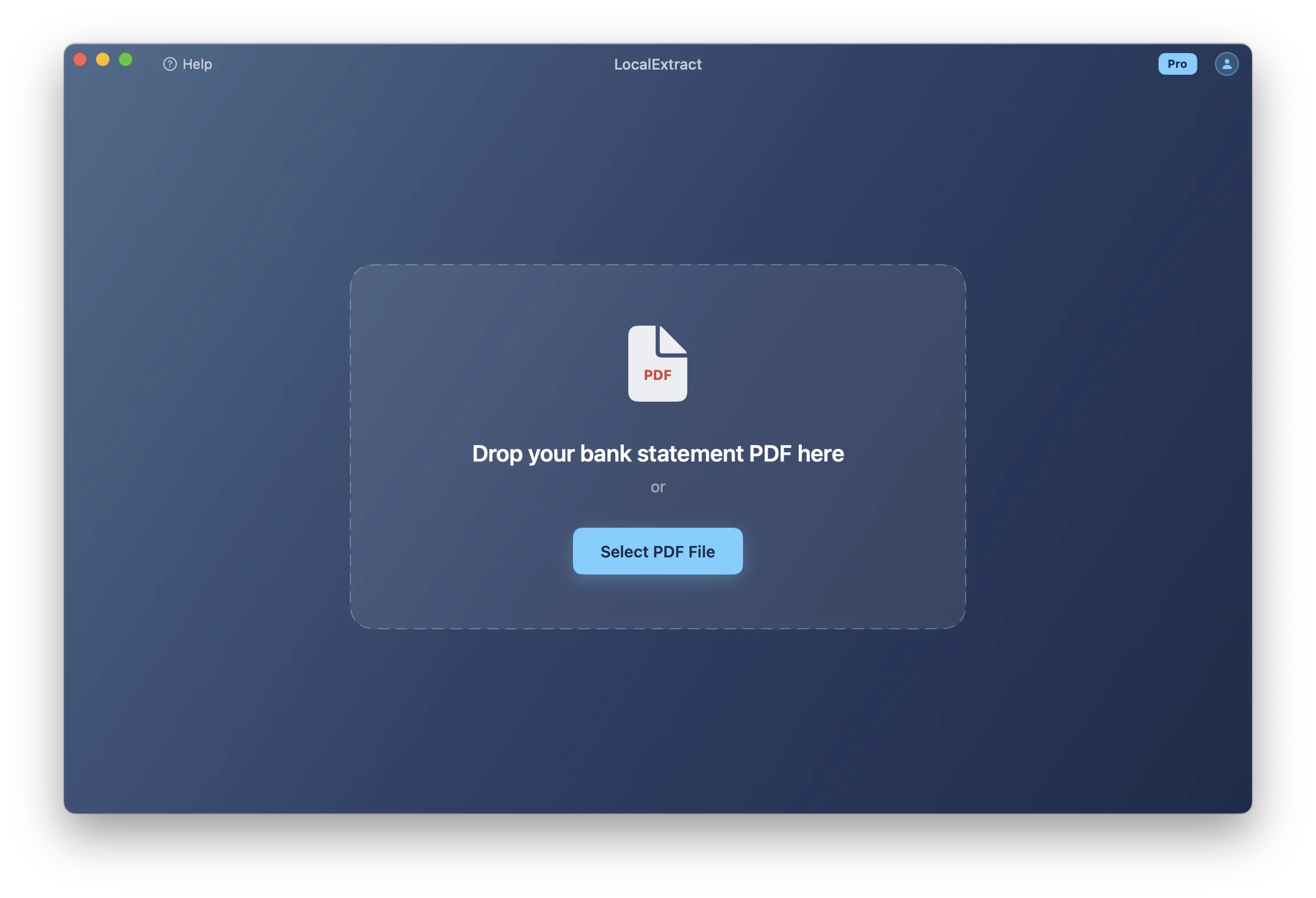
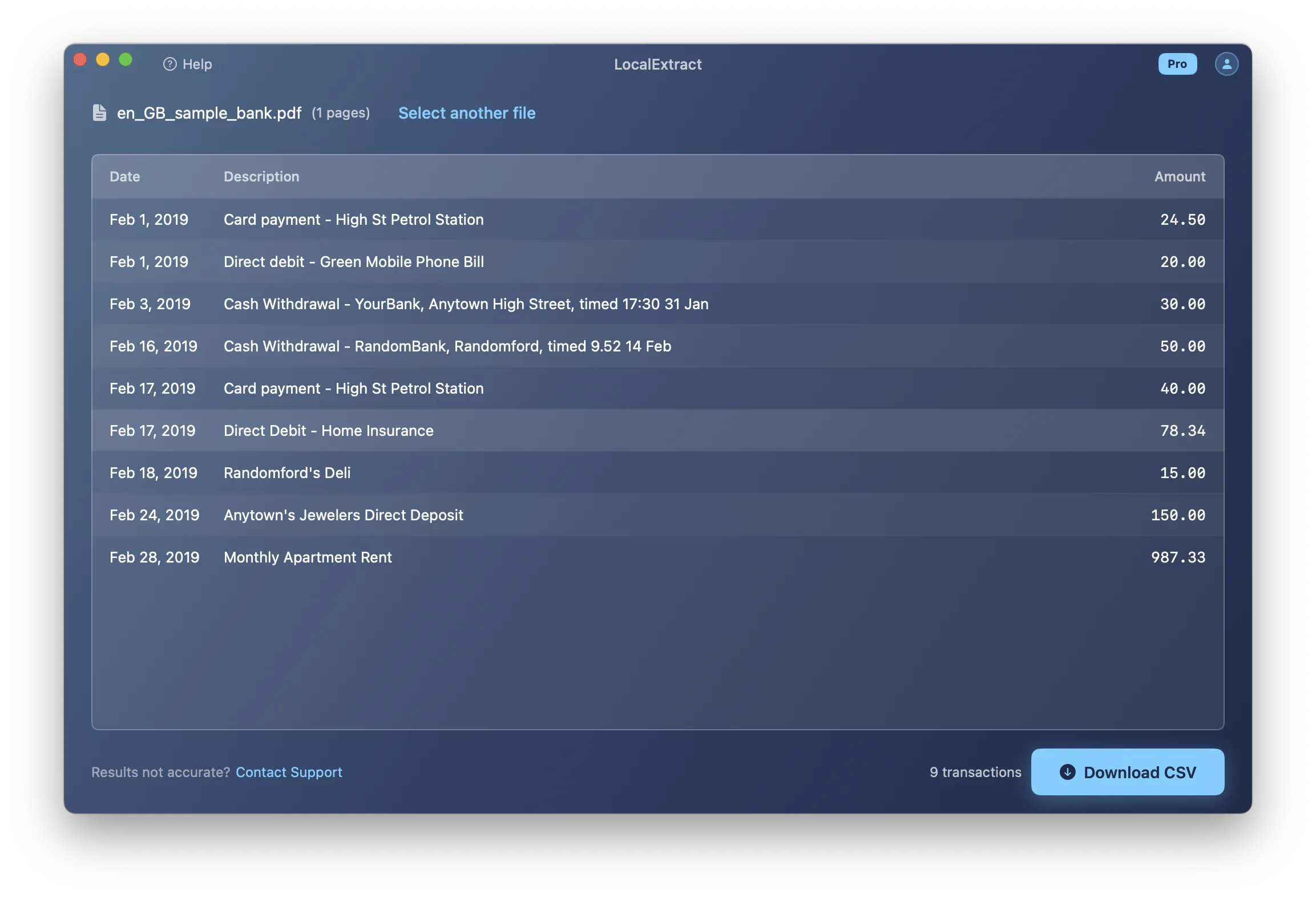
Desktop converters are standalone applications. A human opens the app, loads a PDF, reviews the extracted data, and exports it. The workflow is manual and interactive. The user is directly engaged with the conversion process.
These are not competing solutions. They solve different problems for different audiences. Understanding the distinction helps you avoid choosing a tool that does not fit your actual workflow.
Contents
- When to Use an API
- When to Use a Desktop App
- How Bank Statement Converter APIs Work
- Popular API Providers
- API Pricing Models
- Privacy Comparison: API vs Desktop
- The Build vs Buy Decision
- Can You Combine Both?
- Limitations of Each Approach
- Making the Decision
- FAQ
When to Use an API
API-based bank statement conversion makes sense in specific scenarios. If your situation matches one or more of the following, an API is likely the right tool.
High volume, automated processing
If your application processes hundreds or thousands of bank statements per day without human intervention, an API is the only practical option. Desktop applications require a human to load each file — at scale, this does not work.
Examples:
- A lending platform that automatically extracts transaction data from bank statements submitted with loan applications
- An accounting SaaS that lets users upload bank statements for automated reconciliation
- A financial analytics platform that ingests bank data for cash flow analysis
Integration into existing software
If you are building a product and bank statement extraction is one feature within a larger system, an API lets you embed conversion directly into your application. Your users interact with your UI; the API handles the PDF parsing behind the scenes.
Developer-driven workflows
If your team has software engineers who can integrate, maintain, and monitor an API integration, the overhead of API adoption is manageable. If you are a bookkeeper or accountant without development resources, an API is the wrong tool regardless of its capabilities.
Standardized output for downstream processing
APIs typically return structured JSON with consistent field names, data types, and formatting. This predictability makes it straightforward to feed the output into databases, machine learning models, or business logic — without the manual cleanup that CSV files sometimes require.
When to Use a Desktop App
Desktop bank statement converters are the right choice in different scenarios.
Low to moderate volume
If you process a few statements per day or per week — the typical volume for an individual bookkeeper or small accounting firm — a desktop app is simpler, cheaper, and faster to adopt than an API integration.
Privacy-sensitive processing
Desktop converters that process files locally (like LocalExtract) never transmit data to external servers. For professionals handling client financial data — where regulatory obligations like the FTC Safeguards Rule apply — local processing simplifies compliance. An API, by definition, requires sending the bank statement to a remote server.
Non-technical users
Bookkeepers, accountants, and small business owners who need to convert bank statements are typically not software developers. A desktop app with a drag-and-drop interface is immediately usable. An API requires code. For a complete guide to the manual conversion workflow, see how to convert a bank statement PDF to CSV.
Review before use
Desktop converters display the extracted data before export, allowing the user to spot-check accuracy. This human review step catches errors before they propagate into accounting software. API integrations can include validation logic, but it requires additional development.
How Bank Statement Converter APIs Work
For readers unfamiliar with APIs, here is how a typical bank statement converter API operates.
The basic flow
- Authentication — the developer obtains an API key from the provider and includes it in each request
- Upload — the developer sends an HTTP POST request with the PDF file as the payload
- Processing — the API server receives the file, extracts transaction data, and structures it
- Response — the API returns the extracted data as a JSON response (or provides a download link for CSV/Excel)
A simplified example
POST https://api.example.com/v1/parse
Authorization: Bearer sk_live_abc123
Content-Type: multipart/form-data

[bank-statement.pdf]
Response:
{
  "status": "success",
  "bank": "Chase",
  "account_number": "****1234",
  "period": {
    "start": "2026-01-01",
    "end": "2026-01-31"
  },
  "transactions": [
    {
      "date": "2026-01-03",
      "description": "Direct Deposit - Payroll",
      "amount": 2500.00,
      "type": "credit",
      "balance": 5250.00
    },
    {
      "date": "2026-01-05",
      "description": "Amazon.com",
      "amount": -47.99,
      "type": "debit",
      "balance": 5202.01
    }
  ]
}
Async processing
For large files or high-volume usage, some APIs use asynchronous processing. You submit the file and receive a job ID. You then poll a status endpoint until processing is complete, at which point you retrieve the results. This pattern prevents timeout issues with large documents.
Webhooks
Some APIs support webhooks — they call your server when processing is complete, rather than requiring you to poll. This is more efficient for integration but requires your application to expose a publicly accessible endpoint.
Popular API Providers
Several companies offer bank statement parsing APIs. Here is an overview of the landscape — not an endorsement of any specific provider.
Categories
Dedicated bank statement APIs — purpose-built for financial document extraction. These providers focus specifically on bank statements and often support a broad range of bank formats. Examples include Sensible.so, Docparser, and Affinity.
General document extraction APIs — broader platforms that extract data from many document types (invoices, receipts, forms) including bank statements. Examples include Amazon Textract, Google Document AI, and Microsoft Azure Form Recognizer (now Document Intelligence).
OCR-focused APIs — provide text extraction and some structural analysis. They may extract text from bank statements but typically do not provide bank-statement-specific parsing (transaction identification, amount normalization, etc.). Examples include ABBYY Cloud OCR and Google Cloud Vision.
Evaluation criteria for APIs
| Criterion | Why It Matters |
|---|---|
| Bank format coverage | Does the API support the specific banks your users submit statements from? |
| Accuracy | What is the field-level accuracy, especially for amounts and dates? |
| Scanned PDF support | Can it handle image-based PDFs via built-in OCR? |
| Response time | How fast is the processing? Seconds or minutes? |
| Rate limits | How many concurrent requests can you make? |
| Data retention | How long does the provider store uploaded documents? |
| Pricing model | Per page, per document, per API call, or subscription? |
| SLA and uptime | What availability guarantees does the provider offer? |
API Pricing Models
API pricing varies significantly. Understanding the models helps you project costs at your expected volume.
Per-page pricing
You pay for each page processed. Typical range: $0.05-$0.50 per page.
Example: A 10-page bank statement costs $0.50-$5.00 to process. At 1,000 statements per month averaging 8 pages each, monthly cost ranges from $400 to $4,000.
Per-document pricing
You pay per PDF file, regardless of page count. Typical range: $0.25-$2.00 per document.
Example: 1,000 statements per month at $0.50/document = $500/month.
Subscription tiers
A monthly fee that includes a set number of pages or documents. Overage charges apply above the limit.
Example: $99/month for 500 pages, $0.10 per additional page.
Comparison with desktop pricing
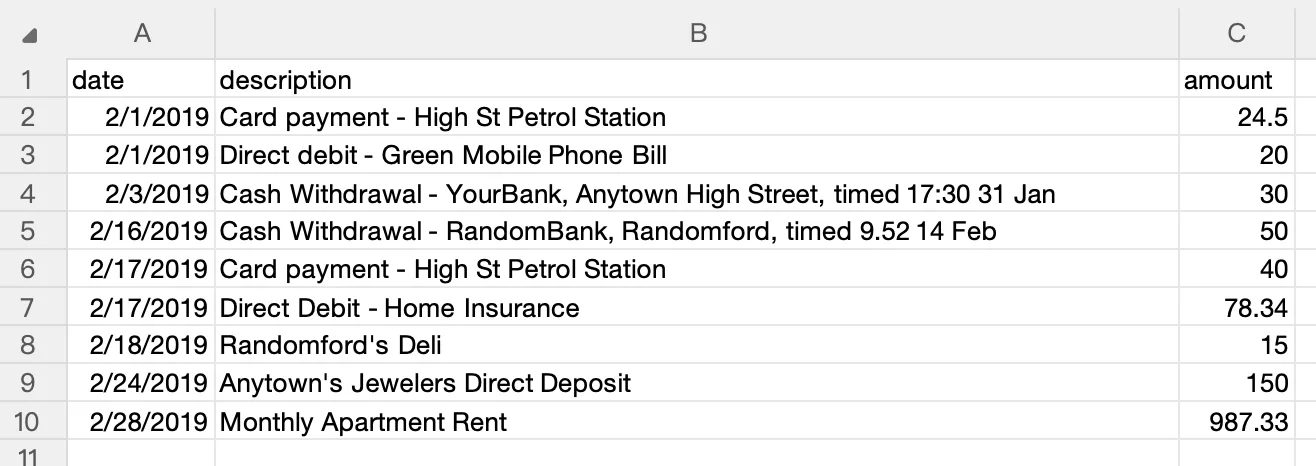
For context, LocalExtract's desktop pricing is $10/month or $60/year for unlimited pages. At desktop pricing, 1,000 statements per month costs $10/month — a fraction of API pricing. But the desktop approach requires manual, per-file processing and does not support automation.
The cost difference reflects the different value propositions: APIs provide programmatic access, scalability, and automation infrastructure. Desktop apps provide a UI, local processing, and simplicity.
Privacy Comparison: API vs Desktop
Privacy is one of the most significant differentiators between API and desktop approaches.
API processing
When you use a bank statement converter API:
- The PDF is transmitted over the internet to the API provider's servers
- The document is decrypted and processed on the provider's infrastructure
- The provider may retain the document for some period (varies by provider)
- The provider's employees may have access to uploaded documents (depending on access controls)
- A breach of the API provider could expose your documents
- You are sharing data with a third party, which triggers obligations under the FTC Safeguards Rule and similar regulations
Desktop/on-device processing
When you use a local desktop converter:
- The PDF never leaves your computer
- No third party touches the data
- No data retention on external servers
- No breach exposure from a third-party service
- No data-sharing event under regulatory frameworks
The trade-off
For developers building SaaS products, the API approach may be necessary — you cannot process files on each user's device without significant architectural complexity. In this case, choosing an API provider with strong security practices, clear data retention policies, and SOC 2 certification mitigates the privacy risk.
For end users processing their own or their clients' statements, local processing is unambiguously better from a privacy perspective. For an in-depth comparison, see our cloud vs. local converter analysis. Bookkeepers handling sensitive client data may also want to review our data privacy guide for bookkeepers for broader compliance considerations.
The Build vs Buy Decision
Some development teams consider building their own bank statement parser rather than using an API. Here is how to think about that decision.
When building makes sense
- You have deep PDF parsing expertise on your team
- You need control over the extraction logic for compliance or customization reasons
- Your volume is high enough that API costs exceed the cost of maintaining an in-house solution
- Privacy requirements prevent sending documents to any third party, and your application architecture does not allow client-side processing
When buying (API) makes sense
- You need to move fast — building a bank statement parser from scratch takes months to years
- You lack PDF expertise — PDF parsing is a deep technical domain (see our article on bank statement PDF formats for just how deep)
- You need broad bank coverage — supporting hundreds of bank formats requires extensive testing data
- Your core product is not PDF parsing — spending engineering time on extraction diverts resources from your actual product
The hidden costs of building
Bank statement parsing is one of those problems that seems simpler than it is. The first prototype might work for Chase and Bank of America statements, but the long tail of bank formats, edge cases, and layout variations creates ongoing maintenance that many teams underestimate. For a detailed look at why extraction is technically challenging, see our guide to PDF formats.
Consider:
- Every bank formats its PDFs differently
- Banks update their statement designs periodically, breaking existing parsers
- Scanned PDFs require OCR integration and handling of recognition errors
- Multi-page statements with varying headers/footers require page-aware logic
- Amount normalization (debits, credits, parenthetical notation) varies across banks
- Testing requires maintaining a library of sample statements from dozens of banks
Open-source alternatives
If you want to avoid API costs but do not want to build from scratch, open-source libraries like Tabula, Camelot, and pdfplumber provide generic PDF table extraction. They are free and process locally, but they are general-purpose tools — not bank-statement-specific — and require significant customization for financial document parsing. For more on extraction approaches, see our guide on extracting data from bank statement PDFs.
Can You Combine Both?
Some workflows benefit from using both approaches:
API for automation, desktop for exceptions
A development team might use an API for automated processing of the majority of statements and fall back to a desktop tool for statements that the API fails to parse correctly. This combines the efficiency of automation with the flexibility of human review for edge cases.
Desktop for privacy-sensitive clients
A firm might use an API for general processing but switch to a local desktop converter for clients with heightened privacy requirements (high-net-worth individuals, legal matters, government contracts).
Desktop for prototyping, API for production
When evaluating whether bank statement conversion fits a product idea, a desktop tool provides quick, no-code testing. Once the concept is validated, the team can integrate an API for the production implementation.
Limitations of Each Approach
API limitations
- Privacy exposure — data must leave your control for processing
- Latency — network round-trip adds seconds to each conversion
- Cost at scale — per-page/per-document pricing adds up with high volumes
- Downtime risk — API outages affect your application's availability
- Vendor dependency — changing providers requires re-integration
- Data residency — may conflict with requirements to keep data in specific jurisdictions
Desktop limitations
- No automation — every file requires manual interaction
- Single-user — processing happens on one machine at a time
- No programmatic access — cannot be integrated into other software
- Local hardware dependency — processing speed depends on the user's machine
- Not suitable for SaaS — cannot be embedded in a web application
LocalExtract is a desktop-only product. It does not offer an API, and we are transparent about this limitation. If you need automated, programmatic bank statement conversion, an API is the right tool. If you need privacy-preserving, manual conversion for a moderate number of statements, a desktop converter like LocalExtract is a better fit. LocalExtract runs on macOS and Windows, processes files locally, and is priced at $10/month or $60/year after a free tier of 10 pages.
Making the Decision
Here is a decision framework:
| Your Situation | Recommended Approach |
|---|---|
| Building a SaaS product that needs bank statement extraction | API |
| Automating processing of 100+ statements daily | API |
| Developer building a custom internal tool | API (or open-source library) |
| Bookkeeper processing 20-50 client statements monthly | Desktop |
| Accountant who needs privacy for client data | Desktop (local processing) |
| Small business owner importing own statements | Desktop |
| Processing statements in a regulated industry | Desktop (local) or API with strong compliance |
| Prototyping a product idea involving bank data | Desktop (for testing) then API (for production) |
The key insight is that APIs and desktop apps are not interchangeable. They serve different users, different volumes, and different integration requirements. Choosing the wrong category — not just the wrong product within a category — leads to friction and wasted effort. For bookkeepers specifically, see our bank statement converter for bookkeepers guide for workflow-oriented selection advice.
Looking Ahead
The API landscape for bank statement conversion is evolving rapidly. Open Banking initiatives (PSD2 in Europe, potential US equivalents) are creating standardized data access channels that may reduce the need for PDF parsing in some workflows — but PDF statements will remain the dominant format for years, especially for historical records and institutions slow to adopt APIs. On the desktop side, on-device AI models are closing the accuracy gap with cloud services, and edge computing advances mean that even OCR-heavy workloads can run locally without GPU servers. For developers, the emerging pattern is hybrid architectures: API-first for automation, with local fallback for privacy-sensitive clients or offline scenarios. The convergence of better on-device models, stricter privacy regulations, and Open Banking standards will reshape how bank statement data flows — but the fundamental need to extract structured data from PDFs is not going away soon.
FAQ
What is a bank statement converter API? An API (Application Programming Interface) that accepts PDF bank statements as input and returns structured transaction data (typically JSON) as output. Developers integrate the API into their own applications for automated bank statement processing.
Can I use a bank statement API without coding? Generally, no. APIs are designed for programmatic access and require writing code to send requests and process responses. Some API providers offer no-code interfaces or integrations with platforms like Zapier, but the primary use case is developer integration.
How much does a bank statement converter API cost? Pricing varies by provider. Per-page models range from $0.05-$0.50 per page. Per-document models range from $0.25-$2.00 per file. Subscription tiers start around $50-$100/month for modest volumes. At high volumes, monthly costs can reach thousands of dollars.
Does LocalExtract offer an API? No. LocalExtract is a desktop application that processes files locally on macOS and Windows. It does not expose an API and is not designed for automated or programmatic workflows. This is a deliberate product decision aligned with our privacy-first approach.
Is an API or desktop app better for privacy? Desktop/on-device converters are categorically better for privacy. They process files on your machine without any data transmission. APIs require sending documents to remote servers, creating data exposure. For a detailed privacy comparison, see our cloud vs. local converter analysis. If you handle HIPAA-adjacent financial data, our guide on HIPAA and bank statement processing covers additional considerations.
Can I build my own bank statement parser instead of using an API? Yes, but it requires significant PDF parsing expertise, extensive testing with diverse bank formats, and ongoing maintenance as banks change their statement designs. Open-source libraries like Tabula and pdfplumber provide a starting point, but bank-statement-specific parsing adds considerable complexity.
LocalExtract converts bank statement PDFs to CSV and Excel entirely on your device — no uploads, no cloud processing, no third-party access to your financial data. Available for macOS and Windows.

LocalExtract Team
We build LocalExtract, an on-device bank statement converter for macOS and Windows. Our team includes software engineers and financial workflows specialists focused on private, accurate PDF data extraction. Questions or corrections? Contact us or see our editorial policy.
Related Articles
Ready to convert your bank statements?
100% on-device. Your documents never leave your computer.
By downloading, you agree to our Terms and Privacy Policy.