
Bank Statement PDF Formats Explained: Why Extraction Is Hard
Key Takeaways
- PDF is a page-description language, not a data format — it contains instructions for drawing text at specific coordinates, not rows and columns.
- Bank statement PDFs have no table semantics: the "table" you see is a visual illusion created by aligned text and drawn lines.
- Every bank generates PDFs differently — column order, date formats, number formatting, multi-line descriptions, and page break handling all vary.
- Scanned (image-based) PDFs add an additional layer of difficulty: OCR must reconstruct text from pixels before any table analysis can begin.
- Understanding these technical challenges explains why generic "PDF to Excel" tools often fail on bank statements, and why purpose-built converters exist.
This article is for educational purposes. No specific technical knowledge is required, though readers with programming experience may find the code examples particularly informative.
The Fundamental Problem
When you open a bank statement PDF and see a neatly formatted table of transactions, your brain effortlessly recognizes the structure. You see columns: Date, Description, Amount, Balance. You see rows: one per transaction. You see a table.
Disclosure: This article is published by the LocalExtract team. We build a bank statement converter and work with PDF internals daily. The technical details in this article are based on the PDF specification and our direct experience parsing financial documents.
The PDF file sees none of this. Inside the PDF, there is no table. There are no columns. There are no rows. There are only instructions for placing individual characters and strings at specific x,y coordinates on a page. The table is an emergent visual property — it exists in the rendering, not in the data.
This is the fundamental reason why extracting data from bank statement PDFs is hard. Every converter must bridge the gap between what the PDF actually contains (positioned text fragments) and what humans see (structured transaction data). This article explains exactly what is inside a bank statement PDF and why it makes extraction challenging.
Contents
- What a PDF Actually Contains
- Text Positioning: The x,y Coordinate Problem
- The Absence of Table Semantics
- Font Encoding and Character Mapping
- How Banks Generate Their PDFs
- Scanned vs. Digital: Two Fundamentally Different Problems
- Multi-Column Layouts and Visual Ambiguity
- Headers, Footers, and Page Break Interference
- Why Some Banks Are Easier to Parse Than Others
- How Converters Solve These Problems
- FAQ
What a PDF Actually Contains
A PDF file is structured around a few key concepts:
Objects and content streams
A PDF consists of objects — dictionaries, arrays, strings, numbers, and streams. The visual content of each page lives in a content stream: a sequence of operators that describe what to draw and where to draw it.
Here is a simplified example of what a content stream might look like inside a bank statement PDF:
BT                          % Begin text block
/F1 10 Tf                   % Set font to F1, size 10pt
72 720 Td                   % Move to position x=72, y=720
(03/15/2026) Tj             % Draw the string "03/15/2026"
180 0 Td                    % Move 180 points to the right
(Direct Deposit - Payroll) Tj  % Draw the description
270 0 Td                    % Move 270 points to the right
(2,500.00) Tj               % Draw the amount
ET                          % End text block
This draws three strings on the page. To a human reading the rendered page, they form a row of a transaction table. To a computer reading the content stream, they are three unrelated strings placed at three different horizontal positions on the same vertical line.
Coordinate system
PDF uses a coordinate system where (0,0) is typically the bottom-left corner of the page. The x-axis runs left to right; the y-axis runs bottom to top. A standard US Letter page is 612 x 792 points (8.5 x 11 inches at 72 points per inch).
Positions are specified in floating-point numbers, meaning text is not aligned to a grid. Two strings that appear vertically aligned may have y-coordinates of 720.0 and 719.8 — close enough to render on the same line, but technically at different positions. A converter must decide what tolerance to use when grouping text into rows.
No semantic markup
HTML has <table>, <tr>, <td>. PDF has none of this. The PDF specification (ISO 32000) does define "tagged PDF" with structural elements, but in practice almost no bank statement PDF uses tagged structure. The vast majority of bank-generated PDFs are untagged — the content stream is the only source of information, and it contains only drawing instructions.
Text Positioning: The x,y Coordinate Problem
Every piece of text in a PDF has a position. This seems like it should make extraction straightforward — just read the text and its coordinates, group by position, and reconstruct the table. In practice, several complications arise.
Text matrix transforms
PDF text positioning is not simply "place string at (x,y)." The text position is determined by a combination of the text matrix (Tm operator), text move operators (Td, TD, T*), and the current transformation matrix (CTM). These can include scaling, rotation, and translation. A converter must track all of these state changes to determine the actual rendered position of each text fragment.
1 0 0 1 72 720 Tm        % Set text matrix: translate to (72, 720)
(Transaction) Tj          % Draw text at the matrix position
14 0 Td                   % Move right by 14 points for next string
(Date) Tj                 % This appears immediately after "Transaction"
In this example, "Transaction" and "Date" are two separate strings that together form the header "Transaction Date." A converter must recognize that they should be merged based on their proximity, but there is no explicit indication in the PDF that these two strings form a single logical element.
Character-by-character positioning
Some PDF generators output text one character at a time, with individual positioning adjustments for kerning:
[(T) 20 (r) -10 (ansaction)] TJ
The TJ operator takes an array where numbers represent kerning adjustments (in thousandths of a unit of text space). The converter must reassemble these character fragments into readable strings, applying the positioning adjustments to determine spacing. A large positive adjustment might indicate a word break; a small adjustment is just kerning.
Sub-pixel positioning differences
Two rows of a table that appear perfectly aligned may have slightly different y-coordinates due to floating-point precision in the PDF generator. Row 1 might be at y=540.0 and row 2 at y=527.2 (one line down), but if a third string is at y=540.1, is it part of row 1 or a separate element? Converters need tolerance-based grouping algorithms to handle this.
The Absence of Table Semantics
This is the single most important technical challenge in bank statement extraction.
Visual tables are not data tables
When a bank generates a statement PDF, the rendering engine draws:
- Text strings at calculated positions (forming the apparent cell contents)
- Lines or rectangles (forming the apparent cell borders)
- Background fills (creating alternating row shading)
None of these elements are semantically linked. The line drawn at y=530 is not associated with the text at y=540. The shaded rectangle is not a "row" — it is just a colored area. A converter must infer the table structure from the spatial relationships between these independent elements.
Column detection
To identify columns, a converter typically looks for header text ("Date," "Description," "Amount," "Balance") and uses their x-positions to define column boundaries. But headers are not always present, may use unexpected terminology ("Value Date" instead of "Date," "Particulars" instead of "Description"), or may span multiple lines.
Some banks do not use visible column headers at all — the column structure is implied by the data layout. In these cases, the converter must use heuristics: dates are in the leftmost column, amounts are right-aligned, descriptions are in the widest column.
Row detection
Rows are typically identified by grouping text elements that share the same y-coordinate (within a tolerance). But bank statements frequently have multi-line rows — a transaction where the description wraps to a second line. The converter must decide: is the text on the next line a continuation of the current transaction, or the start of a new one?
The answer depends on context. If the next line has a date in the date column position, it is a new transaction. If it has text only in the description column position, it is a continuation. But what if the next line has text that could be a date but is actually part of a description? These ambiguities are where parsing errors occur.
Font Encoding and Character Mapping
The characters you see in a PDF are not always the characters stored in the file.
Font subsetting
To reduce file size, PDF generators often embed only the glyphs (character shapes) actually used in the document, not the entire font. The embedded font may use custom encoding where glyph index 65 is not "A" but some other character. A converter must read the font's encoding table (ToUnicode CMap or Encoding dictionary) to map glyph indices back to Unicode characters.
When the encoding table is incomplete or missing — which happens with some PDF generators — the converter must fall back to heuristics or character recognition to determine what text is actually being displayed.
Number formatting
Bank statements use various number formats:
1,234.56— US format with comma thousands separator1.234,56— European format with period thousands separator(1,234.56)— parenthetical notation for negative numbers (debits)-1,234.56— negative sign for debits1234.56 CR— credit/debit suffix notation$1,234.56— with currency symbol
A converter must recognize and normalize all of these into consistent numeric values. Misinterpreting a thousands separator as a decimal point (or vice versa) turns $1,234.00 into $1.234 — a thousand-fold error.
Special characters and encoding issues
Transaction descriptions may contain characters that are problematic in PDFs:
- Ampersands, apostrophes, and accented characters in merchant names
- Reference numbers with mixed alphanumeric content
- Characters from non-Latin scripts in international descriptions
PDF text encoding is not always UTF-8. Older PDFs may use WinAnsiEncoding, MacRomanEncoding, or custom encodings. A converter must handle all of these to avoid garbled descriptions.
How Banks Generate Their PDFs
Understanding how banks create their PDFs explains much of the variation in extractability.
Enterprise document generation
Most large banks use enterprise document generation platforms — tools like OpenText Exstream, Quadient Inspire, or custom-built systems. These platforms take structured transaction data from the bank's core system and render it into PDF format for delivery to customers.
The irony is not lost on data extraction engineers: the bank starts with perfectly structured data, renders it into an unstructured visual format (PDF), and then the recipient needs to extract the structure back out. The PDF is an intermediate representation that discards the very structure the data originally had.
Statement design variations
Each bank (and sometimes each department within a bank) makes different design choices:
| Design Choice | Variation A | Variation B |
|---|---|---|
| Date format | MM/DD/YYYY | DD MMM YYYY |
| Amount columns | Single column (negative for debits) | Separate debit and credit columns |
| Balance column | Running balance per transaction | End-of-day balance only |
| Description | Single line, truncated | Multi-line with details |
| Page headers | Bank name only | Full account info on every page |
| Subtotals | None | Daily, weekly, or page subtotals |
A converter that handles Chase statements flawlessly may fail on Bank of America statements because every design choice differs.
PDF generator behavior
The PDF rendering engine also matters. Some generators:
- Output text as complete strings per cell (easier to parse)
- Output text character by character with individual positioning (harder)
- Use invisible text layers over images (common in scanned-and-OCR'd documents)
- Embed fonts with complete encoding tables (reliable text extraction) or subset with incomplete mappings (unreliable)
- Draw table lines as vector graphics (helpful for column detection) or use no visible borders (removing a parsing clue)
Scanned vs. Digital: Two Fundamentally Different Problems
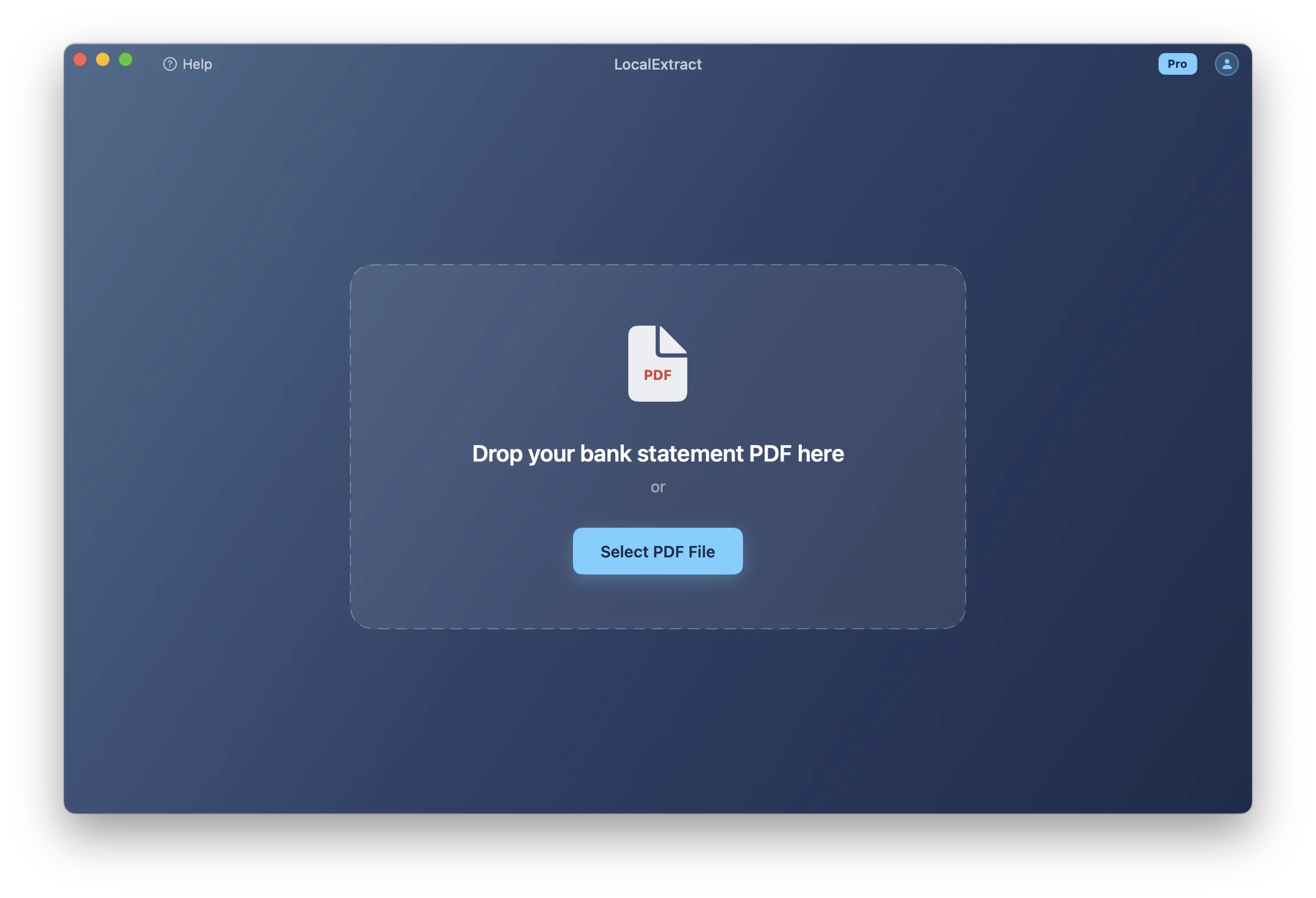
Bank statement PDFs come in two fundamentally different forms, and they present different extraction challenges.
Digital (text-based) PDFs
Digital PDFs are generated electronically — typically downloaded from an online banking portal. The text in these files is stored as character data with position information. A converter can read this text directly from the content stream.
For digital PDFs, the challenge is purely structural: reconstructing the table layout from positioned text. The text itself is accurate and complete.
Scanned (image-based) PDFs
Scanned PDFs are photographs of paper statements. They contain raster images — grids of pixels — with no text data at all. The content stream contains image drawing operators, not text operators.
To extract data from a scanned PDF, a converter must first run OCR (Optical Character Recognition) to detect text regions in the image and convert them to machine-readable characters. This adds two additional failure modes:
-
Character recognition errors — OCR may confuse similar-looking characters: "0" and "O," "1" and "l" and "I," "5" and "S," "8" and "B." In financial data, where a single digit error changes a dollar amount, this is particularly problematic.
-
Layout detection errors — OCR must determine not just what the characters are, but where they are positioned. Skewed scans, variable resolution, and complex layouts can cause the OCR engine to misalign text blocks, merging adjacent columns or splitting single columns.
For detailed guidance on handling scanned statements, see our article on converting scanned bank statements to CSV. If you are considering digitizing paper statements more broadly, our guide on how to digitize bank statements covers the full workflow.
The hybrid case
Some PDFs are hybrids: a scanned image with an invisible OCR text layer overlaid. The image is what you see; the text layer is what a converter reads. If the OCR was performed by the bank (or by a document management system), the quality of the text layer depends on when and how the OCR was run. Some OCR text layers are highly accurate; others contain significant errors that are invisible to the user viewing the page.
Multi-Column Layouts and Visual Ambiguity
Bank statements frequently use multi-column layouts that create ambiguity for automated extraction.
The debit/credit column problem
Many banks use separate debit and credit columns rather than a single amount column. Visually, each transaction has an amount in either the debit column or the credit column, but not both. In the PDF content stream, the amount string is positioned at a specific x-coordinate. A converter must determine whether that x-coordinate falls in the debit column or the credit column.
If the column headers ("Debit" and "Credit") are present and clearly positioned, this mapping is straightforward. If the headers are missing, abbreviated, or positioned ambiguously, the converter must use contextual clues — like whether amounts in the left column tend to decrease the running balance.
Summary sections that look like transactions
Many bank statements include summary sections — daily totals, monthly averages, interest calculations — that use the same layout and formatting as the transaction table. A converter that does not specifically detect and exclude these sections will include spurious entries in the output.
Promotional content and disclosures
Bank statements often include marketing messages, legal disclosures, and account terms mixed in with financial data. These text blocks may fall within the same page area as the transaction table. A converter must distinguish between transaction data and non-transaction content, typically by analyzing the structure (does this text have a date and amount?) rather than the content (which would require natural language understanding).
Headers, Footers, and Page Break Interference
Multi-page statements introduce additional complexity.
Repeating headers
Most banks repeat the column headers on each page. A converter must recognize that the text "Date Description Amount Balance" appearing on page 3 is a page header, not a transaction. If the converter treats every occurrence of these header strings as data, the output will contain spurious rows.
Page footers and running totals
Page footers may include running totals ("Page Total: $12,345.67"), account summaries, or pagination text ("Page 3 of 8"). These often appear in the same area of the page as the last transaction row, creating ambiguity about where the transaction table ends and the footer begins.
Transactions split across pages
A transaction whose description wraps to multiple lines may be split across a page break. The date and first line of the description appear at the bottom of one page; the continuation of the description appears at the top of the next page (after the repeated header). A converter must handle this gracefully — either by detecting the continuation and merging it with the previous transaction, or by at least not treating the continuation as a separate transaction with a missing date and amount.
Varying footer heights
Not all pages have the same footer height. The last page of a statement typically has a longer footer with account summary information, legal text, and bank contact details. A converter that uses a fixed crop area to exclude footers will either cut off transactions on short-footer pages or include footer text on long-footer pages.
Why Some Banks Are Easier to Parse Than Others
Given all of the above challenges, it should be clear why converter accuracy varies across banks. Here are the factors that make some banks' statements easier to parse:
Clean text output
Banks whose PDF generators output text as complete strings (one string per cell) are much easier to parse than those that output text character-by-character with individual positioning. The former gives the converter clean, readable text; the latter requires reconstruction from fragments.
Consistent layouts
Banks that use the same layout across all account types and statement periods are easier to support than banks that vary their layout by account type (checking vs. savings vs. credit card), statement period (monthly vs. quarterly), or even over time as they update their statement design.
Clear column boundaries
Banks that draw visible table borders provide explicit column boundaries that a converter can detect. Banks that use borderless tables with only whitespace between columns force the converter to infer boundaries from text positioning — which works most of the time but fails when descriptions are long enough to approach the adjacent column's territory.
Standard formatting
Banks that use standard date formats (MM/DD/YYYY), standard number formats (1,234.56), and single-line descriptions are easier to parse than banks that use unusual formats, multi-line descriptions, or embedded memos.
No clutter
Banks that keep non-transaction content (marketing, disclosures, terms) on separate pages or clearly separated from the transaction table are easier to parse than banks that mix promotional content into the transaction area.
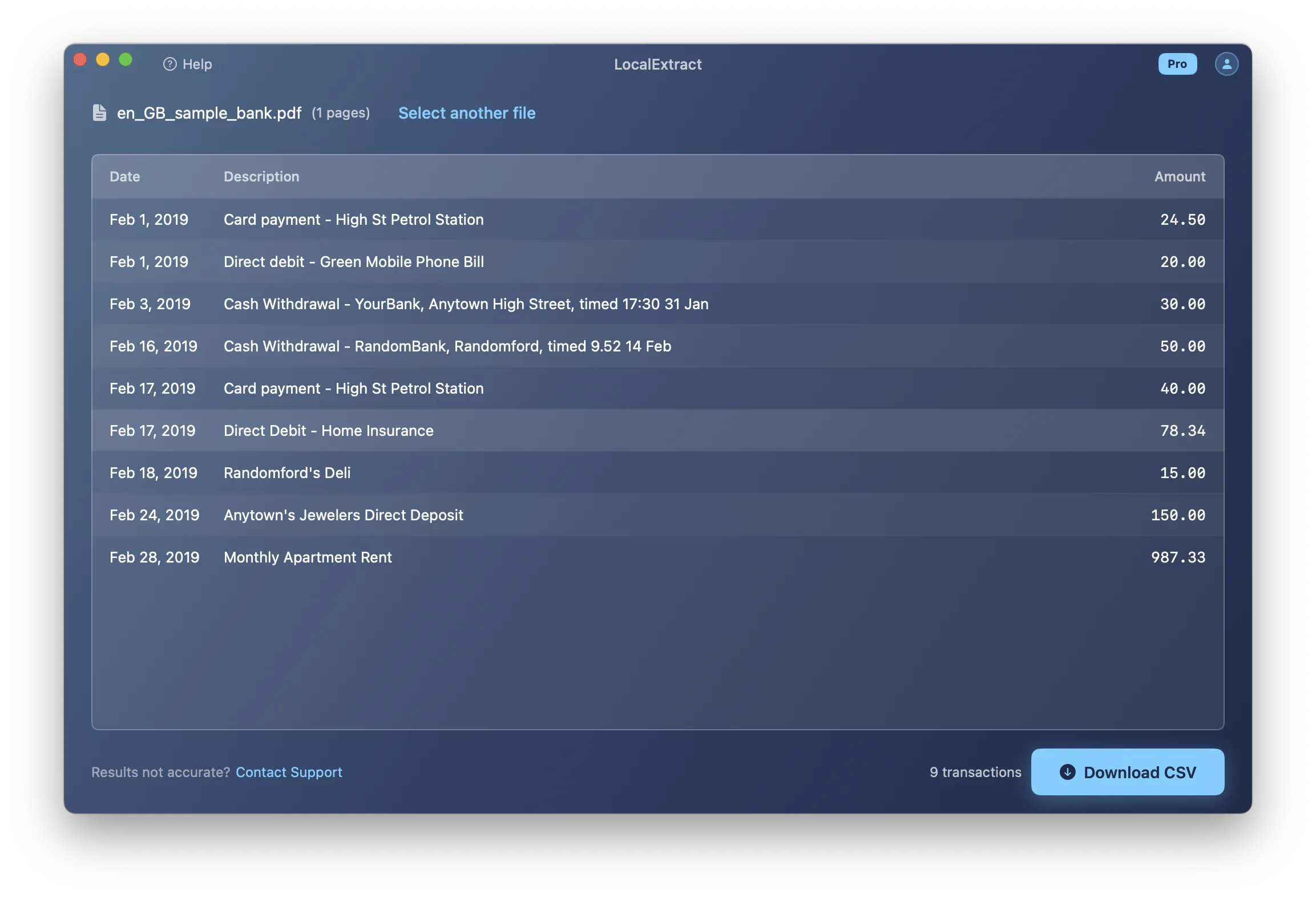
How Converters Solve These Problems
Given these challenges, how do bank statement converters actually work?
Rule-based approaches
The traditional approach uses hand-crafted rules for each known bank format. The converter identifies the bank (from the statement header), selects the appropriate set of rules (column positions, date format, number format), and applies them. This produces high accuracy for supported banks but fails on unknown formats.
Machine learning approaches
Some converters use trained models to detect table structures, identify column roles, and classify text elements. This approach can handle unfamiliar formats better than pure rule-based systems, but requires large training datasets and may produce less predictable errors.
Hybrid approaches
Most modern converters, including LocalExtract, use a combination: general-purpose layout analysis algorithms that work across many bank formats, supplemented by bank-specific configuration for known formats. This balances coverage with accuracy. For a broader overview of how converters work, see our complete guide to bank statement converters.
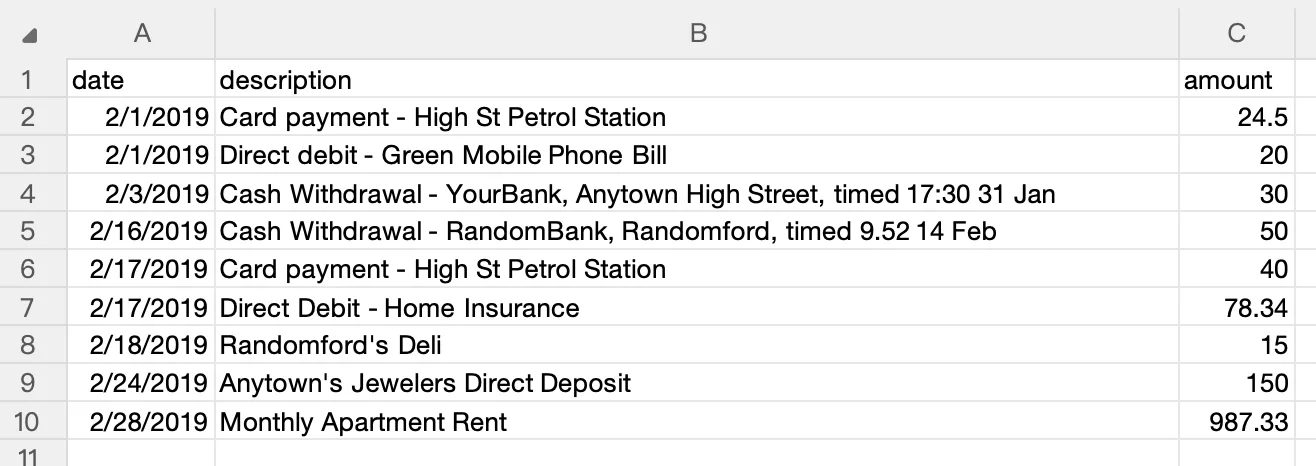
The ongoing challenge for converter developers is expanding format coverage while maintaining accuracy — a task that is never truly "done" because banks periodically update their statement designs, introducing new layout variations that existing parsers may not handle correctly. For a practical guide to the conversion process from a user's perspective, see what is a bank statement converter.
Looking Ahead
The technical landscape of bank statement extraction is evolving in several directions. On-device machine learning models are becoming powerful enough to handle layout analysis without cloud GPU infrastructure — a shift that enables offline bank statement converters to match cloud accuracy for most formats. Large language models are being explored for understanding complex financial document layouts, though the precision requirements of financial data (where a misplaced decimal is a critical error) limit their standalone applicability today. The PDF specification itself continues to evolve — ISO 32000-2 introduced improvements to tagged PDF structure — but bank adoption of accessibility-friendly tagged PDFs remains slow. Perhaps the most impactful trend is the gradual shift toward structured data delivery (Open Banking APIs, ISO 20022 messaging) that may eventually reduce reliance on PDF statements altogether, though that transition is measured in decades, not years. For bookkeepers and accountants dealing with today's PDF statements, understanding these format challenges helps explain why purpose-built converters for small business exist and why generic PDF tools often fall short.
FAQ
Why can't I just copy and paste from a PDF? When you copy text from a PDF, you get the characters but lose the spatial relationships that define the table structure. Text from different columns gets concatenated in reading order, dates merge with descriptions, and amounts lose their column alignment. The result is an unstructured string, not a table.
What is a PDF content stream? A content stream is the part of a PDF that contains drawing instructions — operators that specify what text to render, at what position, in what font and size. It also contains operators for drawing lines, shapes, and images. Content streams are the raw material that converters parse to extract text and reconstruct page layout.
Why do some converters fail on my bank's statements? Each bank's PDF is structured differently. If a converter has not been configured or trained for your bank's specific layout, date format, column arrangement, and text output style, it may misparse the data. Reporting the unsupported format to the converter's developer usually leads to improved support in future updates.
Are scanned PDFs harder to convert than digital ones? Significantly. Digital PDFs contain exact text data. Scanned PDFs contain images that must first be processed by OCR to recover the text, adding a layer where recognition errors can occur. Low-resolution scans, skewed pages, and faded print further reduce OCR accuracy.
Can AI solve the PDF extraction problem? AI and machine learning are improving extraction quality, particularly for handling unfamiliar layouts and scanned documents. However, financial data requires near-perfect accuracy (a misplaced decimal point changes a dollar amount by a factor of 10), and current AI models do not consistently achieve that level of precision on all document types. Hybrid approaches that combine rule-based parsing with ML-based layout detection currently produce the most reliable results.
How does LocalExtract handle these challenges? LocalExtract uses a Rust-based extraction engine with PDFium for text extraction and PP-OCRv5 for scanned documents. It employs general-purpose layout analysis supplemented by bank-specific configuration for known formats. Processing happens entirely on your device (macOS and Windows), keeping your data private — see our private bank statement converter guide for why this matters. The free tier covers 10 pages; the Pro plan is $10/month or $60/year.
LocalExtract converts bank statement PDFs to CSV and Excel entirely on your device — no uploads, no cloud processing, no third-party access to your financial data. Available for macOS and Windows.

LocalExtract Team
We build LocalExtract, an on-device bank statement converter for macOS and Windows. Our team includes software engineers and financial workflows specialists focused on private, accurate PDF data extraction. Questions or corrections? Contact us or see our editorial policy.
Related Articles
Ready to convert your bank statements?
100% on-device. Your documents never leave your computer.
By downloading, you agree to our Terms and Privacy Policy.