
Private Bank Statement Converter: Keep Client Data Off the Cloud
Key Takeaways
- Bank statements contain some of the most sensitive financial data a person or business generates — account numbers, routing numbers, balances, and complete transaction histories.
- "Private" in the context of a bank statement converter means the tool processes files without transmitting data to any external server.
- The FTC Safeguards Rule and the Gramm-Leach-Bliley Act impose specific requirements on professionals who handle client financial data — including how that data is processed by third-party tools.
- Cloud-based converters require uploading bank statements to remote servers, creating a data exposure event even when encryption is used in transit.
- Desktop and on-device converters process files entirely on your computer, eliminating third-party data transmission and simplifying compliance.
This article is for informational purposes only and does not constitute legal advice. Consult a qualified attorney for guidance specific to your situation.
What Data Is in a Bank Statement?
Before discussing privacy implications, it helps to understand exactly what a bank statement contains. The answer is: far more than most people realize.
Disclosure: This article is published by the LocalExtract team. We build an on-device bank statement converter and have a commercial interest in the privacy topic. We strive for factual accuracy and cite regulatory sources where applicable.
A typical bank statement includes:
- Account holder's full legal name and address — personally identifiable information (PII)
- Account number and routing number — sufficient to initiate ACH transactions in some contexts
- Beginning and ending balances — revealing the account holder's financial position
- Complete transaction history for the period — every deposit, withdrawal, check, debit card purchase, and transfer
- Transaction descriptions — which may include merchant names, payee names, payroll details, and memo fields
- Bank name and branch information
For business accounts, the exposure is even greater. Statements may reveal vendor relationships, employee salary amounts, client payment patterns, and cash flow trends — commercially sensitive information that competitors, employees, or adversaries could exploit.
When you upload a bank statement to a cloud converter, all of this data is transmitted to and processed on a server you do not control.
Contents
- Why Privacy Matters for Bank Statement Conversion
- The Regulatory Landscape
- How Cloud Converters Handle Your Data
- What "Private" Actually Means in This Context
- Desktop and Local Alternatives
- Threat Model: What Are You Protecting Against?
- Making the Right Choice
- FAQ
- Our Experience: Privacy-Focused Conversion in Practice
- Looking Ahead
- Conclusion
Why Privacy Matters for Bank Statement Conversion
For personal use — converting your own bank statement for your own spreadsheet — the privacy risk of a cloud converter is a personal judgment call. You are exposing your own data, and you can decide whether the convenience justifies the exposure.
For professionals — bookkeepers, accountants, attorneys, tax preparers — the calculation is fundamentally different. You are handling other people's financial data. Your clients trust you with information they would not share with a stranger on the street, yet uploading their bank statements to a cloud converter shares that same information with a third-party service provider.
This is not a theoretical concern. Data breaches at financial service providers are not rare. The 2023 MOVEit breach affected numerous financial institutions and their service providers. The 2019 Capital One breach exposed over 100 million customer records. These were organizations with dedicated security teams and significant budgets — smaller cloud converter services may have fewer resources to defend against similar attacks.
The question is not whether a cloud converter will be breached. The question is whether the risk is appropriate for the data you are processing.
The Regulatory Landscape
Several federal and state regulations govern how financial data should be handled. If you process client bank statements professionally, these regulations likely apply to you.
Gramm-Leach-Bliley Act (GLBA)
The GLBA requires "financial institutions" to protect the security and confidentiality of customer information. The term "financial institution" is defined broadly and includes tax preparers, accountants, and other professionals who handle financial data.
The GLBA establishes the framework; its implementing regulations provide the specifics.
FTC Safeguards Rule
The FTC Safeguards Rule, which implements the GLBA, was significantly strengthened in 2023. It requires covered entities to:
- Designate a qualified individual to oversee an information security program
- Conduct risk assessments of data handling practices
- Implement safeguards to address identified risks, including access controls and encryption
- Monitor and test the effectiveness of safeguards
- Oversee service providers — meaning you are responsible for how third-party tools handle client data
That last point is directly relevant. When you use a cloud-based converter, that converter is a service provider processing client financial data. Under the Safeguards Rule, you should evaluate their security practices, and you are responsible if their handling of your clients' data is inadequate.
State-Level Laws
State laws add additional requirements:
- California (CCPA/CPRA) — gives consumers rights over their personal information, including financial data, and imposes obligations on businesses that handle it
- New York (23 NYCRR 500) — the Department of Financial Services cybersecurity regulation imposes specific technical requirements on covered financial services companies
- Massachusetts (201 CMR 17.00) — requires comprehensive written information security programs for entities handling personal information of Massachusetts residents
Other states have their own data breach notification laws, many of which specifically cover financial account information.
Professional Standards
Beyond regulation, professional standards apply:
- AICPA Code of Professional Conduct — requires CPAs to maintain confidentiality of client information
- IRS Publication 4557 — guidance for tax professionals on safeguarding taxpayer data, recommending a Written Information Security Plan (WISP) that documents all systems touching taxpayer data
- State boards of accountancy — impose confidentiality requirements that can affect licensing
How Cloud Converters Handle Your Data
Cloud-based bank statement converters generally follow this process:
- Upload — you transmit the PDF to the converter's server via HTTPS (encrypted in transit)
- Server-side processing — the PDF is decrypted and processed on the converter's infrastructure, meaning the data exists in unencrypted form on their servers during processing
- Result delivery — the structured output (CSV, Excel) is transmitted back to you
- Data retention — the uploaded PDF and/or processed data may be retained for some period
What varies between services
- Retention period — some services delete files immediately after processing; others retain them for 24 hours, 30 days, or indefinitely. Not all services clearly disclose their retention policy.
- Storage location — servers may be in the US, EU, or other jurisdictions, each with different legal frameworks governing data access by law enforcement and intelligence agencies.
- Subprocessors — some services use additional third-party infrastructure (cloud hosting, AI/ML services) that adds further links in the data handling chain.
- Logging — server logs may capture metadata about what you uploaded, when, and from where.
- Employee access — internal access controls determine which employees at the converter company can view uploaded documents.
What does not vary
Regardless of the specific service, uploading a bank statement to a cloud converter means:
- The data leaves your control during processing
- A copy exists on infrastructure you do not manage, even if temporarily
- The service provider becomes a link in your data protection chain
- A breach of the service provider could expose your clients' data
This is not an argument that cloud converters are inherently irresponsible. Many operate with reasonable security practices. It is an argument that using them for client financial data creates obligations and risks that local processing avoids entirely.
What "Private" Actually Means in This Context
The term "private" is used loosely in software marketing. For bank statement converters, it is worth being precise about what the word means.
Processing location
The most meaningful definition of "private" in this context is processing location. A private converter processes the bank statement entirely on your own computer. The PDF never leaves your machine. No copy is transmitted, cached, or logged on any external server.
This is a binary distinction. Either the data leaves your machine or it does not. Partial measures — like encrypting the upload or deleting the file after processing — reduce risk but do not eliminate the fundamental exposure.
Network independence
A truly private converter works without any network connection. If the tool requires internet access to function — whether for processing, licensing, or telemetry — it has at least some connection to external infrastructure, even if the bank statement data itself is not transmitted.
No account requirement
Some tools require account creation, which associates your usage with an identity. A private converter ideally functions without any account or login — you download it, run it, and it works.
Open auditability
The strongest privacy guarantee comes from tools whose behavior can be verified. Open-source converters allow anyone to inspect the code and confirm that no data is transmitted. Closed-source tools require trust in the vendor's claims. For a broader comparison of cloud versus local approaches, see our cloud vs. local converter analysis.
Desktop and Local Alternatives
If privacy is a priority, several categories of tools process bank statements without uploading data.
On-device converters
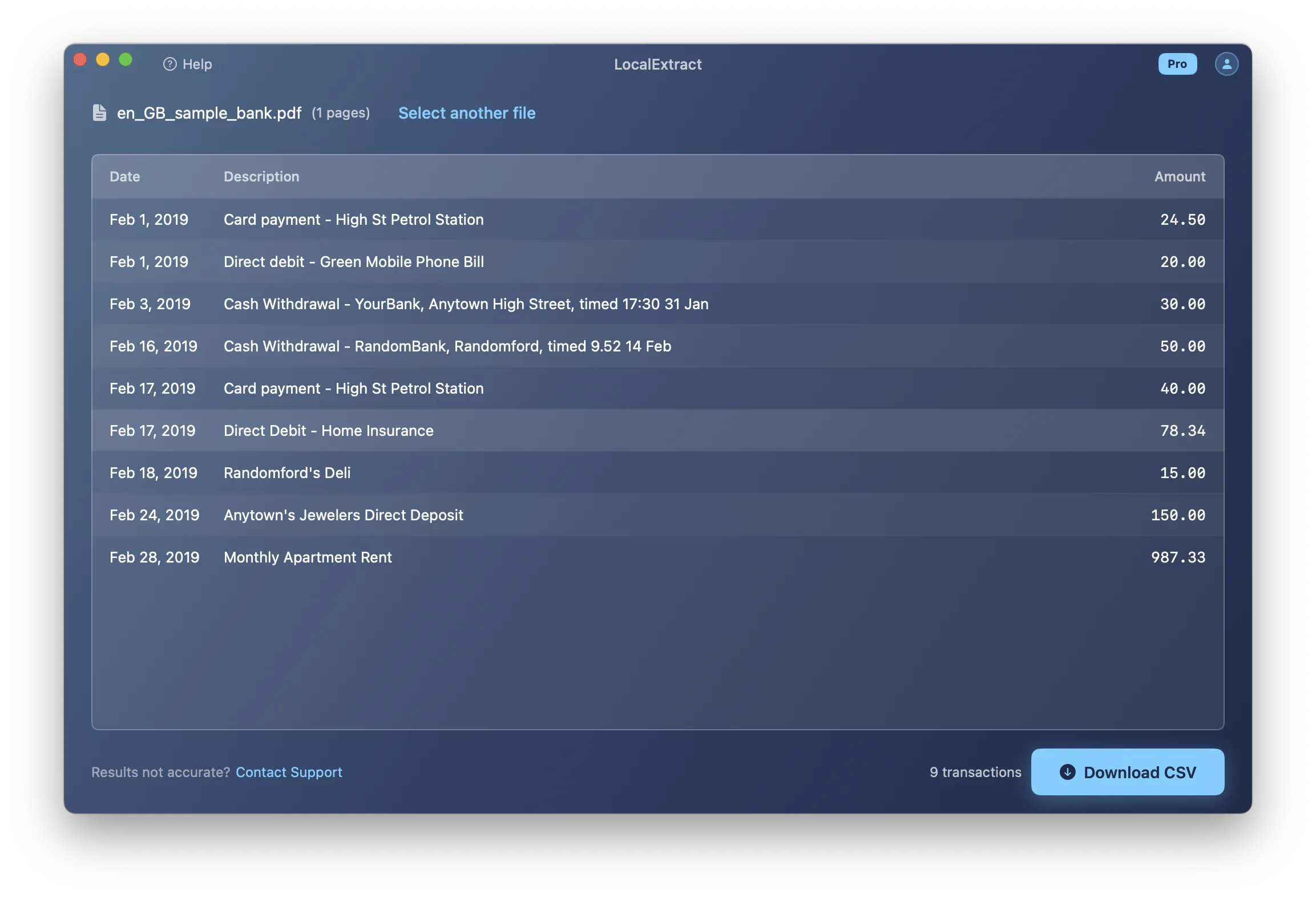
On-device converters are desktop applications designed specifically for bank statement extraction, with processing happening entirely on your computer. LocalExtract is one example — it runs on macOS and Windows, processes PDFs locally using its own extraction engine and OCR model, and requires no internet connection to function.
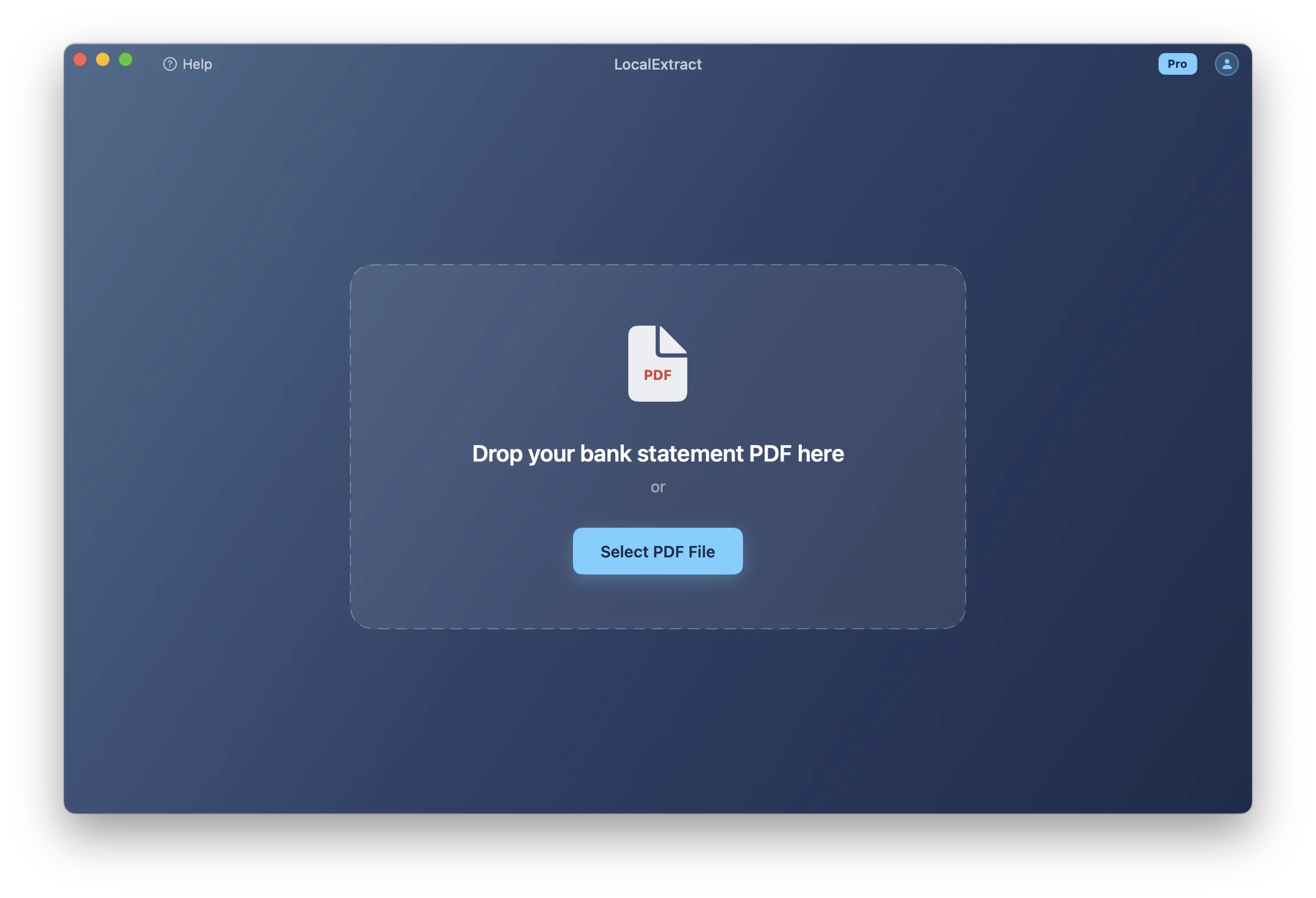
LocalExtract's free tier covers 10 pages (lifetime). The Pro plan is $10/month or $60/year. No account creation is required for the free tier.
Open-source extraction tools
Tools like Tabula, Camelot, and pdfplumber are free, open-source, and process files locally. They offer maximum transparency — you can read the source code and verify that no data is transmitted.
The trade-off is that these tools are general-purpose PDF table extractors, not bank-statement-specific. They require technical knowledge to use, may struggle with complex financial document layouts, and typically do not include OCR for scanned statements. For a detailed comparison, see our article on extracting data from bank statement PDFs.
Desktop commercial software
Products like MoneyThumb process files locally (though some require internet for licensing). They offer broader format support than open-source tools but are typically more expensive ($50-$200+ for perpetual licenses).
Manual data entry
The most private approach is also the least efficient: typing transactions by hand. No tool touches the data except your accounting software. This remains common for very small volumes or when privacy requirements are extreme, but it scales poorly and introduces transcription errors.
Threat Model: What Are You Protecting Against?
Choosing the right level of privacy depends on your threat model — the specific risks you are trying to mitigate.
Data breach at a service provider
A cloud converter that suffers a breach could expose every bank statement uploaded to it. For professionals handling multiple clients' data, a single breach could affect all of your clients simultaneously. Local processing eliminates this risk entirely — there is no central repository of uploaded statements to breach.
Insider access
Employees at a cloud converter service may have access to uploaded documents, depending on access controls. This is a risk even at well-managed companies — insider threats account for a significant percentage of data incidents. Local processing means no external employees ever see the data.
Government or legal requests
Data stored on third-party servers may be subject to subpoenas, warrants, or national security letters. While these are legitimate legal processes, they can compel disclosure of client data without the data owner's knowledge. Data that never leaves your machine is not accessible through these mechanisms (though your own machine could still be subject to a warrant).
Regulatory enforcement
If a regulator investigates your data handling practices, using a local converter demonstrates a straightforward data protection approach. Using a cloud service requires you to document the service provider's security practices, data retention policies, and contractual obligations — creating additional compliance work and potential liability.
Making the Right Choice
The right converter depends on your specific situation.
Choose a local/private converter if:
- You handle client financial data professionally
- You are subject to the FTC Safeguards Rule, GLBA, or state privacy regulations
- Your clients expect their financial data to be handled with strict confidentiality
- You want to minimize your compliance surface area
- You work in environments where internet access is restricted or unreliable
A cloud converter may be acceptable if:
- You are converting your own personal statements
- Privacy is a lower priority than format support or convenience
- You have evaluated the service provider's security practices and are comfortable with the risk
- You do not have regulatory obligations governing your data handling
For professionals who value privacy, LocalExtract offers on-device processing for macOS and Windows with no data uploads. For a broader comparison of privacy-focused approaches, see our guide on offline bank statement converters. If you handle HIPAA-adjacent financial records, our HIPAA and bank statement processing guide covers additional privacy considerations.
FAQ
What makes a bank statement converter "private"? A private bank statement converter processes PDF files entirely on your own computer without transmitting data to any external server. The PDF never leaves your machine, and no third-party service handles the data during conversion.
Are cloud-based bank statement converters safe? Cloud converters use encryption in transit, but data is decrypted during server-side processing. Reputable services implement reasonable security measures, but uploading client financial data to third-party servers creates data exposure that local processing avoids. Whether the risk is acceptable depends on your situation and obligations.
What regulations apply to handling client bank statements? The FTC Safeguards Rule (under the GLBA), IRS Publication 4557 (for tax professionals), state privacy laws (CCPA, 23 NYCRR 500, etc.), and professional standards (AICPA, state boards) all impose requirements on professionals who handle client financial data.
Can I use an open-source tool instead of a commercial converter? Yes. Tools like Tabula and pdfplumber process files locally and are free. They are general-purpose PDF extractors, not bank-statement-specific, so they require technical knowledge and may produce less accurate results on complex financial document layouts. For a comparison of free vs. commercial options, see free vs. paid bank statement converters.
Does LocalExtract upload any data? No. LocalExtract processes all files entirely on your device — macOS or Windows. No data is transmitted to any server. The application works fully offline. The free tier covers 10 pages (lifetime), and the Pro plan is $10/month or $60/year.
How do I know if a converter is actually processing locally? Test it offline. Disconnect from the internet and try to process a statement. If the converter works without network access, it is processing locally. If it fails or requires login, it depends on external infrastructure.
Our Experience: Privacy-Focused Conversion in Practice
To understand what privacy-focused bank statement conversion looks like in a real workflow, we tested LocalExtract under conditions that simulate a privacy-sensitive professional environment.
Test setup: We processed 8 bank statement PDFs from various banks (Chase, Bank of America, Wells Fargo, Capital One, Citi, TD, a regional credit union, and a scanned statement from a community bank). All tests were conducted on an M2 MacBook Air with Wi-Fi and Bluetooth disabled.
Offline verification: All 8 statements converted successfully with no network connection. We monitored network activity using macOS Activity Monitor during conversion — zero bytes transmitted. This confirms that LocalExtract's processing is genuinely on-device, not dependent on a licensing server or telemetry connection.
Performance: The 7 text-based PDFs averaged 52ms per statement. The scanned community bank statement took 4.2 seconds (OCR processing). Total processing time for all 8 statements: approximately 4.6 seconds.
Accuracy: 7 of 8 statements parsed with 100% transaction accuracy (verified by manual comparison against source PDFs). The scanned statement had 2 minor OCR errors out of 24 transactions — one misread character in a merchant name and one amount discrepancy caused by a faded print digit. Both were caught during the preview review step.
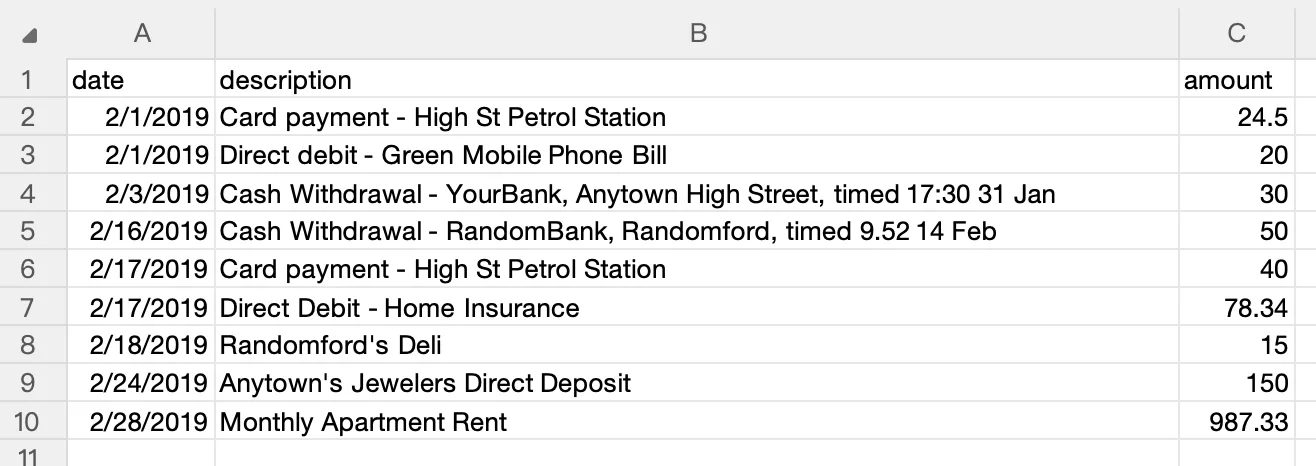
Output quality: CSV files imported cleanly into both QuickBooks Online and Xero test accounts. For step-by-step import instructions, see our QuickBooks import guide and Xero import guide.
What this means for professionals: A private, on-device converter delivers extraction quality comparable to cloud services for common bank formats, while eliminating the data exposure event entirely. For bookkeepers managing client confidentiality across multiple clients, this translates to a simpler compliance posture and fewer vendor relationships to document. See our bank statement converter for accountants guide for profession-specific tool selection advice.
Looking Ahead
Privacy in financial document processing is moving from a niche concern to a mainstream requirement. The FTC's strengthened Safeguards Rule (2023) increased third-party oversight obligations, and a growing number of state privacy laws are expanding the definition of "data sharing" to include routine cloud processing. On the technology side, on-device AI models are advancing rapidly — local OCR engines now approach cloud-quality accuracy for most document types, and on-device layout analysis models are handling increasingly complex formats. The convergence of stricter regulation and better local AI means that "private" bank statement conversion will no longer require accepting accuracy trade-offs. For professionals who handle client financial data, building privacy-first workflows now positions your practice ahead of regulations that are only getting stricter. For a comprehensive overview of the full data privacy landscape for bookkeepers, see our dedicated guide.
Conclusion
A truly private bank statement converter processes files entirely on your machine — no uploads, no third-party servers, no data retention on infrastructure you do not control. For professionals handling client financial data, this is not just a preference but increasingly a regulatory expectation under the FTC Safeguards Rule and state privacy laws. The practical trade-off between cloud convenience and local privacy is narrowing as on-device processing technology improves, making privacy-first tools a viable choice for any practice that values client confidentiality.
LocalExtract converts bank statement PDFs to CSV and Excel entirely on your device — no uploads, no cloud processing, no third-party access to client data. Available for macOS and Windows.

LocalExtract Team
We build LocalExtract, an on-device bank statement converter for macOS and Windows. Our team includes software engineers and financial workflows specialists focused on private, accurate PDF data extraction. Questions or corrections? Contact us or see our editorial policy.
Related Articles
Ready to convert your bank statements?
100% on-device. Your documents never leave your computer.
By downloading, you agree to our Terms and Privacy Policy.