
Bank PDF missing from Chrome Downloads: check files and recent lists
Updated · 4 min read
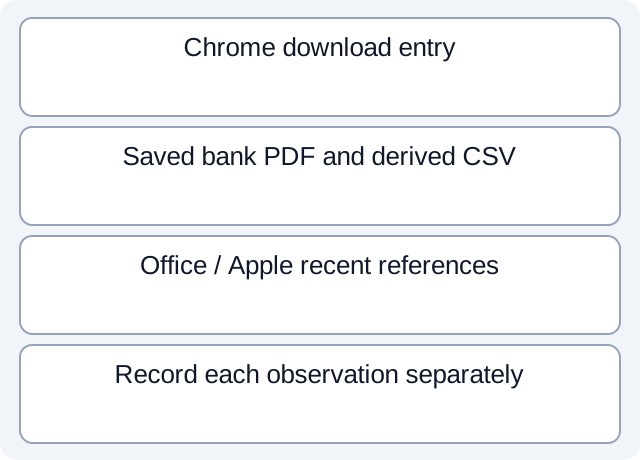
A bank PDF disappearing from Chrome’s download list does not show that its saved copy was removed. On a shared computer, review three separate objects: the browser entry, the saved PDF or CSV, and application recent-item references. The result is a list of known locations and unanswered questions, not a certificate that every copy is gone.
The desktop apps export date, description, and amount as CSV. Open CSV in Excel to save an XLSX workbook. Statement support varies: verify the result against your own PDF.
Find the particular Chrome download
- In desktop Chrome, open the menu, then
Downloads. Locate the known statement by its filename and download context; avoid opening unrelated users’ records. - If the entry remains, point to its filename and use
Show in Folderto reveal the saved location. Record the actual folder, rather than assuming that a folder called Downloads is authoritative. - In Chrome settings, inspect
Downloadsfor the current default and whether each download asks for a destination. These settings do not retrospectively establish where an older download was saved. - Record a missing entry as “not found in this browser list.” Google explicitly says that removing a download from the list leaves the file on the computer. Do not download another copy merely to investigate the first.
Google’s desktop download instructions also distinguish opening PDFs in Chrome from downloading them. A bank PDF viewed in a tab is not, by that observation alone, an identified saved file. Record the actual viewing or download observation instead of inventing a local path.
Inspect saved files without treating shortcuts as copies
For Windows 11, open File Explorer with Windows+E and navigate to the known location. Microsoft documents Downloads as a pinned known folder in Quick access from version 22H2; its absence under This PC is not evidence that the file disappeared. File Explorer Home may include cloud results when cloud accounts are connected. Record whether a result identifies local or cloud storage before calling it a second local copy. See the Windows 11 section of Microsoft’s File Explorer guide.
For macOS 26, use Finder and the known folder, rather than interpreting a sidebar shortcut as a separate stored document. Apple explains that adding a sidebar item creates an alias and does not move the original. Use the version-specific Finder guide to distinguish convenient references from file locations.
The source bank PDF and a CSV exported from it are separate artifacts. Trace the CSV’s actual destination independently; it need not share Chrome’s download folder. A filename match alone cannot establish that two entries are the same bytes or that all derived outputs have been found.
Inspect recent-item records in the application that owns them
For Excel for Microsoft 365 on Windows, covered by Microsoft’s recent-files guide, open File, then Open, and inspect Recent. The recent list and the persistent Favorites/pinned list have different behavior. Microsoft explicitly distinguishes Remove from List from Delete file. This review calls for inspection, not either command.
Office’s recent list can synchronize through the signed-in Microsoft account. A returning older device can therefore make an old reference appear again. Record the app and signed-in account context; a reappearing reference does not establish that a new bank download occurred on this computer.
On macOS 26, inspect the Apple menu’s Recent Items and its Documents section using Apple’s specified-version instructions. This is another reference list, separate from Finder and Chrome. Other PDF readers and spreadsheet apps have their own controls: record their name/version and consult their documentation instead of assuming Office’s route applies.
For Finder’s separate recent-file view, make Finder active and use Shift+Command+F, as documented in Apple’s keyboard shortcuts. This opens Recents; it is not the Apple menu’s Recent Items list. Inspect the known artifact without deleting it. A recent view is not a complete inventory of files, synchronization versions or backups.
Hand off observations with their limits
| Observation in a fictional review | What can be concluded | What remains open |
|---|---|---|
| Chrome entry absent, known PDF found in its saved folder | The saved PDF still exists there | Other locations and application records |
| Office recent entry present | That application has a reference | Whether its target is currently reachable |
| CSV found in a synchronized folder | A derived output has that observed location | Other devices, versions and backup retention |
These are teaching scenarios, not measurements of a real shared computer. Record source PDF, derived CSV, location, application/account, observation time and unresolved scope separately. Inspect only records covered by the task’s authorization; do not clear another person’s history, alter retention settings or delete files to make the list look empty.
An absent shortcut does not prove absent storage. This bounded check does not inventory temporary files, synchronization versions, backups or every application’s cache. Pass those questions to the authorized owner under the bookkeeper intake and handoff workflow.
If an authorized bank source is only a PDF, LocalExtract can prepare a CSV locally, one PDF at a time, with date,description,amount. Check the output against the statement and include its saved location in the inventory; conversion does not remove the source file or clean application histories.
Official documentation checked October 17, 2026.
LocalExtract Team
We build LocalExtract, a desktop bank statement converter. Questions or corrections? Contact · Editorial policy