
Hidden client columns in Excel: inspect the sharing copy
Updated · 4 min read
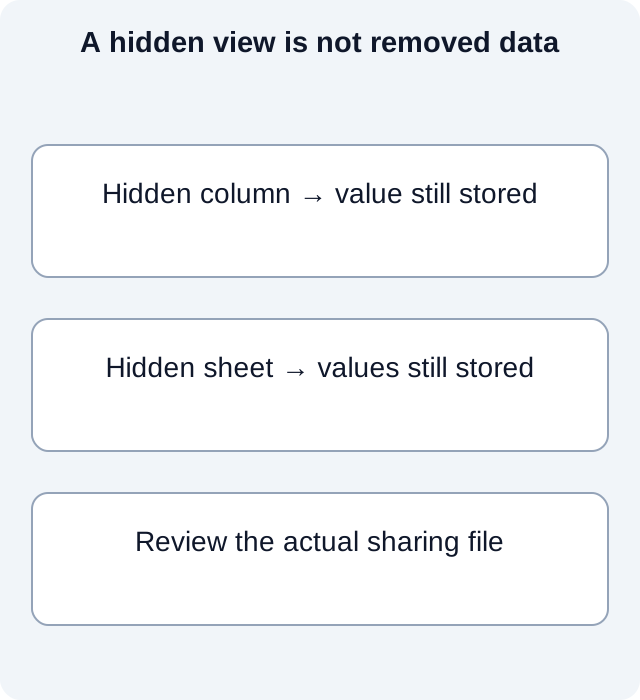
Hiding client-name columns does not remove their values from an Excel workbook. If you intend to share a bank-analysis workbook without those details, inspect a separate saved sharing copy, including hidden sheets and external references. A screenshot of the visible sheet does not inspect the workbook you attach.
The desktop apps export date, description, and amount as CSV. Open CSV in Excel to save an XLSX workbook. Statement support varies: verify the result against your own PDF.
Inspect before removing anything
In Excel for Windows, save a copy, then use File → Info → Check for Issues → Inspect Document. Select relevant categories and inspect. Microsoft’s Document Inspector guidance covers hidden rows, columns, worksheets, comments and document properties. The exact applicable categories depend on the document and version.
Review each finding before using Remove All. Deleting a hidden row or sheet can change formulas, references and the meaning of a reconciliation total. The inspector also has limits, such as some objects hidden underneath other objects or graphics in hidden columns. “No visible client column” is therefore a display observation, not a complete content verdict.
Treat external links separately
Microsoft’s external-links guidance states that the inspector can find external links but cannot remove them automatically. Linked cells, names or chart objects need separate review. Do not treat inspection as a universal purge of live connections, credentials or references.
In the invented checklist, a hidden client column and an external workbook link are separate unresolved items. Inspecting one does not close the other.
Reopen the actual attachment
After the authorized edits, save the sharing copy, reopen it and run the appropriate inspection again. Check formulas and intended analysis against the retained original. Record the reviewed revision and unresolved items, then verify the exact attachment path and recipient.
If a required data element cannot be removed without changing the report’s meaning, agree another deliverable rather than declaring the workbook sanitized. A CSV export is also a new artifact to inspect, not proof that every selected value was intentionally disclosed. Keep the original evidence and the approved sharing copy distinct.
What remains inside a hidden workbook?
We constructed a small fictional OOXML workbook with one hidden column range and one hidden worksheet. The hidden column contains a known client marker, and the hidden sheet contains a different marker. A local ZIP/XML reader inspects the hidden flags and searches all package parts for those exact strings. It then inspects a separate minimal sharing package containing only the selected account, period and total.
| Constructed package | Hidden column ranges | Hidden worksheets | Client marker retained | Private-sheet marker retained | Intended total |
|---|---|---|---|---|---|
| Hidden copy | 1 | 1 | Yes | Yes | 100 |
| Separate sharing copy | 0 | 0 | No | No | 100 |
The observed package results show the first file still contains both values despite its hidden flags. In the second file, the two known strings are absent and the selected total remains 100. That is evidence about these particular inputs, not a recipe that automatically removes every identifier from a real workbook.
The experiment record identifies each fictional input. No Excel application or Document Inspector was run for this demonstration. XML well-formedness is not an Excel-conformance certificate. Searching for two known markers cannot exclude identifiers in formulas, metadata, images, names or other encodings in a real file.
Decide the deliverable before relying on a clean view
If the recipient needs only selected transaction values, agree which columns and period are necessary before preparing a separate deliverable. If they need formulas and the workbook’s analysis, deleting supporting rows or sheets can invalidate that analysis; review those dependencies rather than assuming that fewer visible columns means safer disclosure.
The final check concerns the file actually being sent. A reviewed sharing copy does not make a similarly named original safe to attach. Reopen the saved output, confirm its account and period, review the intended data and unresolved inspector findings, then select that exact copy for the authorized recipient. Keep the untouched source under the engagement’s access controls.
For a bank source available only as PDF, download LocalExtract. It processes one PDF locally into date,description,amount CSV; check the extracted rows against the issued statement before using them.
Related guide: Bank statement workflow for bookkeepers: from intake to handoff.
Documentation for the added task checked October 17, 2026.
LocalExtract Team
We build LocalExtract, a desktop bank statement converter. Questions or corrections? Contact · Editorial policy