
Virgin Money UK: statements after the Nationwide transfer
Updated · 2 min read
The desktop apps export date, description, and amount as CSV. Open CSV in Excel to save an XLSX workbook. Statement support varies: verify the result against your own PDF.
View or save the existing personal-account record
In the app, select the account and the platform-specific menu above. On the web, choose the account, Your account → View and download statements. Save or print through the PDF viewer; PDF means Portable Document Format. The help covers current and previous months and expressly excludes Business customers from this facility. Personal statement instructions.
Distinguish an existing file from a paid duplicate
The M Plus fee page lists a £5 duplicate-statement charge, waived when you have opted out of paper statements. That is a product-specific duplicate-copy rule, not a fee inferred for every available PDF. Check the request and account before ordering a replacement.
| Needed result or situation | Bank route or condition | Decision |
|---|---|---|
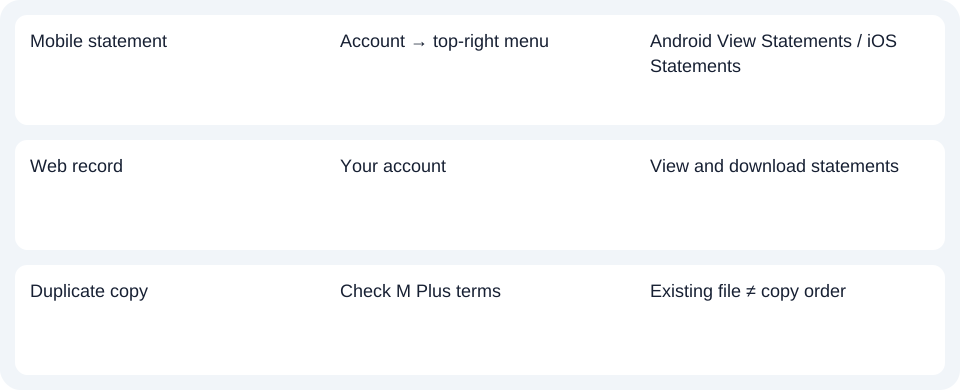
| Mobile statement | Account → top-right menu | Android View Statements / iOS Statements |
| Web record | Your account | View and download statements |
| Duplicate copy | Check M Plus terms | Existing file ≠ copy order |
Use the transfer notice without assuming an app migration
The legal transfer took place on 2 April 2026. The official transfer FAQ says existing account use and services remain unchanged and prior statements remain available through existing app/web access. Future technology or app changes will be notified. Key dates confirm the legal milestone.
A customer without app or web access should use the bank's contact route. The legal date is not evidence that their statements moved into Nationwide's app or that a closed account retains online access.
For Virgin Money UK, use the personal statement route that matches your device; the legal transfer alone does not change that retrieval task.
Use the record planner to record your chosen route and the outstanding document period.
The CSV (Comma-Separated Values) guide covers analysis of an obtained PDF. LocalExtract processes one PDF locally to date,description,amount CSV; Excel saves XLSX (Excel workbook format). Verify the rows. Downloads.
Official sources checked October 14, 2026.
LocalExtract Team
We build LocalExtract, a desktop bank statement converter. Questions or corrections? Contact · Editorial policy