
Bank of Hawaii: paperless settings and document access
Updated · 2 min read
The desktop apps export date, description, and amount as CSV. Open CSV in Excel to save an XLSX workbook. Statement support varies: verify the result against your own PDF.
Use current Delivery Preferences
- Sign in to the current mobile or online service.
- Open Accounts → Statements and Documents → Delivery Preferences.
- Turn Enable paperless delivery on and review the applicable consent.
- Open available documents through the service's viewing or saving controls.
These instructions use the current service terms, rather than an older eBankoh menu. The terms allow electronic documents to be saved or printed. Current document terms.
Restore access before assuming a record was deleted
With electronic delivery cancelled, existing online files cannot be viewed or downloaded; paper resumes with the next statement cycle. Re-enabling paperless restores online viewing and downloading. Check the setting when documents disappear after a preference change.
| Needed result or situation | Bank route or condition | Decision |
|---|---|---|
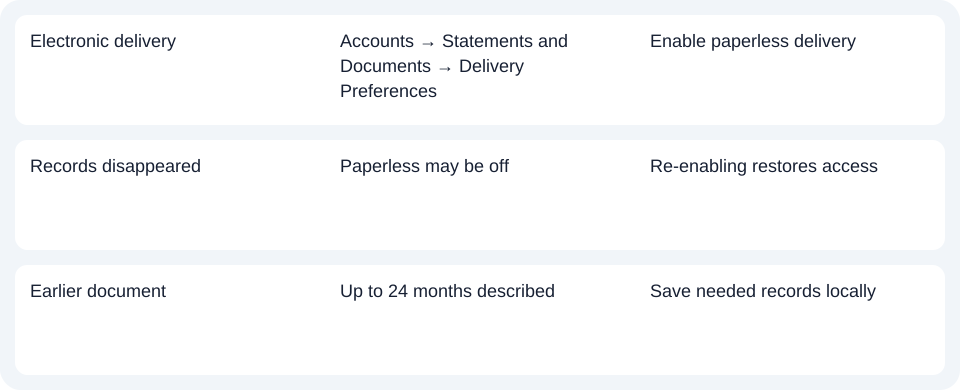
| Electronic delivery | Accounts → Statements and Documents → Delivery Preferences | Enable paperless delivery |
| Records disappeared | Paperless may be off | Re-enabling restores access |
| Earlier document | Up to 24 months described | Save needed records locally |
Check the document range and fee implications
The terms and service overview describe up to 24 months of statements and notices, with up to two years of tax forms. Save records needed beyond the available range; the limit does not establish closed-account access.
Cancelling paperless may remove a monthly fee waiver. Check the account's fee schedule before changing delivery. The service covers selected deposit and loan documents; some communications remain paper even with electronic delivery enabled. Coverage and cancellation conditions.
For Bank of Hawaii, check whether paperless is enabled before assuming older documents were deleted, and review fee-waiver effects before changing it.
Use the record planner to record your chosen route and the outstanding document period.
For an obtained PDF (Portable Document Format), use the CSV (Comma-Separated Values) guide. LocalExtract processes one PDF locally to date,description,amount CSV; Excel saves XLSX (Excel workbook format). Verify output against the record. Downloads.
Official sources checked October 14, 2026.
LocalExtract Team
We build LocalExtract, a desktop bank statement converter. Questions or corrections? Contact · Editorial policy