
AIB statements: existing PDFs or an up-to-date order
Updated · 3 min read
The desktop apps export date, description, and amount as CSV. Open CSV in Excel to save an XLSX workbook. Statement support varies: verify the result against your own PDF.
Download an existing account statement
AIB’s statement help describes the new app route:
- From Home, open the account or its three-dot menu.
- Choose Statements → Account statements.
- Select the required document.
- Use download/share to save the PDF (Portable Document Format) to the chosen destination.
The new-app instructions describe up to seven years of previous statements. The statement option may be absent for an ineligible account type; its absence does not prove a browser or download problem.
In Internet Banking, use Accounts → Statements and Fees → Statements. The older app uses a different entry under Settings → Statements. Follow the route for the version you actually use instead of combining labels from both app versions into one sequence.
Choose an account statement rather than a fee statement
The same AIB help distinguishes Account statements from Statements of fees.
Order the next period when the issued statement is too old
In the new app, return to the Account statements screen and tap Order a statement today, as the AIB walkthrough specifies. This up-to-date order starts at the last statement issue date and runs to the date of the request. If you need a report beginning at an arbitrary earlier date, this ordering rule does not promise that result. Use the relevant existing statements to identify the periods already covered before ordering another one.
The new statement is typically available the next working day. Do not repeat an order solely because the document is absent immediately after submission. Return to the statement area after the normal production interval, and ask AIB about a missing document if it remains unavailable.
| Need | AIB choice | Boundary |
|---|---|---|
| Existing account record | Account statements | Up to seven years for eligible accounts |
| Fee information | Statements of fees | Different document purpose |
| Activity since last statement | Up-to-date order | Fixed start; typically next working day |
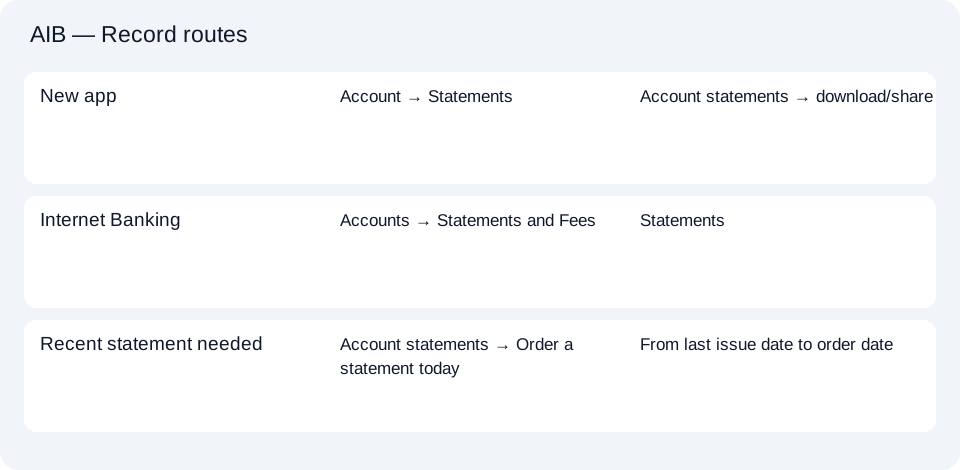
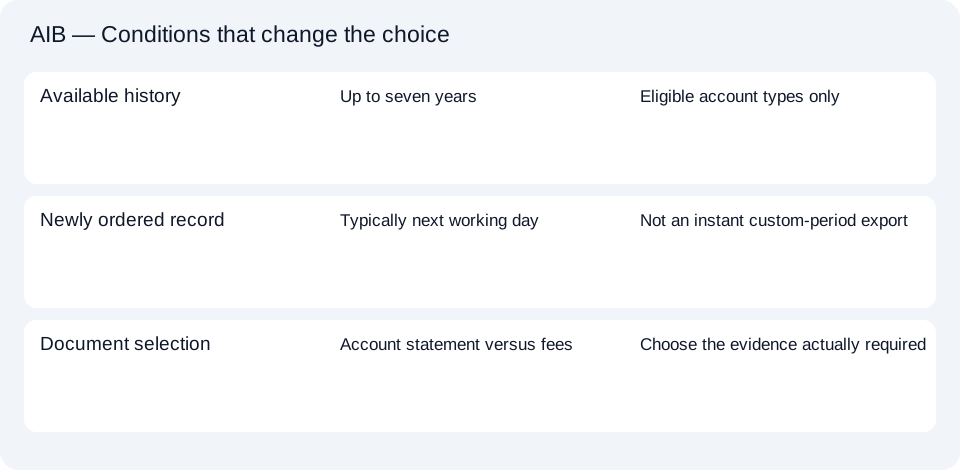
Use the AIB document planner to choose existing account statement, fee document or new order. The shared CSV (comma-separated values) guide covers spreadsheet handling after retrieval.
For AIB, choose Account statements to save an existing PDF. Order a newer statement only when the last-issued-date-to-today period fits, then allow the usual next-working-day production interval.
LocalExtract processes one PDF locally into date,description,amount CSV. Excel can save that CSV as XLSX. Check the extracted rows against the source. Download options and limits.
Official sources checked October 14, 2026. This guide brings the bank’s document and export choices together.
LocalExtract Team
We build LocalExtract, a desktop bank statement converter. Questions or corrections? Contact · Editorial policy