
ubank: monthly statements in PDF or CSV
Updated · 2 min read
The desktop apps export date, description, and amount as CSV. Open CSV in Excel to save an XLSX workbook. Statement support varies: verify the result against your own PDF.
Choose the app or web document route
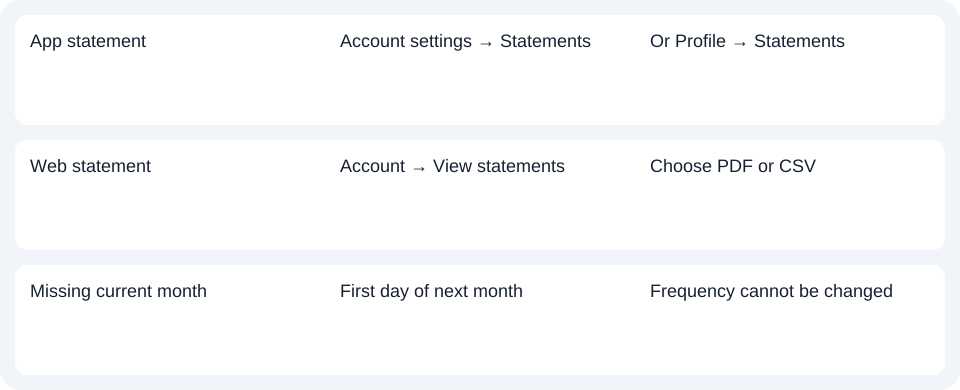
In the app, open the account and its top-right settings, then Statements. Alternatively use Profile → Statements. In online banking, select the account and View statements from the left menu. Both channels offer PDF or CSV. Published account paths.
Choose PDF, Portable Document Format, when you need the issued visual record, or CSV, comma-separated values, for transaction rows in a spreadsheet. Check the available month before choosing the file type.
Wait for the monthly issue rather than changing frequency
Spend, Bills and Save statements are monthly and become available on the first day of the next month. The frequency help says this frequency cannot be changed. It does not promise an immediate interim statement generated through a frequency setting.
| Needed result or situation | Bank route or condition | Decision |
|---|---|---|
| App statement | Account settings → Statements | Or Profile → Statements |
| Web statement | Account → View statements | Choose PDF or CSV |
| Missing current month | First day of next month | Frequency cannot be changed |
Keep the current product and delivery scope
The general terms describe online monthly statements rather than mailed paper statements. This guide covers the current products named above; it does not apply their menu or schedule to legacy UBank products.
For current ubank accounts, select the month through Statements and choose the native PDF or CSV needed for that task.
Use the record planner to record your chosen route and the outstanding document period.
Use the bank's native CSV when it meets the task; the CSV guide covers checking imports. Where only a PDF is available, LocalExtract processes it locally one at a time to date,description,amount CSV. Excel saves XLSX (Excel workbook format). Verify the rows. Downloads.
Official sources checked October 14, 2026.
LocalExtract Team
We build LocalExtract, a desktop bank statement converter. Questions or corrections? Contact · Editorial policy