
Co-operative Bank statements: paperless gaps and copy requests
Updated · 3 min read
The desktop apps export date, description, and amount as CSV. Open CSV in Excel to save an XLSX workbook. Statement support varies: verify the result against your own PDF.
Open an existing paperless statement
The bank’s paperless-statement help covers access through online banking or the app. Select the account first, then its statement and the download, save or print action. PDF is a document format; the original statement is different from a separately assembled list of transactions.
Before searching the entire archive, identify the product:
| Product | Paperless history described by the bank |
|---|---|
| Current account, savings, loan or ISA | Up to seven years, for periods opted into paperless |
| Credit card | Up to six months |
| Mortgage | Not eligible for this paperless service |
These are not interchangeable windows. In particular, a credit-card customer should not expect the current-account seven-year range in the card’s paperless view.
Recognise the enrollment gap
The same help says statements previously delivered by post are not backfilled into the online paperless archive. Enrolling now therefore does not create older digital copies. Check whether the requested period was paperless before repeatedly changing the date search.
For a record outside that available online history, use the bank’s copy-request service rather than presenting a recent activity screen as the original statement. Mortgage documents have their own arrangements; the current-account and card copy rules below should not be applied to them.
Request a copy using the product’s own terms
The official help describes copies from the previous seven years for current accounts, savings, loans, ISAs and cards. It lists £2.50 per statement, capped at £10 per request, with receipt expected within seven business days after dispatch. Order by calling the bank or sending a secure message through its official banking service. If using secure messaging, the help asks you to confirm agreement to the charges to avoid delay. This is a posted-copy request, not an extension of the app archive.
The copy-request window also does not establish continued online access after account closure. If you are leaving the bank, save records while access is available and confirm the appropriate later request route for your product.
Use the retrieved record for the next task
The cited personal help does not establish a CSV (comma-separated values) or Excel export procedure. That uncertainty is not proof that no export exists, and a business-banking export guide would not fill it. When you already have a suitable native transaction file, use it; when your source is the statement PDF, keep that issued record for checking extracted rows.
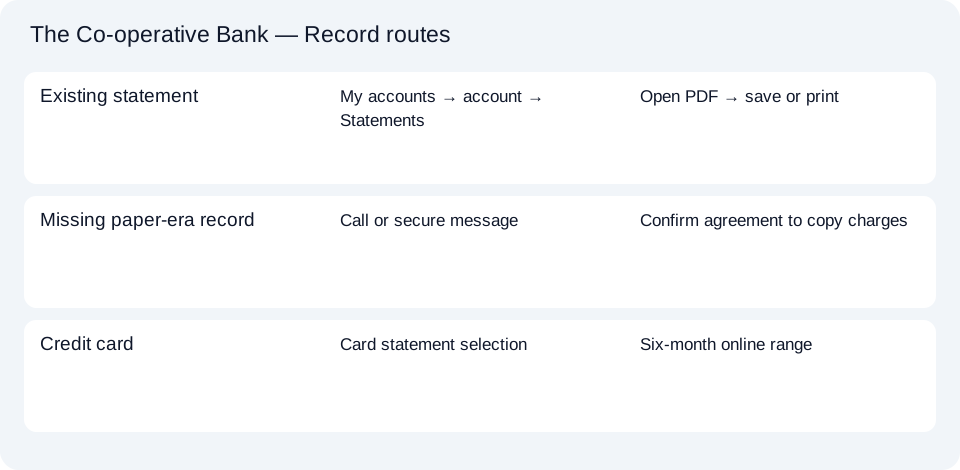
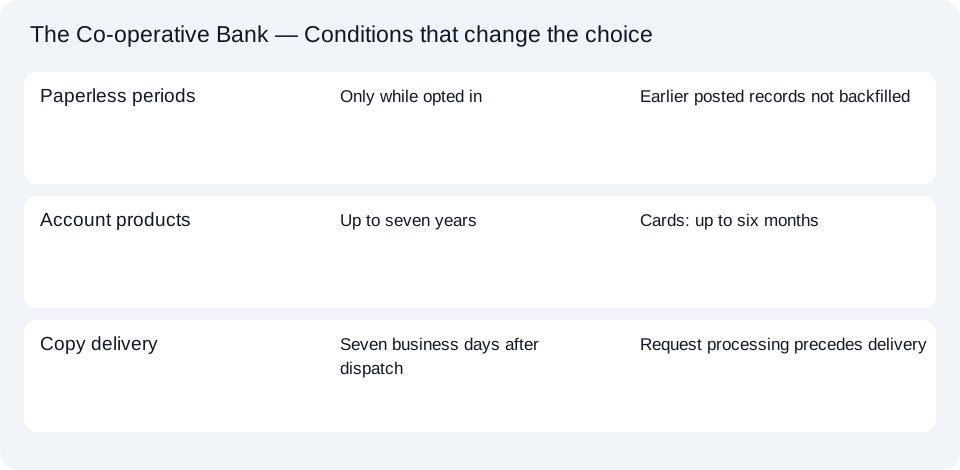
Use the Co-operative Bank record planner to distinguish an online download from a copy order. The shared CSV and accounting guide covers subsequent spreadsheet work.
For a Co-operative record, check the product and paperless enrollment period first. Download an available PDF; use the official copy request for the missing period rather than treating a current transaction view as its replacement.
LocalExtract processes one PDF locally into date,description,amount CSV. Excel can save that CSV as XLSX. Check the extracted rows against the source. Download options and limits.
Official sources checked October 14, 2026. This guide brings the bank’s document and export choices together.
LocalExtract Team
We build LocalExtract, a desktop bank statement converter. Questions or corrections? Contact · Editorial policy