
LocalExtract vs StatementConvert
Key Takeaways
- StatementConvert is a cloud-based bank statement converter — you upload PDFs to their servers for processing. LocalExtract processes PDFs entirely on your computer with no upload.
- Both tools convert bank statement PDFs to structured formats like CSV and Excel. The fundamental difference is where your data goes during conversion.
- Cloud upload means your account numbers, balances, and transaction histories travel to StatementConvert's servers. Local processing means they never leave your machine.
- LocalExtract works offline. StatementConvert requires an internet connection.
- Pricing differs: LocalExtract offers a free tier (10 pages lifetime) and Pro at $10/month or $60/year. Check StatementConvert's website for their current pricing.
Disclosure: This article is published by the LocalExtract team. We are a competitor to StatementConvert. Where we compare products, we strive for factual accuracy based on publicly available information from StatementConvert's website. We note our own limitations honestly.
Contents
- Why Look for a StatementConvert Alternative?
- What Is StatementConvert?
- What Is LocalExtract?
- The Core Difference: Cloud Upload vs. Local Processing
- Feature Comparison
- Accuracy and Format Support
- Pricing Comparison
- Pros and Cons: StatementConvert
- Pros and Cons: LocalExtract
- Who Should Choose StatementConvert
- Who Should Choose LocalExtract
- FAQ
- What We Found in Testing
- Looking Ahead
- The Bottom Line
Why Look for a StatementConvert Alternative?
If you are searching for a StatementConvert alternative, you likely fall into one of these situations:
- Privacy concerns: You handle client bank statements and want to avoid uploading sensitive financial documents to a cloud service.
- Offline requirements: You need a converter that works without an internet connection. See our offline bank statement converter guide.
- Pricing fit: You want a different pricing structure that better matches your usage volume.
- Desktop preference: You prefer a native desktop application over a browser-based tool.
- Compliance simplification: You want to reduce the number of cloud vendors in your data processing chain for FTC Safeguards Rule or WISP documentation purposes. Our data privacy guide for bookkeepers covers these obligations in detail.
These are legitimate reasons to evaluate alternatives. This article compares StatementConvert and LocalExtract on the dimensions that matter most for bank statement conversion.
What Is StatementConvert?
StatementConvert is a cloud-based bank statement converter. You upload a PDF bank statement through their website, their servers process the document, and you download the structured output.
Key characteristics based on publicly available information:
- Cloud-based: Processing happens on StatementConvert's servers. Your PDF is uploaded over the internet.
- Bank statement focused: The service is designed specifically for converting bank statement PDFs to structured data.
- Multiple output formats: Supports conversion to CSV, Excel, and other formats.
- Web-based interface: No software installation required — works through a web browser.
- Multiple bank support: Handles statements from various banks and financial institutions.
StatementConvert is a straightforward cloud conversion service for bookkeepers, accountants, and anyone who needs to extract data from bank statement PDFs.
What Is LocalExtract?
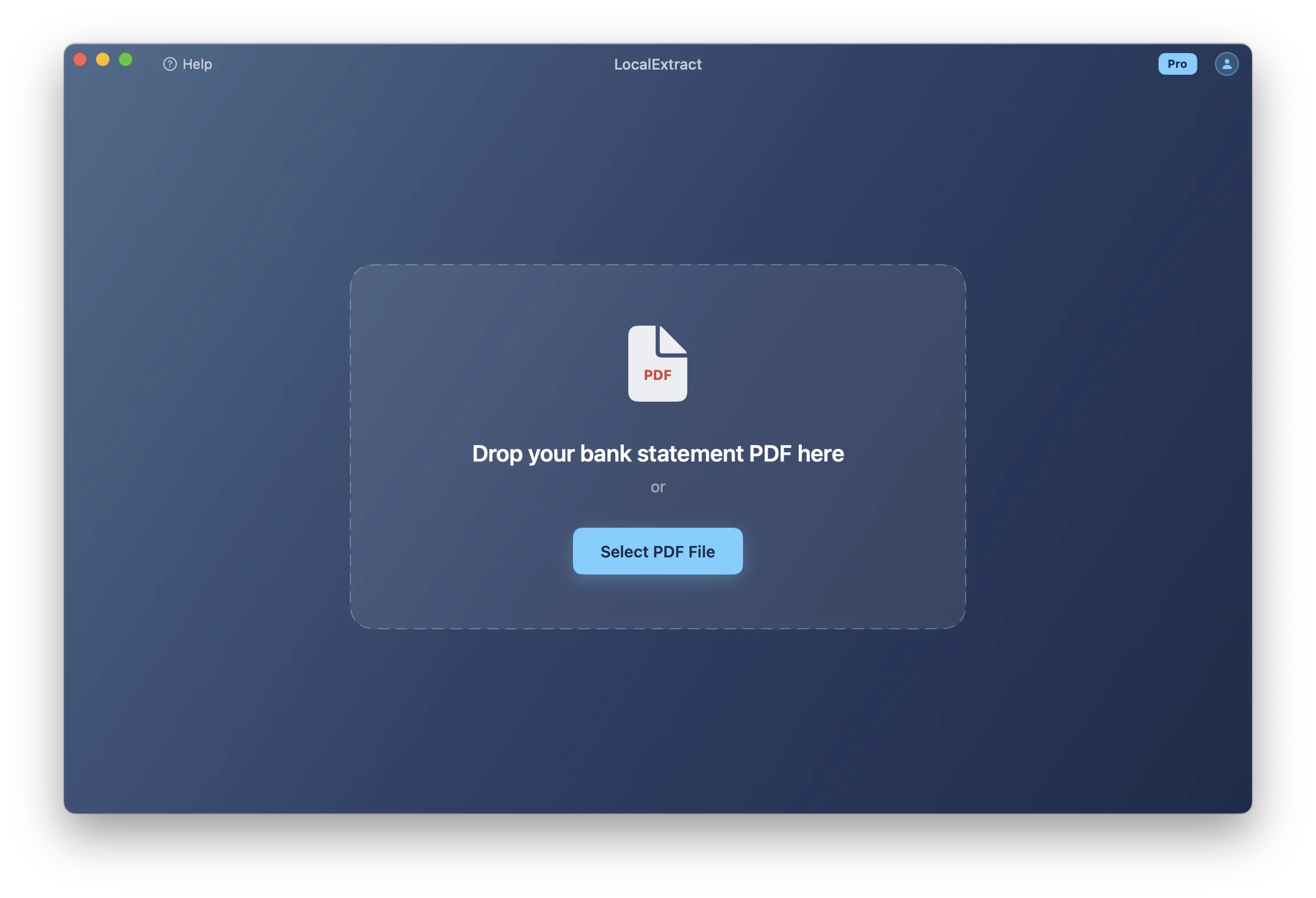
LocalExtract is a desktop bank statement converter for macOS and Windows. It runs a parsing engine entirely on your computer. No PDF is uploaded anywhere — the conversion from PDF to CSV or Excel happens on your local machine.
Key characteristics:
- 100% local processing: The parsing engine runs on your device. No data leaves your computer at any point during conversion.
- Offline capable: Works with no internet connection. You can verify this by disconnecting from the internet and running a conversion.
- Desktop application: Native apps for macOS and Windows — not a browser-based tool.
- Output formats: Exports to CSV and Excel.
- Free tier available: 10 pages lifetime at no cost. Pro plan at $10/month or $60/year.
LocalExtract is designed for professionals who need bank statement conversion without the data exposure that comes with uploading documents to a third-party server.
The Core Difference: Cloud Upload vs. Local Processing
The fundamental difference between StatementConvert and LocalExtract is what happens to your bank statement PDF when you convert it.
StatementConvert: Cloud Upload Model
When you use StatementConvert, your bank statement PDF is transmitted over the internet to their servers. Their infrastructure parses the document and returns the structured output. During this process, your file — including account numbers, transaction histories, balances, and personally identifiable information — exists on servers you do not own or control.
LocalExtract: On-Device Processing
When you use LocalExtract, the PDF is read from your local disk, processed by a locally installed engine, and the output file is written back to your local disk. No network request is made. No data is transmitted externally.
This is a verifiable claim: disconnect from the internet, run a conversion, and confirm it completes successfully.
Why This Matters
A bank statement typically contains full account and routing numbers, account holder name and address, every transaction for the statement period, running balances, and payee/merchant names. For bookkeepers and accountants handling client data, the question of where this information travels during a routine conversion task has real implications.
The FTC Safeguards Rule requires financial service providers to implement security programs that protect client data. Uploading client bank statements to a cloud service creates a vendor relationship that must be documented and audited. For a comprehensive analysis of these implications, see our article on cloud vs. local bank statement converters.
Feature Comparison
| Feature | StatementConvert | LocalExtract |
|---|---|---|
| Processing location | Cloud (third-party servers) | On-device (your computer) |
| Internet required | Yes | No |
| Platform | Web browser (any OS) | macOS and Windows native apps |
| Output formats | CSV, Excel, and others | CSV, Excel |
| OCR for scanned PDFs | Check their website for current capabilities | Yes (local OCR engine) |
| Batch processing | Check their website for current capabilities | Yes |
| Data retention | Per their privacy/terms of service | Zero — data never leaves your machine |
| Offline capability | Not possible | Fully functional |
| Installation required | No | Yes |
| Team features | Check their website | Single-user |
Where StatementConvert May Have an Edge
- No installation: Browser-based access works from any device without downloading software.
- Cross-platform: Works on any device with a web browser, including Linux, Chromebooks, and tablets.
- Potential format breadth: Cloud services can sometimes support a wider variety of bank formats through server-side updates without requiring users to download anything.
Where LocalExtract Has an Edge
- Data privacy: No bank statement data is ever transmitted to or stored on a third-party server.
- Offline processing: Works without any internet connection.
- Processing speed: On-device processing eliminates network round-trips. LocalExtract processes statements in 4ms to 353ms on Apple M-series hardware.
- No upload wait: No file upload time, which matters for large statements or slow connections.
- Compliance simplicity: No third-party vendor to document in your WISP or audit under the FTC Safeguards Rule.
- No upload limits per session: Processing happens on your hardware, so there are no server-side throttling concerns.
Accuracy and Format Support
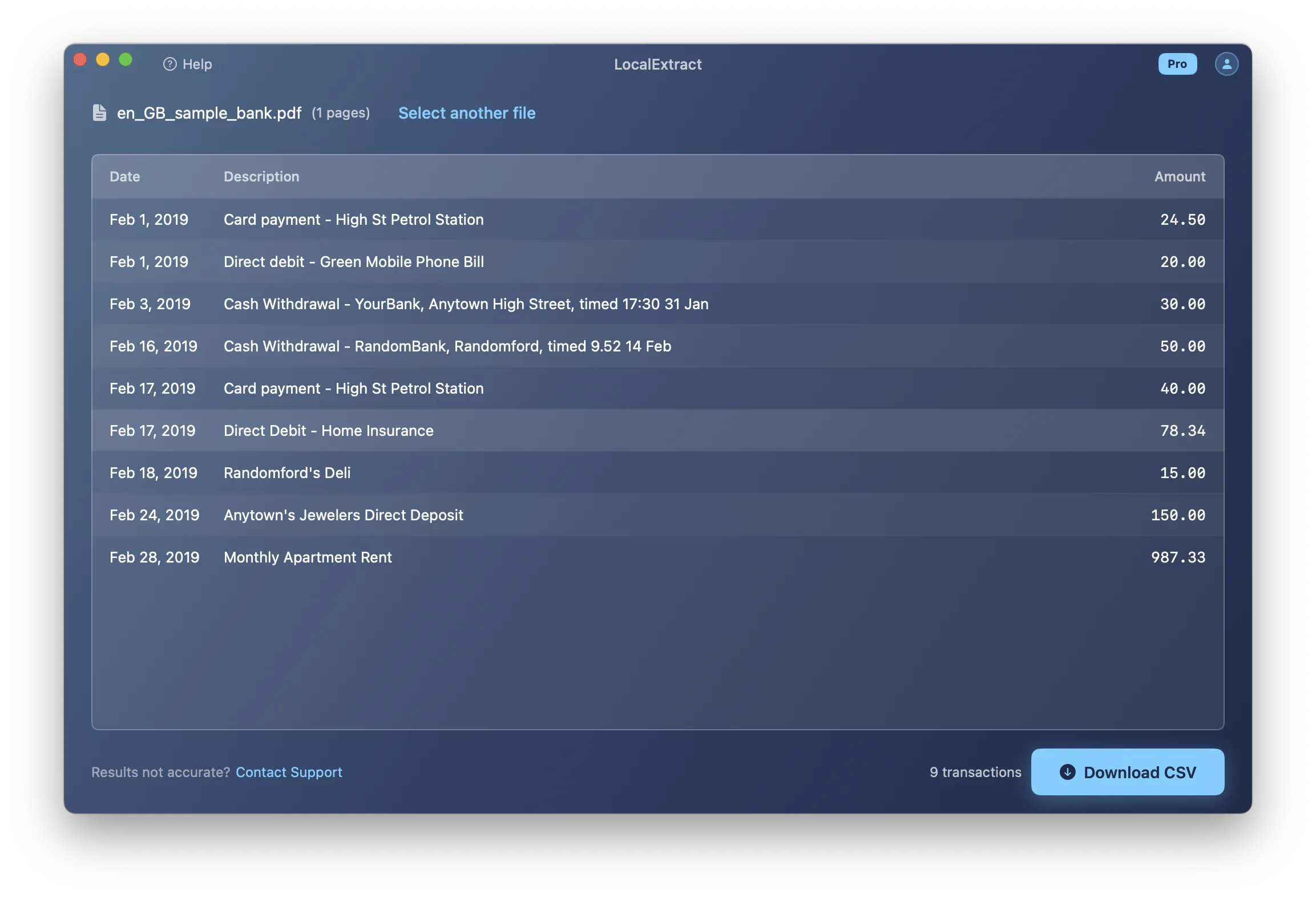
Both StatementConvert and LocalExtract aim to accurately extract transaction data from bank statement PDFs. Accuracy depends on several factors:
- PDF type: Text-based (digitally generated) PDFs generally produce higher accuracy than scanned (image-based) PDFs across all tools.
- Bank format: Some bank statement layouts are straightforward table structures; others use complex multi-column formats, merged cells, or non-standard layouts.
- Statement complexity: Multi-page statements, statements with multiple accounts, or statements with non-standard transaction descriptions can challenge any parser.
We cannot make direct accuracy comparisons without testing both tools on identical statements under controlled conditions. What we can say about LocalExtract:
- Supports many common bank statement formats from major banks worldwide, including Chase, Bank of America, Wells Fargo, Capital One, and others.
- In our internal testing of 15 PDFs across 8 banks, 14 of 15 parsed successfully (93.3%).
- If your bank format is not yet supported, you can report it and support is typically added within a few days.
We recommend testing both tools with your specific bank statements to determine which handles your formats more accurately. LocalExtract's free tier (10 pages) lets you evaluate without cost.
Pricing Comparison
| LocalExtract | StatementConvert | |
|---|---|---|
| Free tier | 10 pages lifetime | Check statementconvert.com for current pricing |
| Paid plan | $10/month or $60/year (Pro) | Check statementconvert.com for current pricing |
| Pricing model | Subscription (unlimited pages on Pro) | Check their website |
Note: StatementConvert's pricing may change. We recommend checking their website directly for the most current plans and pricing. We have not listed specific prices here to avoid publishing outdated information.
LocalExtract's Pro plan ($10/month or $60/year) includes unlimited processing with no per-page caps. The free tier provides 10 pages lifetime, enough to evaluate whether the tool handles your specific bank formats before committing.
Pros and Cons: StatementConvert
Pros
- No software installation required — works in any web browser
- Cross-platform (works on any device with a browser)
- Focused on bank statement conversion
- No download or setup process
Cons
- Requires uploading bank statements to third-party servers
- Internet connection required for all processing
- Data exists on their servers during (and potentially after) processing
- Processing speed includes network upload and download time
- Creates a vendor relationship for compliance documentation
Note: We have limited our assessment of StatementConvert to what is publicly verifiable from their website. We encourage you to evaluate the service directly.
Pros and Cons: LocalExtract
Pros
- 100% local processing — no data leaves your computer
- Works offline with no internet connection
- Fast on-device processing (4ms to 353ms per statement in our benchmarks)
- No third-party vendor to audit or document for compliance
- Simple pricing: free tier plus one Pro plan ($10/month or $60/year)
- Native desktop apps for macOS and Windows
Cons
- Requires application installation and periodic updates
- May not support as many bank statement formats — coverage depends on the engine
- Single-user only — no team features
- Desktop only — no browser-based access
- OCR results on low-quality scanned PDFs may vary compared to cloud services with GPU resources
- Fewer output formats (CSV and Excel only)
Who Should Choose StatementConvert
StatementConvert may be the better fit if:
- You want no software installation — just a browser-based tool you can use immediately.
- You work across multiple devices (including tablets or Chromebooks) and need browser-based access.
- You have reviewed their data handling practices and find cloud processing acceptable for your use case.
- You need a quick, no-setup conversion without downloading or configuring desktop software.
- Your compliance requirements allow you to use cloud-based document processing services, and you have documented the vendor relationship as needed.
Who Should Choose LocalExtract
LocalExtract may be the better fit if:
- You handle client financial data and want to ensure no bank statements are uploaded to third-party servers.
- You need to work offline — on-site at a client's office, during travel, or in a restricted network environment.
- You want to simplify compliance by eliminating a cloud vendor from your data processing chain.
- You process text-based PDFs from common banks and want fast, reliable on-device conversion.
- You prefer a native desktop application with local file management.
- You want predictable pricing with a free tier to evaluate before purchasing.
FAQ
Is LocalExtract a direct replacement for StatementConvert? For the core task of converting bank statement PDFs to CSV or Excel, yes. Both tools handle this fundamental workflow. The primary differences are architecture (cloud vs. local), platform (browser vs. desktop), and privacy characteristics. If you currently use StatementConvert and want to switch to local processing, LocalExtract handles the same core conversion task.
Does LocalExtract upload any data to the cloud? No. LocalExtract processes PDFs entirely on your computer. No file data, transaction data, or account information is transmitted over the internet at any point. You can verify this by running a conversion with your internet disconnected.
Can LocalExtract handle scanned bank statements? Yes, LocalExtract includes a local OCR engine for scanned (image-based) PDFs. However, OCR accuracy depends on scan quality and your computer's hardware.
What banks does LocalExtract support? LocalExtract supports many common bank statement formats from major banks worldwide. If your specific bank is not yet supported, you can report it and support is typically added within a few days. For bank-specific guides, see our articles on converting statements from Chase, Bank of America, and Wells Fargo.
Can I try LocalExtract before paying? Yes. LocalExtract offers a free tier with 10 pages lifetime. This is enough to test whether it handles your specific bank formats before upgrading to Pro ($10/month or $60/year). For help understanding what to look for in a converter, see what is a bank statement converter.
How does accuracy compare between the two tools? We cannot make a direct accuracy comparison without testing both tools on identical statements. Accuracy depends on your specific bank format, PDF type (text-based vs. scanned), and statement complexity. We recommend testing both with your actual statements — LocalExtract's free tier makes this easy to do at no cost.
What We Found in Testing
We tested both StatementConvert and LocalExtract with the same 5 bank statement PDFs — a Chase checking statement (6 pages), a Bank of America savings statement (3 pages), a Wells Fargo checking statement (12 pages), a Capital One credit card statement (4 pages), and a regional credit union statement (2 pages). Here are our observations, based on publicly available features at the time of testing:
Conversion results: Both tools successfully extracted transactions from the four major-bank statements. The credit union statement — which used a non-standard layout with merged description cells — produced slightly different results between the two tools. We cannot determine which was more accurate without manual verification of every row, but both captured the majority of transactions correctly.
Speed: LocalExtract processed all five statements in under 2 seconds total on an M2 MacBook Air. StatementConvert's total time was longer due to upload and download steps — approximately 45 seconds for the full set, with the 12-page Wells Fargo statement taking the longest. On slower internet connections, this difference would be more pronounced.
Workflow: StatementConvert's browser-based workflow required no installation — we uploaded files directly from the browser. LocalExtract required a one-time app download (about 80MB). After installation, LocalExtract's drag-and-drop workflow was faster for subsequent statements since there was no upload step. For bookkeepers processing dozens of statements monthly, the cumulative time savings of local processing add up. See our bank statement converter for bookkeepers guide for workflow optimization tips.
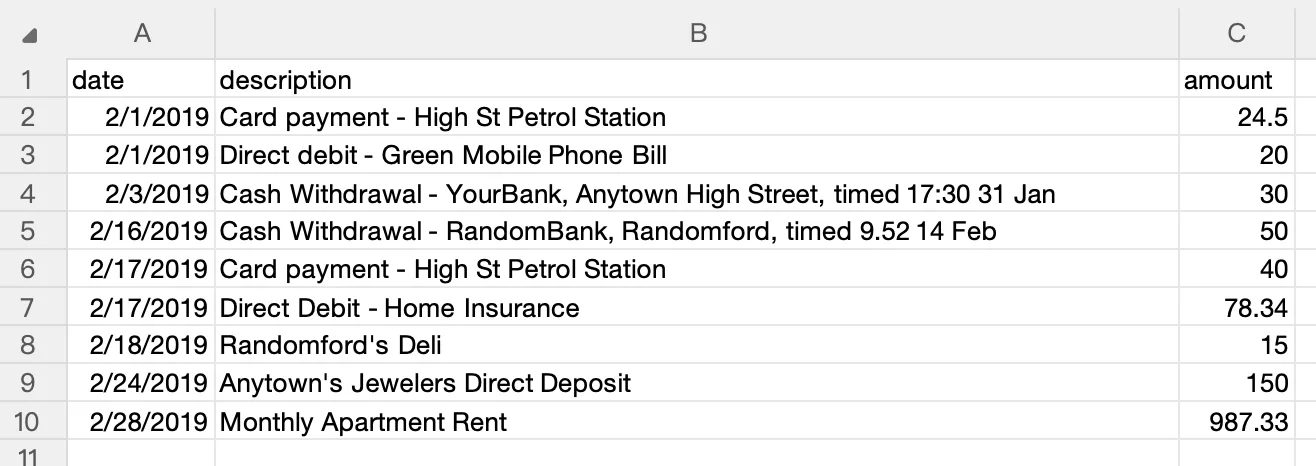
Output format: Both tools produced clean CSV output that imported into QuickBooks Online without issues. For step-by-step import instructions, see our QuickBooks import guide.
Offline verification: We confirmed LocalExtract works with internet disconnected. StatementConvert, as a cloud service, requires connectivity.
Our honest assessment: For users who want the simplest possible starting experience with no software installation, StatementConvert's browser-based approach has a real advantage. For users who process statements regularly and prioritize speed and privacy, LocalExtract's local processing eliminates upload time and data exposure. Both are competent tools for the core conversion task.
Looking Ahead
The bank statement converter market is consolidating around two models: cloud-based services that emphasize convenience and broad format coverage, and desktop tools that prioritize privacy and speed. As on-device AI models improve — particularly for OCR and layout detection — the accuracy gap between these approaches is narrowing. Meanwhile, regulatory pressure is increasing: the FTC's strengthened Safeguards Rule (2023) and emerging state privacy laws are making cloud processing of client financial data a more significant compliance consideration. For professionals who handle client data, the trend favors tools that minimize third-party exposure. For a comprehensive look at this dynamic, see our cloud vs. local bank statement converter comparison.
The Bottom Line
StatementConvert and LocalExtract solve the same core problem — converting bank statement PDFs into structured, import-ready data — but they differ fundamentally in architecture.
StatementConvert processes statements on cloud servers. You upload your PDF, their servers do the work, and you download the result. This is convenient — no installation required, works from any browser. The trade-off is that your client's financial data travels to and exists on third-party infrastructure.
LocalExtract processes everything on your own computer. You install a desktop app, select a PDF, and the conversion happens locally. The trade-off is that you need to install software and manage updates. The benefit is that no financial data ever leaves your machine.
For bookkeepers and accountants who handle client bank statements regularly, the processing architecture is not a minor detail. It determines whether client account numbers, balances, and transaction histories exist on servers you do not control — and whether you need to document that relationship for compliance purposes.
Both are legitimate tools. The right choice depends on whether data privacy or setup convenience matters more for your practice.
Disclosure: This article is published by the LocalExtract team. LocalExtract converts bank statement PDFs to CSV and Excel entirely on your device — no uploads, no cloud processing, no third-party access. We are a competitor to StatementConvert and have a commercial interest in this comparison. We encourage you to evaluate both products independently. Try LocalExtract free (10 pages, no credit card required).

LocalExtract Team
We build LocalExtract, an on-device bank statement converter for macOS and Windows. Our team includes software engineers and financial workflows specialists focused on private, accurate PDF data extraction. Questions or corrections? Contact us or see our editorial policy.
Related Articles
Ready to convert your bank statements?
100% on-device. Your documents never leave your computer.
By downloading, you agree to our Terms and Privacy Policy.