
Rabobank AU Online Savings: monthly or annual records?
Updated · 2 min read
The desktop apps export date, description, and amount as CSV. Open CSV in Excel to save an XLSX workbook. Statement support varies: verify the result against your own PDF.
Get the monthly record for the selected savings account
Sign in to Australian Internet or Mobile Banking, open Statements, and choose the relevant account. Select Download to the right of the required month. Check the opened record's account and month before using it as evidence of that period. The Online Savings instructions establish the download route; they do not specify a universal PDF extension, file columns or maximum archive.
Choose this route for an account's monthly activity rather than starting from a tax year. Changing the month selects a monthly record; it does not establish a custom date-range export. Monthly statement instructions.
Choose Interest and Tax for an annual summary
Open Statements → Interest and Tax when the required result is annual interest and tax information. The service populates financial years for all accounts; use Download beside the relevant tax year. This is a year-based record across accounts, rather than the monthly statement belonging to one selected savings account.
Compare the record type with what the recipient requested before substituting one for the other. A tax-year summary can answer an annual interest question without supplying every monthly transaction. Annual Interest and Tax route.
| Needed result | Bank route | Decision |
|---|---|---|
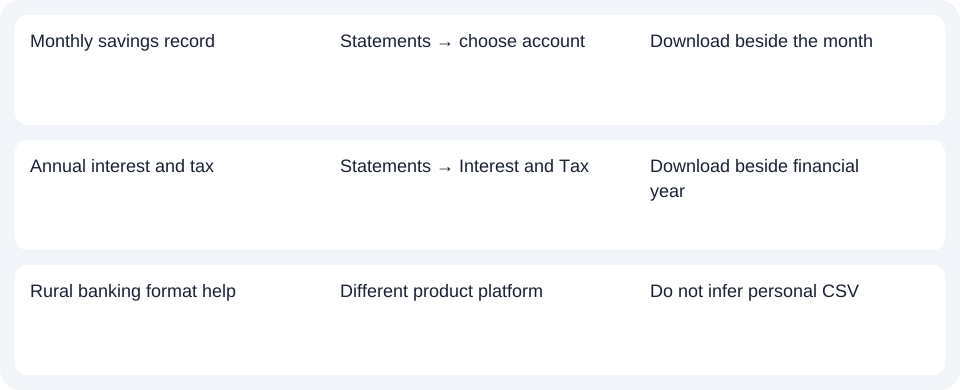
| Monthly savings record | Statements → choose account | Download beside the month |
| Annual interest and tax | Statements → Interest and Tax | Download beside financial year |
| Rural banking format help | Different product platform | Do not infer personal CSV |
Keep Farm & Agribusiness capabilities on their own platform
Rabobank's separate Farm & Agribusiness Internet Banking FAQ discusses All In One/Cash Management accounts, owner-only statement access, entity grouping, PDF history and CSV/QIF exports. Those product and authority conditions differ from personal Online Savings. They do not establish personal CSV export or the same archive for an Online Savings account. New Zealand Rabobank instructions likewise do not verify this Australian service.
For Online Savings, start with the month and account or the financial year according to the needed record. Use the record planner to record your chosen route and the outstanding document period. If the document available is a PDF (Portable Document Format), the CSV guide covers spreadsheet preparation. LocalExtract handles one PDF locally at a time to date,description,amount CSV (Comma-Separated Values); save XLSX in Excel and review the rows. Downloads.
Official sources checked October 14, 2026.
LocalExtract Team
We build LocalExtract, a desktop bank statement converter. Questions or corrections? Contact · Editorial policy