
AMP Bank GO or My AMP: choose the statement route
Updated · 3 min read
The desktop apps export date, description, and amount as CSV. Open CSV in Excel to save an XLSX workbook. Statement support varies: verify the result against your own PDF.
Choose a GO period and native format
In AMP Bank GO → menu → Statements and Documents → Statement History, choose the current month, last three months, last six months, or a custom range. Select PDF (Portable Document Format) for a document or CSV (Comma-Separated Values) for table rows; the top-right export control also supports printing. Use the native CSV if it meets your analysis needs rather than converting a PDF first. GO statement options.
For GO Save, AMP instead gives Account Profile → Statements and Documents → Account Statements, followed by the date range and PDF or CSV. Its Interest and Tax Summary is a separate PDF record, not the ordinary statement CSV. Choose the record type before selecting an output format. GO Save guidance.
Save other periods before closing GO
AMP says a GO closure triggers an emailed closing statement for the current month to date. Save other required ranges before closing; already-closed customers are directed to support. The closing email is not a promise to supply every previous period or preserve self-service access. A custom-range option also does not establish an unlimited archive. GO closure and statements.
| Needed result | Bank route | Decision |
|---|---|---|
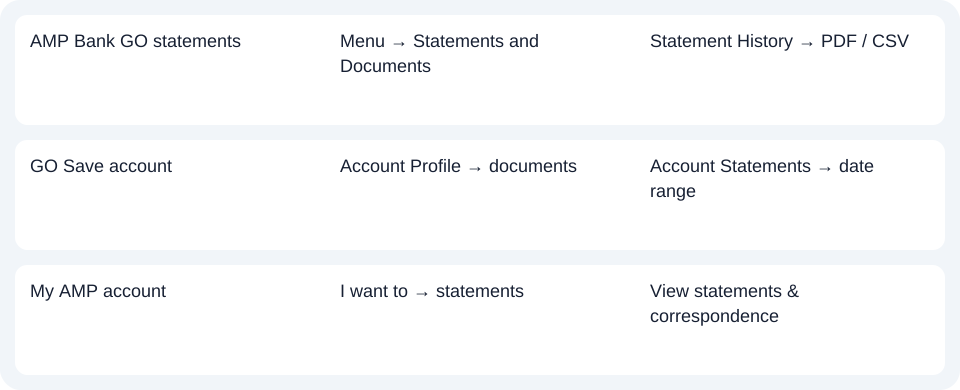
| AMP Bank GO statements | Menu → Statements and Documents | Statement History → PDF / CSV |
| GO Save account | Account Profile → documents | Account Statements → date range |
| My AMP account | I want to → statements | View statements & correspondence |
For My AMP, check the account and all delivery preferences
In My AMP, use I want to → View statements & correspondence, then View beside the account. This is the My AMP route; GO's CSV capability is not evidence that this platform offers the same export.
For joint accounts, AMP says paper continues if another holder's preference is Paper. A missing email can also return an Online preference to Paper. Check these conditions before treating paper delivery as a missing-download fault. My AMP statement access and preferences.
Select the correct AMP platform, record type and period first. Use the record planner to record your chosen route and the outstanding document period. The CSV guide explains import checks. If only a PDF is available, LocalExtract processes it locally one at a time into date,description,amount CSV; XLSX is saved in Excel. Review the rows against the source. Downloads.
Official sources checked October 14, 2026.
LocalExtract Team
We build LocalExtract, a desktop bank statement converter. Questions or corrections? Contact · Editorial policy