
Metro Bank statements: downloads and closed-account history
Updated · 3 min read
The desktop apps export date, description, and amount as CSV. Open CSV in Excel to save an XLSX workbook. Statement support varies: verify the result against your own PDF.
Download through the current document menu
The current statement FAQ gives the account → Documents → Account Statements route. After choosing the year and monthly View link, download the statement offered.
If it does not open, the FAQ identifies blocked pop-ups as a possible cause. Permit only the necessary window from the genuine bank site, rather than switching off browser protections everywhere. Available online statements can be downloaded immediately; a posted statement copy has a ten-working-day delivery period.
An older official digital-banking guide explicitly describes PDF (Portable Document Format) statements, but uses older menu labels. Follow the current FAQ for navigation. Its wording does not independently specify the current file extension, so check the actual downloaded document rather than assuming every available record is the same type.
Prefer the retail CSV when it supplies the required rows
Metro’s accessibility and feature information separately identifies retail banking and confirms filtered transaction export as CSV. That is useful for selected rows in a spreadsheet, without first extracting a statement PDF.
The public feature table does not give the complete current click sequence, column schema or maximum export period. Use the export shown in your retail account and verify its selected scope. A CSV transaction list is not the issued monthly statement when a recipient specifically requires that document.
Request transaction history after closure
The closed-account history FAQ describes up to five years of preceding transaction history at closure and later requests. It says the history is retained for at least five years after closure. This is not evidence of a five-year online statement archive or continued login access.
Printed history normally arrives within seven working days, a different timetable from the ten-working-day statement-copy service. The FAQ lists exclusions, including specified fraud or unlawful activity, impairment, bankruptcy/insolvency/liquidation and no activity during the preceding five years. Check eligibility through the bank’s official request or store route; do not assume every closed account qualifies.
| Record needed | Metro route | Timing or scope |
|---|---|---|
| Available monthly statement | Account → Documents | Online download |
| Posted statement copy | Statement-copy request | Ten working days |
| Eligible closed-account history | Separate history request | Normally seven working days |
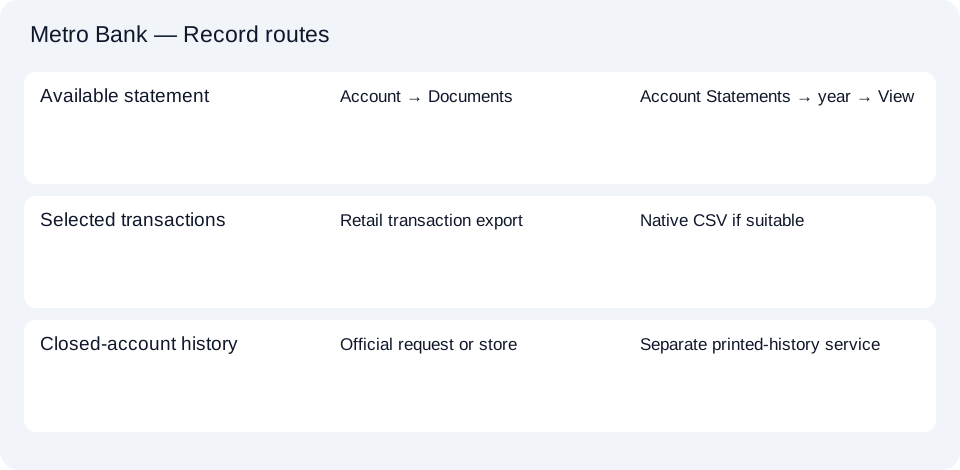
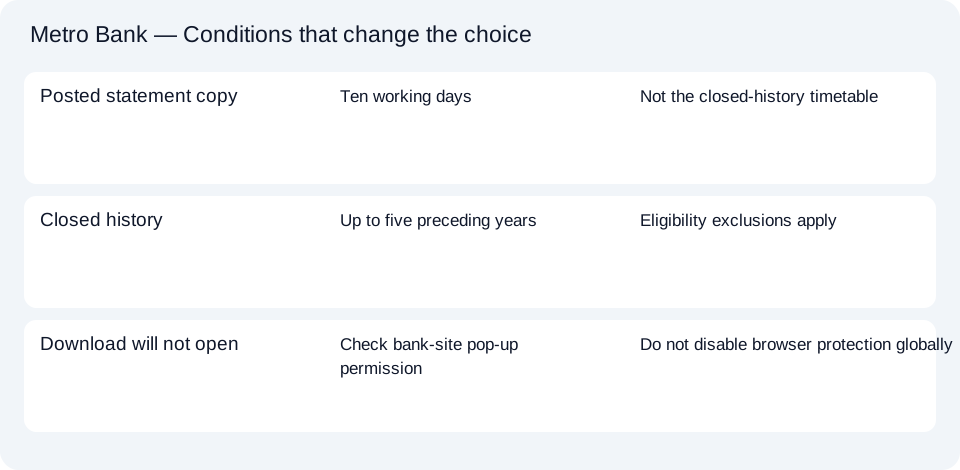
The Metro record planner keeps download, CSV and closed-history requests separate. For the next spreadsheet step, use the shared CSV guide.
Start with Account Statements for an issued Metro record, or the retail CSV for selected rows. After closure, check the separate history service’s eligibility and delivery terms before requesting a printed record.
LocalExtract processes one PDF locally into date,description,amount CSV. Excel can save that CSV as XLSX. Check the extracted rows against the source. Download options and limits.
Official sources checked October 14, 2026. This guide brings the bank’s document and export choices together.
LocalExtract Team
We build LocalExtract, a desktop bank statement converter. Questions or corrections? Contact · Editorial policy