
ME statements: ME Go, classic access and account closure
Updated · 2 min read
The desktop apps export date, description, and amount as CSV. Open CSV in Excel to save an XLSX workbook. Statement support varies: verify the result against your own PDF.
Choose the platform for the account
For ME Go app, open the menu icon, Statements and documents, then the account and statement; select Share. On ME Go web banking, open Statements and documents, choose the account, then View/Download. Classic banking uses Accounts → View statements → accounts to show → statement. Published retrieval routes.
The ME app page excludes SpendME, HomeME and SaveME from the classic app. A successful classic login therefore does not establish access to a ME Go product.
Separate regular and interim records
ME Go statements are generated every six months. The app can also request an interim statement. Check which record was issued before expecting a separate monthly document. ME Go uses online statements automatically; choosing paper delivery in classic ME is a separate preference. Statement timing and delivery choices.
| Needed result or situation | Bank route or condition | Decision |
|---|---|---|
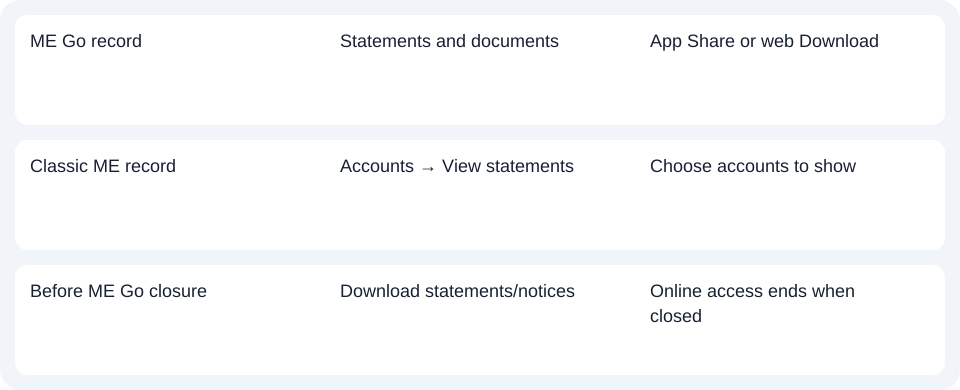
| ME Go record | Statements and documents | App Share or web Download |
| Classic ME record | Accounts → View statements | Choose accounts to show |
| Before ME Go closure | Download statements/notices | Online access ends when closed |
Preserve closure and transition records
Download ME Go statements and notices before closure. The final closed-account statement is sent by mail; it is not continued access to the closed online archive. For a home loan moved during the financial year, the Interest Summary covers charges since transition, while the first ME Go statement contains interest up to transition. Keep those different periods in view when assembling records for the year. Closure and transition documents.
For ME, identify classic banking or ME Go and save closure or transition records through that service’s own document route.
Use the record planner to record your chosen route and the outstanding document period.
For a PDF (Portable Document Format), the CSV (Comma-Separated Values) guide covers spreadsheet preparation. LocalExtract handles one PDF locally to date,description,amount CSV; Excel creates XLSX (Excel workbook format). Check the rows. Downloads.
Official sources checked October 14, 2026.
LocalExtract Team
We build LocalExtract, a desktop bank statement converter. Questions or corrections? Contact · Editorial policy