
Maybank Singapore: eStatements and enrollment blockers
Updated · 3 min read
The desktop apps export date, description, and amount as CSV. Open CSV in Excel to save an XLSX workbook. Statement support varies: verify the result against your own PDF.
Save the statement from the web dashboard
Maybank's illustrated web guide gives this sequence:
- Sign in and open Accounts Dashboard → View eStatements.
- Select the required statement type and month.
- Click the corresponding download icon.
- Use the download control to save the opened record.
Private/Premier statements have a dedicated tab: select Month to Date, or choose Monthly Statement and View, before downloading. Choose that branch only for the relevant service; it is not a second way to enroll an ordinary account.
Resolve the preference that blocks enrollment
The eStatement FAQ identifies two prerequisites that a repeated download cannot fix:
| Existing arrangement | Required action before electronic enrollment |
|---|---|
| Previously opted out of Combined Statement | Register for Combined Statement at a branch first |
| Hold Mail | Cancel Hold Mail at a branch first |
These are account-delivery arrangements. Distinguish them from a browser that cannot save an already available document: one needs the arrangement changed; the other concerns the file-opening step.
| Needed result or situation | Bank route or condition | Decision |
|---|---|---|
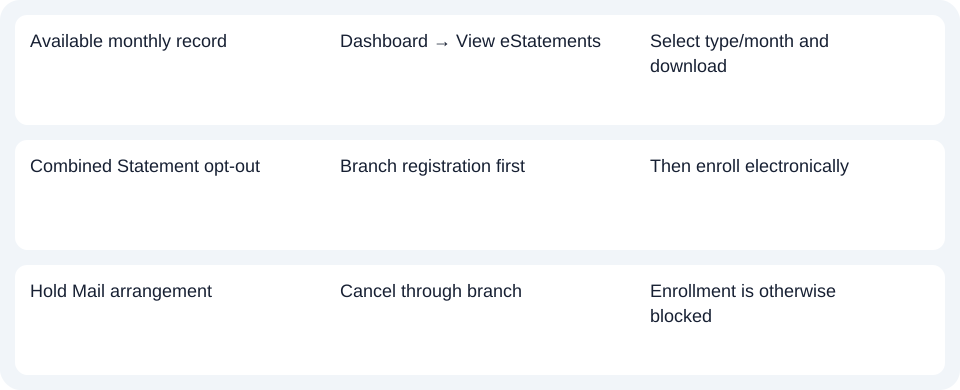
| Available monthly record | Dashboard → View eStatements | Select type/month and download |
| Combined Statement opt-out | Branch registration first | Then enroll electronically |
| Hold Mail arrangement | Cancel through branch | Enrollment is otherwise blocked |
Check the enrollment date and document type
The FAQ offers 12 months of records and says new electronic enrollment starts with the next statement date. The maximum history should not be read as a promise that every older record appears immediately upon enrollment. The published FAQ is dated 4 May 2023; the bank continues to serve it alongside its web download guide. Enrollment and history conditions.
Maybank's download guide notes that not every statement is electronic and points to transaction history as an alternative. Establish whether the recipient needs an issued monthly statement or an activity record before substituting the latter. This guide uses the web route; it does not infer current app labels from the older SG Lite illustration.
For Maybank Singapore, select the statement type and month; arrange Combined Statement or Hold Mail changes at a branch when required.
Use the record planner to record your chosen route and the outstanding document period.
For an available PDF (Portable Document Format), the common CSV (Comma-Separated Values) guide covers analysis. LocalExtract processes one PDF locally to date,description,amount CSV; Excel can save an XLSX (Excel workbook format) copy. Verify the rows. Download options.
Official sources checked October 14, 2026.
LocalExtract Team
We build LocalExtract, a desktop bank statement converter. Questions or corrections? Contact · Editorial policy