
Marcus US: savings statements and annual interest records
Updated · 2 min read
The desktop apps export date, description, and amount as CSV. Open CSV in Excel to save an XLSX workbook. Statement support varies: verify the result against your own PDF.
Select the deposit statement PDF (Portable Document Format)
- Sign in to Marcus.
- Select Documents / View Documents.
- Open the available deposit statement. The bank supplies printable PDFs, meaning Portable Document Format. Monthly statements cover the previous month's activity, rather than a newly chosen partial-month period. Statement access.
Check who can enroll electronically
Electronic deposit communications are available for customers holding only Online Savings and/or CD accounts. At account opening, only the primary joint owner can enroll; agreement to electronic-signature terms enrolls the account. Confirm the ownership role and account mix before treating an unavailable setting as a download problem. Electronic enrollment conditions.
| Needed result or situation | Bank route or condition | Decision |
|---|---|---|
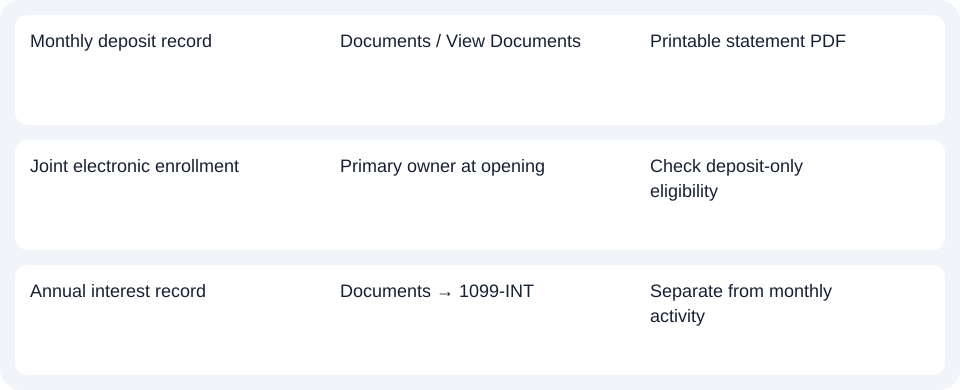
| Monthly deposit record | Documents / View Documents | Printable statement PDF |
| Joint electronic enrollment | Primary owner at opening | Check deposit-only eligibility |
| Annual interest record | Documents → 1099-INT | Separate from monthly activity |
Choose the annual form when that is the request
The FAQ says 1099-INT is available in Documents by 31 January and mailed to the primary owner. If it has not arrived by 15 February, contact Marcus. A monthly statement and the annual interest form are separate documents; selecting more monthly periods does not produce the tax form. 1099-INT availability.
For Marcus US, choose the monthly deposit PDF or annual 1099-INT according to the request, and check the primary owner’s enrollment role.
Use the record planner to record your chosen route and the outstanding document period.
For a statement PDF requiring spreadsheet work, see the CSV (Comma-Separated Values) guide. LocalExtract processes one PDF locally to date,description,amount CSV; Excel saves XLSX (Excel workbook format). Check the rows. Downloads.
Official source checked October 14, 2026.
LocalExtract Team
We build LocalExtract, a desktop bank statement converter. Questions or corrections? Contact · Editorial policy