
Indian Bank Singapore: recent records and statement printing
Updated · 3 min read
The desktop apps export date, description, and amount as CSV. Open CSV in Excel to save an XLSX workbook. Statement support varies: verify the result against your own PDF.
Select the history view before printing
IIES-CIS is the bank's Internet Banking enquiry service. Choose the view according to the record required:
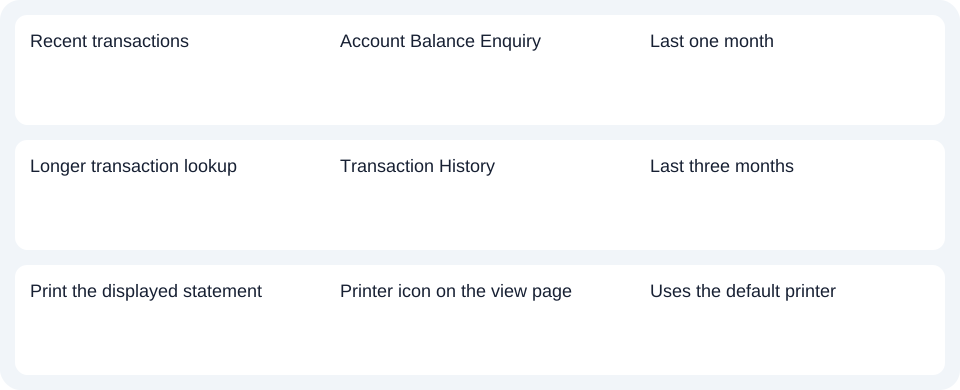
- Use Account Balance Enquiry for the most recent one month of transactions.
- Use Transaction History for the last three months.
- On the statement view page, select the printer icon to send the printout to the device's default printer.
The FAQ describes printing, not an issued monthly PDF download or a native CSV (Comma-Separated Values) export. Check the displayed account and dates before printing. Changing the printer does not extend the service's history window. Enquiry, history and printing instructions.
Read the balance against its stated date
The enquiry balance is based on the close of the previous day, not a real-time balance. The FAQ also describes account information as of the previous day or last working day. A transaction performed today may therefore not be reflected in the information being viewed. Record the displayed date when using the printout to investigate a difference.
If the balance or statement appears wrong, the FAQ directs customers to contact the bank for verification or correction. Do not edit the bank record merely to make a current-day calculation match an older displayed balance. The service is informational: it is not a place to issue payment instructions. Balance timing and service limits.
| Needed result | Bank route | Decision |
|---|---|---|
| Recent transactions | Account Balance Enquiry | Last one month |
| Longer transaction lookup | Transaction History | Last three months |
| Print the displayed statement | Printer icon on the view page | Uses the default printer |
Match the record request to the available service
The Singapore bank website links its Internet Banking and local help. These are the Singapore instructions; Indian Bank's domestic Indian app or another institution's similarly named menu does not establish this service's controls. For a period beyond the documented views, ask the Singapore bank which record it can provide instead of describing a longer online archive as available.
Use the one- or three-month view for recent enquiry, check its reporting date, and print through the documented control when that is the needed result. Use the record planner to record your chosen route and the outstanding document period. If you later receive a PDF (Portable Document Format), the common CSV guide explains spreadsheet preparation. LocalExtract processes one PDF at a time locally into date,description,amount CSV; XLSX is saved through Excel. Verify the extracted rows. Download options.
Official sources checked October 14, 2026.
LocalExtract Team
We build LocalExtract, a desktop bank statement converter. Questions or corrections? Contact · Editorial policy