
HSBC Malta: find e-statements or request a paper copy
Updated · 3 min read
The desktop apps export date, description, and amount as CSV. Open CSV in Excel to save an XLSX workbook. Statement support varies: verify the result against your own PDF.
Open the account's statement area
An e-statement is an electronically delivered bank statement. The Malta FAQ gives an account-first sequence:
- Sign in to HSBC Malta online banking.
- Choose the relevant account.
- Open Pay and manage.
- Choose Statements, then the e-statements option for the issued records.
This is the local website route. HSBC Singapore, UK and HSBCnet instructions describe other markets or services and do not establish the Malta personal account controls. The local FAQ states automatic registration for active online users; it does not require a separate enrollment step in that case. Viewing and retrieving statements.
Request paper through the statement subject
HSBC Malta's paper-copy procedure is also online: open Secure messages, choose the subject Statement Request, and send the request. The bank identifies this as a charged service, rather than a free substitute for electronic access. State the account record and period you need in the secure message and ask the bank to confirm the applicable charge before fulfillment; those request details are editorial preparation, not a bank-mandated form. Paper-copy request and charges.
The FAQ recommends secure messages over ordinary email for account-related contact. If the required account is missing from the landing page, its separate help answer directs users to the contact centre or a branch. A statement request cannot resolve an account that is not visible by silently selecting another account.
| Needed result | Bank route or condition | Decision |
|---|---|---|
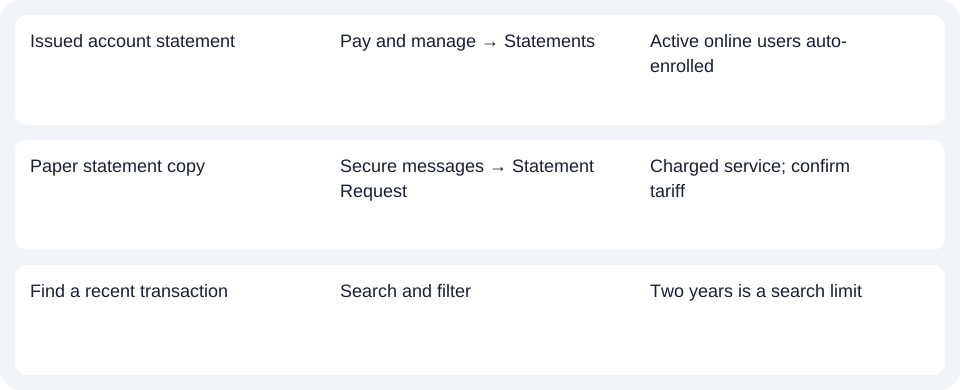
| Issued account statement | Pay and manage → Statements | Active online users auto-enrolled |
| Paper statement copy | Secure messages → Statement Request | Charged service; confirm tariff |
| Find a recent transaction | Search and filter | Two years is a search limit |
Do not turn the transaction-search limit into an archive promise
The same FAQ limits Search and filter to transactions in the last two years. That describes the transaction search, not a two-year promise for every statement. A transaction list and an issued statement can answer different questions: use the statements area for the document, and transaction search for finding an entry. For account visibility, follow the bank's local help routes rather than assuming another HSBC country's archive applies.
For the Malta account, start with Pay and manage for statements or the dedicated secure-message subject for paper. Use the record planner to record your chosen route and the outstanding document period. The CSV (Comma-Separated Values) guide is for spreadsheet preparation after a PDF (Portable Document Format) has been obtained. LocalExtract converts one PDF locally at a time to date,description,amount CSV; Excel can save the workbook as XLSX. Check the rows against the original. Downloads. Official sources checked October 14, 2026.
LocalExtract Team
We build LocalExtract, a desktop bank statement converter. Questions or corrections? Contact · Editorial policy