
APS Malta: myAPS statements and official-copy requests
Updated · 3 min read
The desktop apps export date, description, and amount as CSV. Open CSV in Excel to save an XLSX workbook. Statement support varies: verify the result against your own PDF.
Find the statement within the selected account
APS publishes these myAPS app steps:
- Sign in to the myAPS app.
- Select the account whose record you need.
- Tap the three-dot control at the top right.
- Choose Statements, then open the required statement.
Use Filter if the required period differs from the initial list. Check the selected dates in the resulting record before treating it as the period you requested. APS describes that option as generating statements for a preferred range; the help answer does not promise a particular number of historical years. App statement and Filter instructions.
Separate the electronic record from an official-copy order
An e-statement is the digital statement delivered through banking access. APS's e-statement service announcement describes free viewing and downloading through myAPS internet and mobile banking, with an SMS when the latest record becomes available. An SMS notice tells you to check banking access; it is not the statement file itself.
For an official statement request, the Help Centre gives a different route: call (+356) 2122 6644 or visit the nearest branch. Ask about the account and period required, the available format and the price before ordering. APS publishes its current tariff separately; a charged official-copy request should not be mistaken for the free electronic service. Neither route establishes immediate fulfillment of every past period.
| Needed result | Bank route or condition | Decision |
|---|---|---|
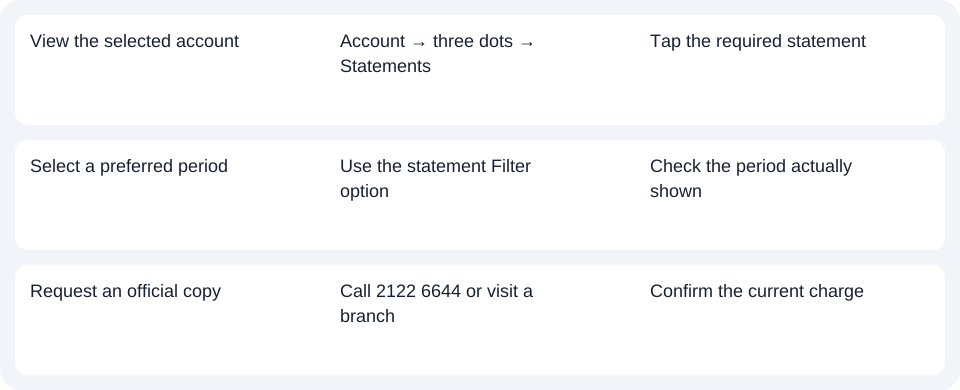
| View the selected account | Account → three dots → Statements | Tap the required statement |
| Select a preferred period | Use the statement Filter option | Check the period actually shown |
| Request an official copy | Call 2122 6644 or visit a branch | Confirm the current charge |
Avoid the payment-history detour
APS distinguishes account history, which covers transactions on that account, from payment history, which concerns payments to or from accounts outside APS. Consequently, searching only payment history can miss the record you intended to obtain. For an issued statement, return to the selected account's Statements control. myAPS history definitions.
Use the account's statement list and Filter for electronic viewing; call or visit APS when an official copy is the required result. Use the record planner to record your chosen route and the outstanding document period. For a PDF (Portable Document Format) already saved, follow the CSV (Comma-Separated Values) guide. LocalExtract reads one PDF locally at a time and exports date,description,amount CSV; use Excel for XLSX and review the result against the original. Download options. Official sources checked October 14, 2026.
LocalExtract Team
We build LocalExtract, a desktop bank statement converter. Questions or corrections? Contact · Editorial policy