
Happen Bank, formerly LendingClub: current statement paths
Updated · 2 min read
The desktop apps export date, description, and amount as CSV. Open CSV in Excel to save an XLSX workbook. Statement support varies: verify the result against your own PDF.
Use the current web or app sequence
The Happen help page gives these routes:
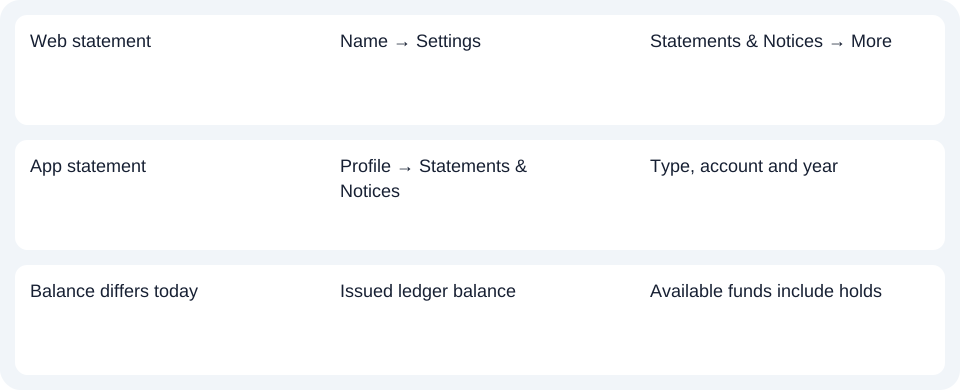
- Web: your name at the top right → Settings → Statements & Notices → More. Select the statement type, account and year, then the download icon.
- App: profile icon → Statements & Notices → document type → account → year. The document icon views the record; the download icon saves it to the device.
Choose an account statement rather than the 1099 tax-document category when the task is monthly account activity. The two categories share the document area but do not answer the same request.
Identify the issued monthly period
The personal deposit agreement provides monthly statements for checking and savings accounts. It does not make that cadence a promise for every certificate of deposit. Select the issued monthly record before comparing it with today's account display.
| Needed result or situation | Bank route or condition | Decision |
|---|---|---|
| Web statement | Name → Settings | Statements & Notices → More |
| App statement | Profile → Statements & Notices | Type, account and year |
| Balance differs today | Issued ledger balance | Available funds include holds |
Explain a balance mismatch using the right balance
The agreement distinguishes the ledger balance at the statement date from the available balance, which reflects authorisation holds and unsettled transactions. A current available amount can therefore differ from the saved statement's closing balance without the document being a different version. Match the date and balance definition before treating the difference as an extraction error. Balance definitions.
For Happen Bank, use the current Statements & Notices route, choose account and year, and compare the statement’s ledger balance at its own date.
Use the record planner to record your chosen route and the outstanding document period.
For a PDF (Portable Document Format), use the CSV (Comma-Separated Values) guide. LocalExtract processes one PDF locally to date,description,amount CSV; XLSX (Excel workbook format) is saved through Excel. Verify the extracted rows. Downloads.
Official sources checked October 14, 2026.
LocalExtract Team
We build LocalExtract, a desktop bank statement converter. Questions or corrections? Contact · Editorial policy