
First Horizon: eStatements, check images and enrollment
Updated · 2 min read
The desktop apps export date, description, and amount as CSV. Open CSV in Excel to save an XLSX workbook. Statement support varies: verify the result against your own PDF.
Save the issued document
The consumer Digital Banking guide describes selecting the account and statement function.
- Select the account.
- Choose View eStatements.
- Select the statement date to open its PDF in a new window.
- Use the viewer's save or print control. PDF means Portable Document Format.
A new-window document and an unavailable statement are different problems. Check whether the chosen date opened in another tab before requesting a replacement. Saving and printing.
Resolve check delivery before enrollment
Customers receiving cancelled checks must switch to Image Statements first. The enrollment FAQ gives secure messaging, email or the official telephone contact for that change. Repeatedly reopening the eStatement screen does not change an account's check-return arrangement.
| Needed result or situation | Bank route or condition | Decision |
|---|---|---|
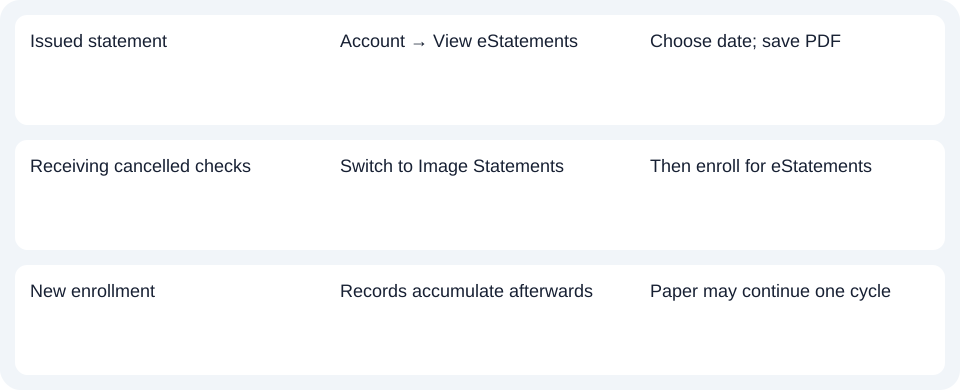
| Issued statement | Account → View eStatements | Choose date; save PDF |
| Receiving cancelled checks | Switch to Image Statements | Then enroll for eStatements |
| New enrollment | Records accumulate afterwards | Paper may continue one cycle |
Count history from the enrollment point
Statements accumulate after enrollment and remain available for 24 months. Do not interpret that maximum as automatic backfill of two years before enrollment. During the changeover, paper may continue for one additional statement cycle, then stop; it is not a permanent promise of both delivery methods. History and first-statement conditions.
For First Horizon, resolve any Image Statements prerequisite, then save the issued date; the archive accumulates from enrollment.
Use the record planner to record your chosen route and the outstanding document period.
For spreadsheet work, the CSV (Comma-Separated Values) guide covers import checks. LocalExtract processes one PDF locally to date,description,amount CSV; XLSX (Excel workbook format) is saved in Excel. Verify the output against the document. Downloads.
Official sources checked October 14, 2026.
LocalExtract Team
We build LocalExtract, a desktop bank statement converter. Questions or corrections? Contact · Editorial policy