
First Hawaiian: eStatements, primary accounts and older copies
Updated · 2 min read
The desktop apps export date, description, and amount as CSV. Open CSV in Excel to save an XLSX workbook. Statement support varies: verify the result against your own PDF.
Open the issued statement
- Sign in to FHB Online or Mobile Banking.
- Open Services → eStatements.
- Choose the account and statement month.
- Open the available document for viewing or printing. If a bank-site document window is blocked, check its pop-up setting.
Combined accounts appear in a single statement under the primary account. An included account without its own file does not necessarily lack a statement. Access and combined-account help.
Apply the archive's actual starting point
FHB says statements are available from 2022 onward and stored for up to seven years. In October 2026, that is not seven years back to 2019. For a pre-2022 record or another unavailable period, send a secure message with the subject Statement Copy Request to ask for paper copies. The FAQ does not specify their fee or arrival date. Older statement request.
| Needed result or situation | Bank route or condition | Decision |
|---|---|---|
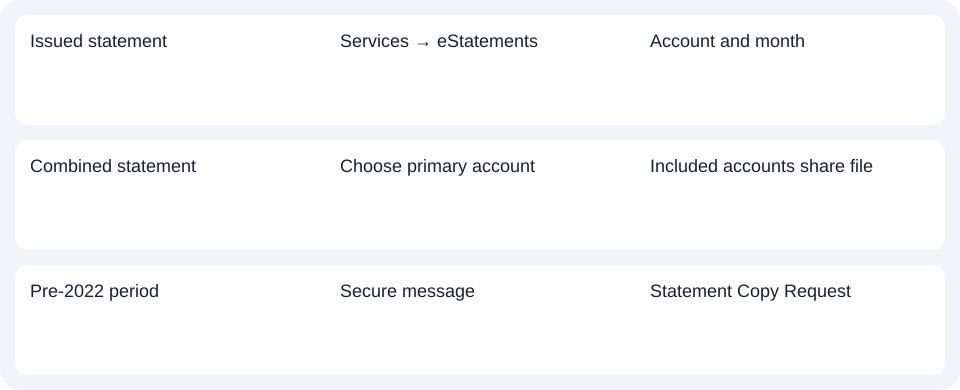
| Issued statement | Services → eStatements | Account and month |
| Combined statement | Choose primary account | Included accounts share file |
| Pre-2022 period | Secure message | Statement Copy Request |
Check cutoff timing before requesting a duplicate
Statements generally appear 48 hours after cutoff, with extra time for weekends or holidays. An issue due near a weekend may not be ready immediately. Zero-balance card periods without activity may have no statement; the deposit route does not establish a separate card archive promise. Timing and card conditions.
For First Hawaiian, check the primary combined account and issuance timing; request pre-2022 copies through a secure Statement Copy Request.
Use the record planner to record your chosen route and the outstanding document period.
For an obtained PDF (Portable Document Format), see the CSV (Comma-Separated Values) guide. LocalExtract processes one PDF locally into date,description,amount CSV; Excel saves XLSX (Excel workbook format). Check the extracted rows. Downloads.
Official source checked October 14, 2026.
LocalExtract Team
We build LocalExtract, a desktop bank statement converter. Questions or corrections? Contact · Editorial policy