
EBS MoneyManager: additional and large-print statements
Updated · 2 min read
The desktop apps export date, description, and amount as CSV. Open CSV in Excel to save an XLSX workbook. Statement support varies: verify the result against your own PDF.
Request an additional MoneyManager statement
Clause 95 allows additional statements to be requested at any time. Choose the official service route:
- Call 0818 654 322, or +353 1 665 8000, option 1, Monday–Friday 9am–5pm. EBS Service Queries.
- Visit an EBS office, or write to EBS d.a.c., 10 Molesworth Street, Dublin 2, D02 R126. MoneyManager terms, clause 124.
Tell EBS which record you need through its own channel and follow its verification instructions. Clause 127 permits the bank to require written confirmation of a telephone or in-person request.
Arrange an accessible statement format
For large-print bank statements, call Additional Support, 0818 300 107, Monday–Friday 09:00–17:00, excluding bank holidays, or arrange it at a local office. This is the dedicated accessibility route, rather than the general Service Queries number. EBS accessibility support.
| Needed result or situation | Bank route or condition | Decision |
|---|---|---|
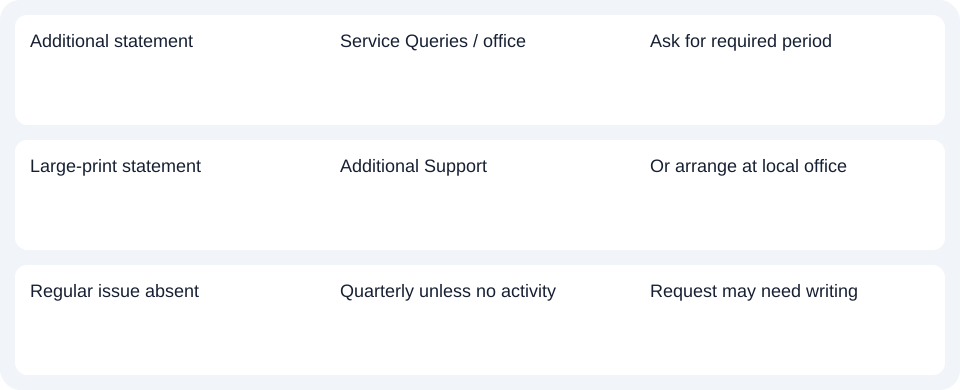
| Additional statement | Service Queries / office | Ask for required period |
| Large-print statement | Additional Support | Or arrange at local office |
| Regular issue absent | Quarterly unless no activity | Request may need writing |
Check whether a regular statement is due
MoneyManager statements are issued at least quarterly, unless no transactions occurred during the quarter. An absent monthly document need not be a failed download. You can request an additional statement between regular issues. Clauses 94–95.
The request provisions do not specify a PDF format, copy price or delivery deadline. Ask EBS to confirm these for the requested period rather than treating online transaction viewing as downloadable statement generation.
For EBS MoneyManager, use Service Queries for the additional record or Additional Support for large print, and provide written confirmation if requested.
Use the record planner to record your chosen route and the outstanding document period.
If you later obtain a PDF (Portable Document Format), the CSV (Comma-Separated Values) guide covers spreadsheet work. LocalExtract processes one PDF locally into date,description,amount CSV; Excel saves XLSX (Excel workbook format). Verify the output. Downloads.
Official sources checked October 14, 2026.
LocalExtract Team
We build LocalExtract, a desktop bank statement converter. Questions or corrections? Contact · Editorial policy