
East West Bank US: statements before and after closure
Updated · 2 min read
The desktop apps export date, description, and amount as CSV. Open CSV in Excel to save an XLSX workbook. Statement support varies: verify the result against your own PDF.
Open the account's statement area
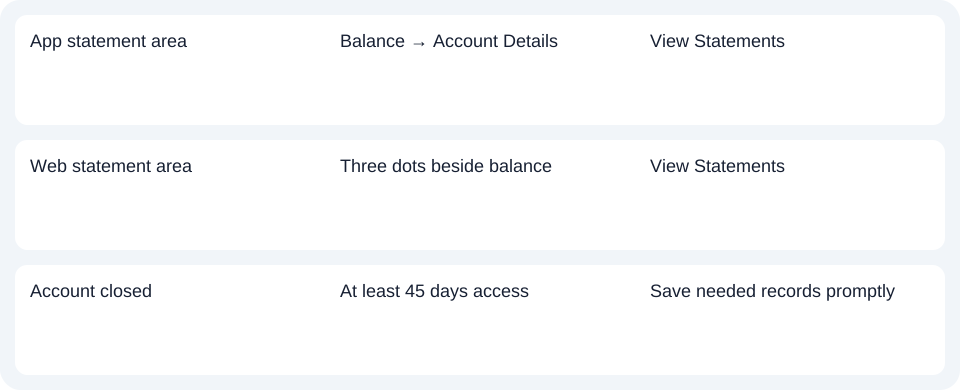
- App: sign in, tap the account balance on the dashboard to open transaction history, then Account Details → View Statements.
- Website: sign in, find the available balance and open its three-dot menu, then View Statements.
These are US personal-bank routes. They should not be carried over to Philippines EastWest Bank, businessBridge or a different service bearing a similar name. Document access FAQ.
Save closure records while access remains
The FAQ permits accessing and saving statements for a minimum of 45 days after account closure. A minimum is not an exact expiry date, nor a promise of any particular number of years in the ordinary archive. Save needed files promptly and ask the bank about a period that is unavailable. Account Closure FAQ.
| Needed result or situation | Bank route or condition | Decision |
|---|---|---|
| App statement area | Balance → Account Details | View Statements |
| Web statement area | Three dots beside balance | View Statements |
| Account closed | At least 45 days access | Save needed records promptly |
Agree on delivery changes with joint holders
For a personal joint account, any holder's electronic consent or withdrawal is effective for all holders. Confirm the shared preference before changing it.
The readiness email follows the first full statement cycle; documents are accessed through online banking. A newly changed preference does not instantly generate a new statement or turn the notice into a statement attachment. Electronic communication consent.
For East West Bank US, save the closure records promptly and agree delivery changes with joint holders before altering shared consent.
Use the record planner to record your chosen route and the outstanding document period.
For an obtained PDF (Portable Document Format), see the CSV (Comma-Separated Values) guide. LocalExtract processes one PDF locally to date,description,amount CSV; Excel saves XLSX (Excel workbook format). Verify the output. Downloads.
Official sources checked October 14, 2026.
LocalExtract Team
We build LocalExtract, a desktop bank statement converter. Questions or corrections? Contact · Editorial policy