
BOC Singapore: deposit statements and card archives
Updated · 2 min read
The desktop apps export date, description, and amount as CSV. Open CSV in Excel to save an XLSX workbook. Statement support varies: verify the result against your own PDF.
Open the relevant product archive
For current or Multi-Currency Savings records, the personal-account instructions describe My Accounts / View Account → Account Statement Service / View eStatement, then account type and month.
Credit cards use a different route:
- Web: Credit Card → Billing Service → select card and month to view or download.
- Mobile: select the card → Statement icon → E-statement → month.
The available PDF, meaning Portable Document Format, is an issued record. Selecting a different account menu does not create the missing card history.
Match the request to eligibility and enrollment
The same FAQ applies personal banking enrollment to all sole-name banking/loan accounts; it does not describe independent paper selection for each such account. Current and Multi-Currency Savings monthly records are listed as available by the third day.
| Needed result or situation | Bank route or condition | Decision |
|---|---|---|
| Current/Multi-Currency Savings | Account Statement Service | Three years or generation start |
| Credit card | Billing Service / E-statement | One year; enrollment limits |
| Passbook Savings | Not eligible for eStatements | Use the bank’s applicable route |
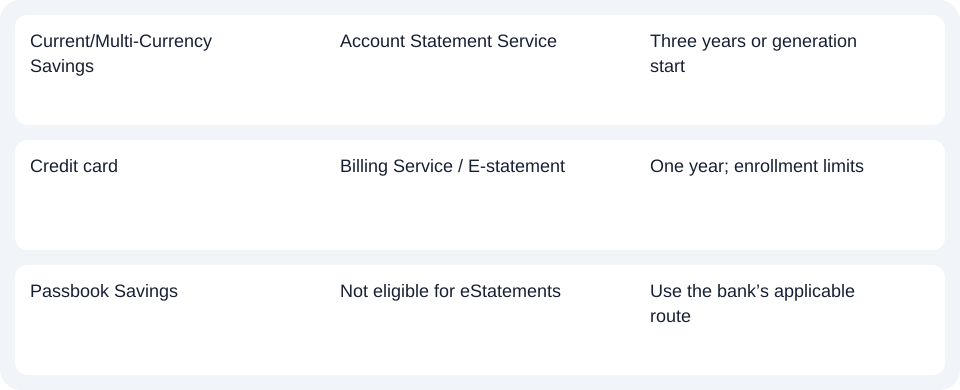
A card's one-year maximum does not override the pre-enrollment exclusion. A newer deposit archive likewise cannot acquire three years merely because that is its maximum.
Choose the next task after finding the record
For BOC Singapore, check both product eligibility and enrollment date before applying the three-year account or one-year card range.
Use the record planner to record your chosen route and the outstanding document period.
For missing eligible periods, identify the product and enrollment date. This guide excludes time-deposit issuance schedules.
For analysis of an available PDF, use the common CSV (Comma-Separated Values) guide. LocalExtract converts one PDF locally to date,description,amount CSV; XLSX (Excel workbook format) is created in Excel. Check the extracted rows. Download choices.
Official source checked October 14, 2026.
LocalExtract Team
We build LocalExtract, a desktop bank statement converter. Questions or corrections? Contact · Editorial policy