
BNF Malta: postal statements and help for older copies
Updated · 3 min read
The desktop apps export date, description, and amount as CSV. Open CSV in Excel to save an XLSX workbook. Statement support varies: verify the result against your own PDF.
Start with the current statement-specific answer
BNF's broader Internet Banking page advertises statement downloads and financial-record export. Its more specific statement FAQ currently says that statement access is unavailable. For this task, use that specific availability answer and confirm with BNF if your account behaves differently. The FAQ is a temporary service description, not a promise that the function will return on a stated date. General product description and statement-specific availability.
BNF's system-upgrade announcement dates the core and digital-channel upgrade to April 1, 2025. Do not use instructions for the earlier platform as evidence that a statement control exists in the new one. The old product description alone cannot resolve the difference in current statement availability.
Ask about the missing period through secure messages
BNF publishes separate message routes:
- eBNF Web: sign in, open the message icon at the top right, choose Compose New Message, write the inquiry and send it.
- eBNF App: sign in, open My Menu → Secure Message, tap +, write the inquiry and send it.
These are support-message controls, not a statement order or download screen. Ask which older copy is available, what format it will have and which charge applies before placing any order. Naming the account and period is editorial preparation, not a published identity-verification checklist. Official secure-message instructions.
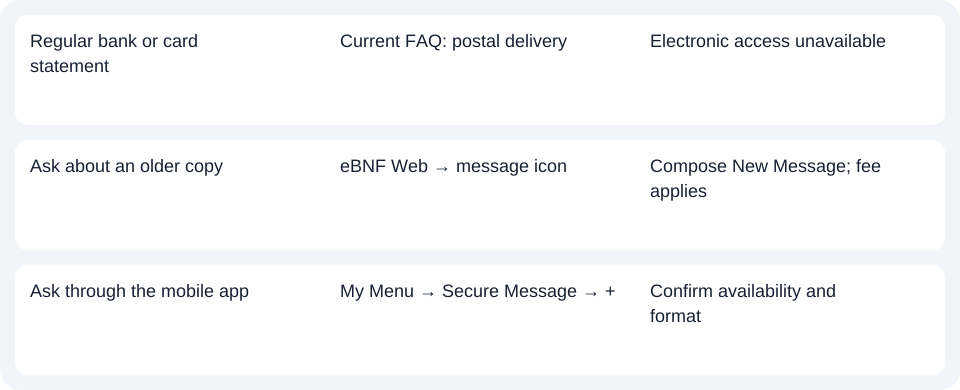
| Needed result | Bank route or condition | Decision |
|---|---|---|
| Regular bank or card statement | Current FAQ: postal delivery | Electronic access unavailable |
| Ask about an older copy | eBNF Web → message icon | Compose New Message; fee applies |
| Ask through the mobile app | My Menu → Secure Message → + | Confirm availability and format |
Confirm the cost and delivery with BNF
The statement FAQ says older records may be requested at a fee, without giving a universal archive period or turnaround. BNF's contact guidance also lists telephone support at (+356) 2260 1000. Its tariff page separates personal and business charges, so confirm the service and account category instead of applying a business fee to a personal copy.
Use the postal record you have, or ask BNF about an older copy through the verified message route. Use the record planner to record your chosen route and the outstanding document period. If the result is a scan saved as PDF (Portable Document Format), the CSV (Comma-Separated Values) guide explains spreadsheet preparation. LocalExtract processes one PDF locally at a time and exports date,description,amount CSV; review OCR (optical character recognition) and extracted rows. Excel saves an XLSX workbook. This does not restore eBNF access or guarantee a particular BNF format. Downloads. Official sources checked October 14, 2026.
LocalExtract Team
We build LocalExtract, a desktop bank statement converter. Questions or corrections? Contact · Editorial policy