
Beyond Bank: create a recent transaction listing
Updated · 3 min read
The desktop apps export date, description, and amount as CSV. Open CSV in Excel to save an XLSX workbook. Statement support varies: verify the result against your own PDF.
Create the listing for the gap you need to cover
The listing is useful between your last issued statement and a more recent date. Sign in to Internet or Mobile Banking, open Accounts, and choose Create Transaction Listing. Use the available controls for the recent activity required and check the resulting account and dates. The FAQ establishes the creation option and PDF (Portable Document Format) result, without publishing exact date-control labels or a separate final download-button name. Transaction Listing instructions.
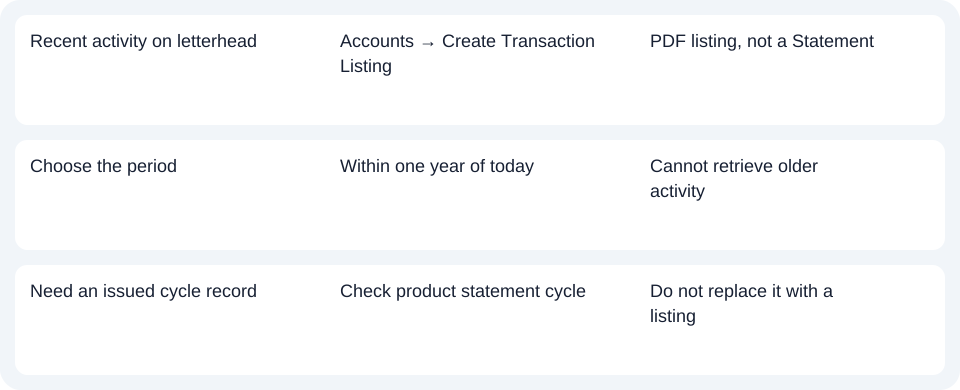
Before providing it to another party, check whether that recipient accepts an interim listing or requires an issued Statement. Bank letterhead does not remove the bank's stated distinction between these records. This route cannot create a replacement for every missing periodic statement.
Respect the rolling one-year limit
The one-year restriction is measured from the current date, rather than from when you last downloaded a file. A transaction outside that window will not be recovered by creating another listing today. If the purpose is to fill the period since a recent statement, compare the dates so the listing complements the issued document without suggesting a longer archive. Listing limit.
Beyond's account FAQ says transaction-account statements are generally six-monthly, while loan and card statements are monthly. A recent gap may reflect that issue cycle. It does not prove a new monthly Statement should already exist for a transaction account.
| Needed result | Bank route | Decision |
|---|---|---|
| Recent activity on letterhead | Accounts → Create Transaction Listing | PDF listing, not a Statement |
| Choose the period | Within one year of today | Cannot retrieve older activity |
| Need an issued cycle record | Check product statement cycle | Do not replace it with a listing |
Ask about pre-merger documents separately
Beyond's Internet Banking guidance says eStatements from before a merger may not be digitally available and can be requested. A recent listing does not restore those old documents or establish a fee or fulfillment time for a copy request.
Choose Create Transaction Listing only when a recent interim record meets the need; obtain the issued Statement when that is required. Use the record planner to record your chosen route and the outstanding document period. The common CSV guide covers spreadsheet preparation. LocalExtract processes one PDF locally into date,description,amount CSV (Comma-Separated Values); Excel can save XLSX. Check the rows and the source record's scope. Downloads.
Official sources checked October 14, 2026.
LocalExtract Team
We build LocalExtract, a desktop bank statement converter. Questions or corrections? Contact · Editorial policy