
BECU: online statement history and separate card routes
Updated · 2 min read
The desktop apps export date, description, and amount as CSV. Open CSV in Excel to save an XLSX workbook. Statement support varies: verify the result against your own PDF.
Choose the consumer record's own route
| Needed record | Online Banking entry point |
|---|---|
| Deposit or loan statement | Account Summary → View eStatements |
| Credit-card statement | Account Summary → Credit Cards → View |
| Deposit/loan electronic enrollment | Account Services → Enroll for eStatements |
Use the available document controls to open or save a statement. BECU provides separate enrollment links for deposit/loan and Visa statements; enrolling in one does not establish the other's preference. Consumer instructions.
Separate online history from bank retention
Online Banking stores up to 18 months of statement history, while BECU retains statements for seven years. For a missing older month, ask BECU about the exact record rather than searching for a guaranteed seven-year date picker.
The page's 24-month business transaction history is a different measure. It cannot extend consumer eStatement access. History descriptions.
| Needed result or situation | Bank route or condition | Decision |
|---|---|---|
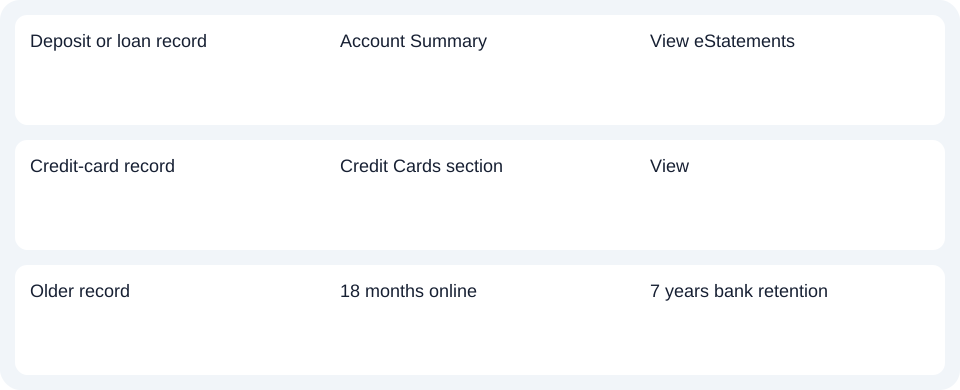
| Deposit or loan record | Account Summary | View eStatements |
| Credit-card record | Credit Cards section | View |
| Older record | 18 months online | 7 years bank retention |
Check electronic tax-document enrollment
Electronic 1099 forms require eStatement enrollment. If the task concerns a tax form, confirm enrollment and choose that document instead of treating a monthly statement as a substitute. This consumer guide does not use the business Services → Statements menu.
For BECU, choose the consumer deposit/loan or card entry point and treat records older than 18 months as a separate assistance request.
Use the record planner to record your chosen route and the outstanding document period.
For a PDF (Portable Document Format), see the CSV (Comma-Separated Values) guide. LocalExtract processes one PDF locally to date,description,amount CSV; Excel saves XLSX (Excel workbook format). Verify the output. Downloads.
Official source checked October 14, 2026.
LocalExtract Team
We build LocalExtract, a desktop bank statement converter. Questions or corrections? Contact · Editorial policy