
Bank of Sydney: statement PDFs or transaction Excel?
Updated · 2 min read
The desktop apps export date, description, and amount as CSV. Open CSV in Excel to save an XLSX workbook. Statement support varies: verify the result against your own PDF.
Open the issued statement on web or app
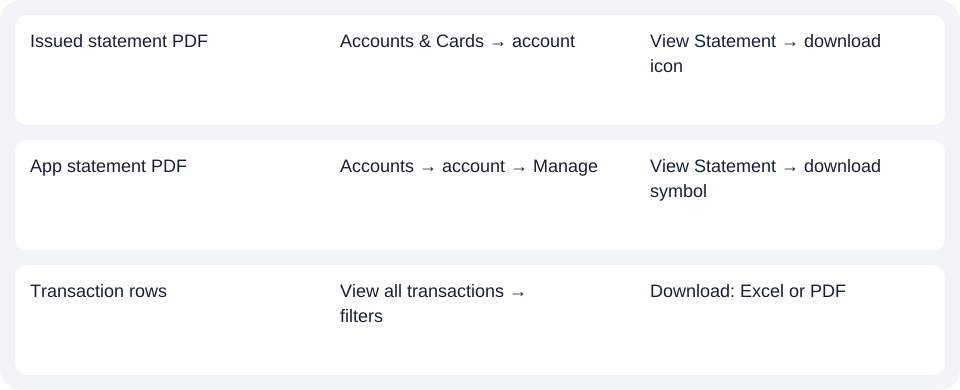
On the website, select Accounts & Cards, open the account, then View Statement. Apply a date filter if needed and use the download icon for the PDF (Portable Document Format).
In the app, open Accounts → account → Manage → View Statement. The optional funnel filters the time period; the download symbol downloads the PDF. These app controls are documented in the bank's statement user guide, rather than inferred from another bank's app.
The statement service is for primary holders of personal accounts; the dedicated page lists transaction, savings and home-loan records. Secondary holders and business customers should not assume this personal route establishes their access. Eligible account and holder scope.
Use the transaction export when a list meets the need
From the account, choose view all transactions, apply Show Filters for the required period if needed, then select the download icon. Choose Excel or PDF from the offered options. The bank calls the first output Excel; the cited FAQ does not establish an XLSX extension or native CSV (Comma-Separated Values) columns. Use the offered file directly when it meets the task rather than converting the statement PDF first. Transaction download options.
| Needed result | Bank route | Decision |
|---|---|---|
| Issued statement PDF | Accounts & Cards → account | View Statement → download icon |
| App statement PDF | Accounts → account → Manage | View Statement → download symbol |
| Transaction rows | View all transactions → filters | Download: Excel or PDF |
Match the issue cycle to the product
The FAQ lists monthly statements for Everyday, Easy Life and BOS Saver, quarterly for Retirement, and six-monthly for Student accounts. A Student account without a new monthly statement is therefore a different situation from a missing monthly Everyday statement. Check the product cycle and actual issued period; a date filter does not create a new Statement. Product statement cycles.
Choose View Statement for the issued PDF or transaction export for analysis rows, subject to the holder's access. Use the record planner to record your chosen route and the outstanding document period. The common CSV guide covers import checks. Where only a PDF is available, LocalExtract processes it locally one at a time to date,description,amount CSV; XLSX is saved through Excel. Compare the output with the original. Downloads.
Official sources checked October 14, 2026.
LocalExtract Team
We build LocalExtract, a desktop bank statement converter. Questions or corrections? Contact · Editorial policy