
Bank of Ireland: eStatements, CSV and closed-account copies
Updated · 3 min read
The desktop apps export date, description, and amount as CSV. Open CSV in Excel to save an XLSX workbook. Statement support varies: verify the result against your own PDF.
Open and save the issued eStatement
The eStatement FAQ, updated June 2025 describes access in the app and 365 online:
- Sign in and select the account.
- On its transaction screen, open Statements.
- Select the required eStatement and open or save it.
The saving help, dated May 2021, explains saving the PDF (Portable Document Format) through the device or browser. That older explanation establishes the document type; it is not a promise that every current device uses an identical final save control. The current FAQ supplies the browser fallback when app access is troublesome.
Separate open-account history from closed-account copies
The current eStatement FAQ describes seven years of eStatements for an open account. After closure, statements can be ordered as duplicates for seven years. The second provision is a request service, not a guarantee that the closed account remains visible in your login.
If you already know which periods you need, save those available documents while the account is accessible. If it has closed, use the bank’s duplicate-request assistance and specify the account and periods through its official channel. Do not apply another Irish bank’s app-retention or closure rules to this service.
Choose the native CSV for eligible transaction work
The transaction-export FAQ, dated October 2021 directs users in 365 online to select the account and choose Export your transaction history, then follow the export instructions. It explicitly describes CSV, a text-table format suitable for spreadsheet import.
That same FAQ says credit-card transaction export is unavailable in the service it describes. This restriction should stay attached to this documented route; it is not evidence about every possible future card feature. The help does not provide a current universal export range or column schema.
For spreadsheet work, take the available native CSV when it meets the task. For a request requiring the bank-issued statement, retain the eStatement PDF instead of relabelling the CSV as an original statement.
| Account situation | Record route | Important distinction |
|---|---|---|
| Open account | Statements in app or 365 | Seven-year eStatement visibility |
| Closed account | Duplicate request | Not retained login visibility |
| Eligible transaction analysis | 365 CSV export | Documented service excludes card transactions |
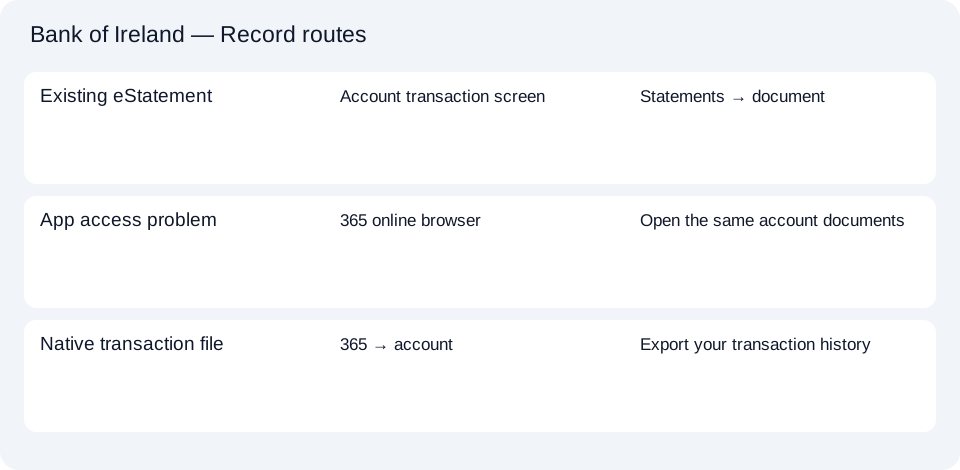
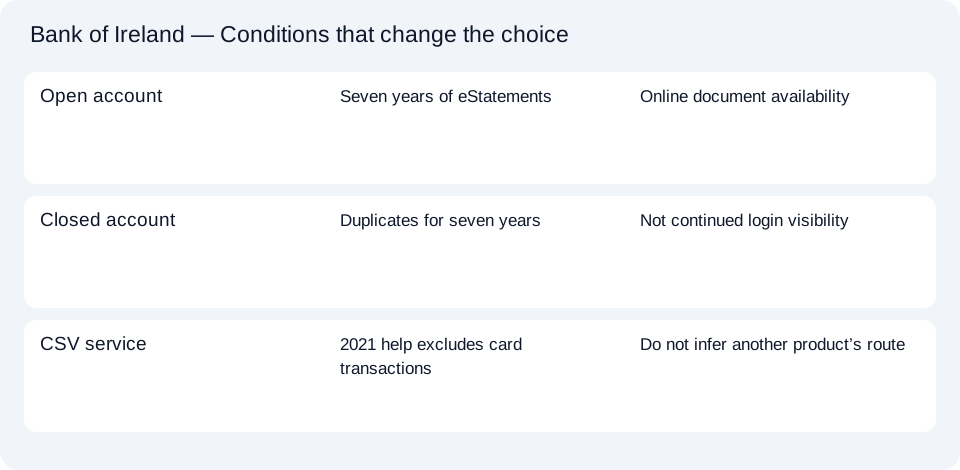
The Bank of Ireland route planner distinguishes current access, duplicate requests and CSV. For import settings, use the shared CSV and accounting guide.
Use Statements for the issued Bank of Ireland PDF, the documented 365 CSV for eligible transaction work, and the duplicate-request route after closure. The seven-year copy provision is not continued online access.
LocalExtract processes one PDF locally into date,description,amount CSV. Excel can save that CSV as XLSX. Check the extracted rows against the source. Download options and limits.
Official sources checked October 14, 2026. This guide brings the bank’s document and export choices together.
LocalExtract Team
We build LocalExtract, a desktop bank statement converter. Questions or corrections? Contact · Editorial policy