
Bank Australia: eStatement access and paper statement cycles
Updated · 2 min read
The desktop apps export date, description, and amount as CSV. Open CSV in Excel to save an XLSX workbook. Statement support varies: verify the result against your own PDF.
Open the document area rather than transaction history
Bank Australia gives a channel-specific entry: Statements in the app, Services on the website. Choose View eStatements for the issued documents. For personal Internet Banking, check whether the period is within the stated 16-month history before interpreting a missing older item as a broken viewer. The published page confirms access and downloading but does not specify a universal PDF extension or final device-save control.
For enrollment, use Settings → Manage eStatements, then Actions → Register and select the email address. Enrollment and viewing are different actions; choosing an email does not establish that a newly requested statement has already been issued. Viewing and registration instructions.
Match the expected month to the delivery cycle
Electronic statements are monthly. Personal customers without eStatements normally receive quarterly paper statements, unless they request monthly statements; credit-card and overdraft statements are monthly. A reader expecting a paper statement every month may therefore be looking for an issue outside the ordinary cycle.
Children's trust accounts have quarterly paper statements. Parents or guardians seeking an additional electronic statement are directed to Secure Mail. Do not apply ordinary personal self-registration as a replacement for that account-specific request route. Cycles and trust-account exception.
| Needed result | Bank route | Decision |
|---|---|---|
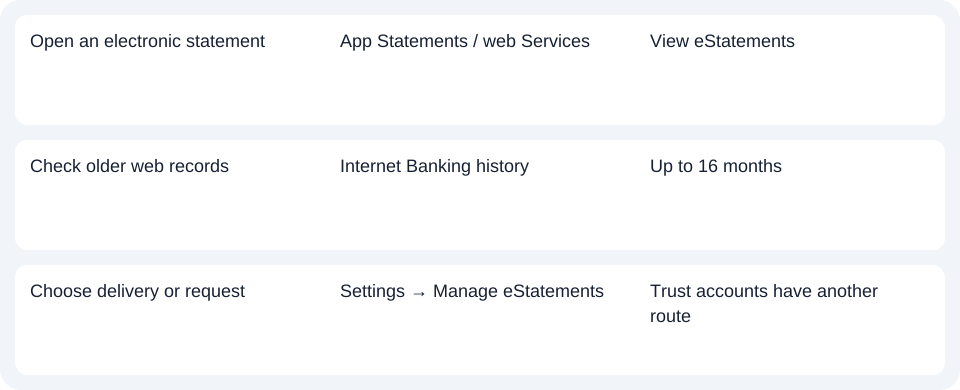
| Open an electronic statement | App Statements / web Services | View eStatements |
| Check older web records | Internet Banking history | Up to 16 months |
| Choose delivery or request | Settings → Manage eStatements | Trust accounts have another route |
Choose a transaction download only when rows are enough
Bank Australia's digital banking support describes transaction history separately. The statement page gives Accounts → History → Advanced search → Download for the web transaction route. It does not establish CSV or XLSX for that output. Use View eStatements for an issued record and the history route for a list of activity, checking the format actually offered.
Start with the right document area, then check history and delivery cycle. Use the record planner to record your chosen route and the outstanding document period. For a PDF (Portable Document Format) you already hold, the CSV guide covers analysis. LocalExtract converts one PDF locally to date,description,amount CSV (Comma-Separated Values); save XLSX in Excel and review the rows. Download options.
Official sources checked October 14, 2026.
LocalExtract Team
We build LocalExtract, a desktop bank statement converter. Questions or corrections? Contact · Editorial policy