
Amex UK: billing statements, recent activity and paper delivery
Updated · 3 min read
The desktop apps export date, description, and amount as CSV. Open CSV in Excel to save an XLSX workbook. Statement support varies: verify the result against your own PDF.
Access the billing document
The UK statement FAQ gives the Online Account menu above. Select the required billing statement from the available list. In the Amex App, the Statements tab provides recent transactions and statements.
The FAQ identifies the web documents as PDF, but does not specify a final save control common to every device or a maximum PDF archive duration. Use the document’s available download or save option rather than treating an activity screenshot as the billing statement. A statement document is also the place to check the payment information actually issued for that billing period.
Keep recent activity separate from the issued bill
The UK digital-tools page, in its Amex App section, describes searching six months of debit and credit transactions. Use that feature to find recent activity. Do not turn its six-month figure into an all-channel statement-retention rule, an export limit or a promise of a CSV (comma-separated values) file.
An activity search and a billing PDF answer different requests. If a recipient needs the issued bill, go to All PDF Statements; if you need to locate an individual recent debit or credit, the app search may be the more direct starting point. The public sources do not provide a verified UK personal CSV or XLSX export route.
Change delivery in preferences, not the statement list
The statement FAQ says customers enrolled in paper statements receive one for each month in which the card was used. A missing paper statement for an unused month is therefore not, by itself, evidence that a download failed.
To manage paper delivery online, use Account Management → Alerts and Preferences → Manage statement delivery options. In the app, the preference is under Account → Paperless, rather than the Statements tab. Check the setting you intend to change; opening an existing bill and changing future delivery are separate actions.
Corporate programmes, merchant reporting and US Amex instructions have different scopes. Their file formats and archive periods do not establish the capabilities of this UK personal-account route.
| Task | UK Amex entry | What it does not establish |
|---|---|---|
| Issued billing document | All PDF Statements | A universal archive length |
| Recent debit or credit | App transaction search | A CSV export or PDF-retention limit |
| Future paper delivery | Statement delivery options | A replacement for opening an existing bill |
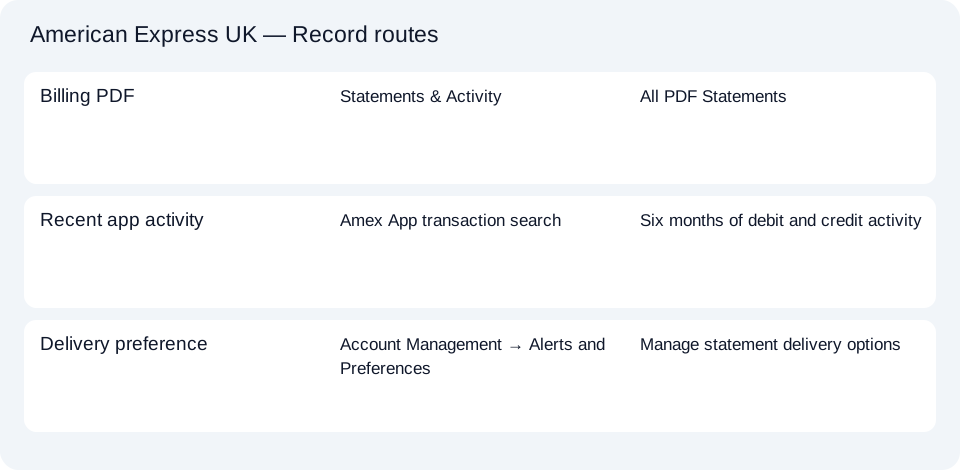
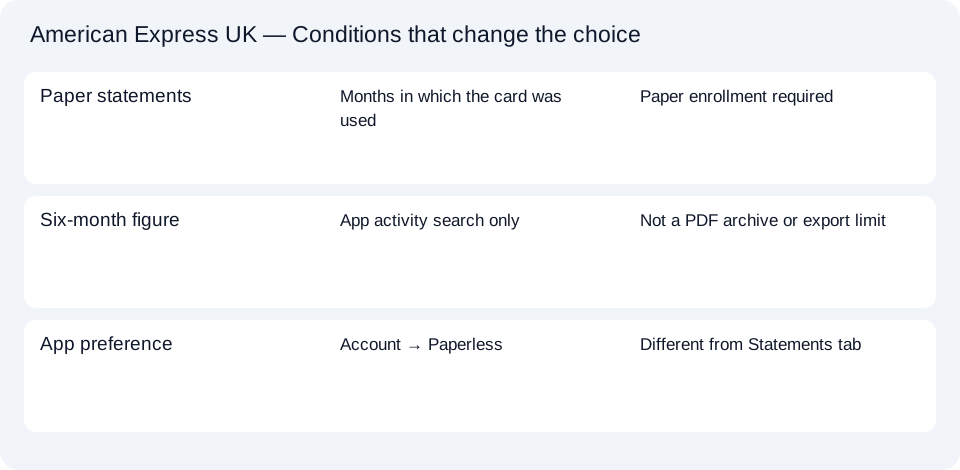
The Amex UK document planner separates billing PDFs, app activity and delivery settings. For a retrieved PDF that needs spreadsheet work, use the common CSV guide.
For an Amex UK issued bill, return to All PDF Statements. Use app activity for a recent debit or credit search, and change paper delivery only through the separate preference settings.
LocalExtract processes one PDF locally into date,description,amount CSV. Excel can save that CSV as XLSX. Check the extracted rows against the source. Download options and limits.
Official sources checked October 14, 2026. This guide brings the bank’s document and export choices together.
LocalExtract Team
We build LocalExtract, a desktop bank statement converter. Questions or corrections? Contact · Editorial policy