
Amex Australia: app statements and missing inactive months
Updated · 2 min read
The desktop apps export date, description, and amount as CSV. Open CSV in Excel to save an XLSX workbook. Statement support varies: verify the result against your own PDF.
Download an app billing PDF (Portable Document Format)
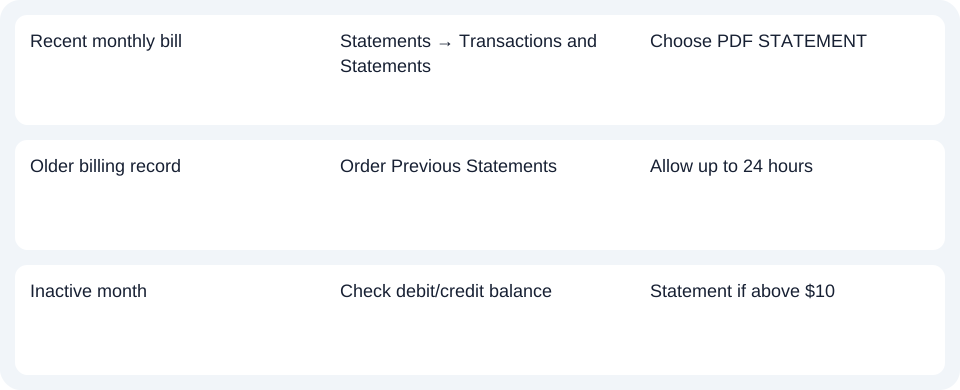
Open Statements → Transactions and Statements, choose the required statement, then PDF STATEMENT. PDF means Portable Document Format. This six-month app list concerns billing documents; it is not the separate US software-download service covering six billing statements. Australia app instructions.
Request an older bill or choose transaction data
For an older billing record, use the Online Account's Order Previous Statements, select the statement and Order now. It becomes available within 24 hours. For analysis rather than the issued bill, the Australian page offers two years of transactions in PDF, Excel or CSV (Comma-Separated Values), a tabular data format.
| Needed result or situation | Bank route or condition | Decision |
|---|---|---|
| Recent monthly bill | Statements → Transactions and Statements | Choose PDF STATEMENT |
| Older billing record | Order Previous Statements | Allow up to 24 hours |
| Inactive month | Check debit/credit balance | Statement if above $10 |
Check an inactive month before requesting a duplicate
Amex issues a monthly statement when there is activity. Without activity, it issues one only when a debit or credit balance exceeds $10. Apply this Australian condition before expecting a file for every inactive month. Issuance conditions.
For Amex Australia, use the app for its six monthly statements and order a previous statement when the required issue is outside that range.
Use the record planner to record your chosen route and the outstanding document period.
For an obtained PDF, use the card CSV guide. LocalExtract handles one PDF locally to date,description,amount CSV; XLSX (Excel workbook format) is saved in Excel. Check the rows. Downloads.
Official source checked October 14, 2026.
LocalExtract Team
We build LocalExtract, a desktop bank statement converter. Questions or corrections? Contact · Editorial policy