
Trust Singapore: card statements and the first billing cycle
Updated · 2 min read
The desktop apps export date, description, and amount as CSV. Open CSV in Excel to save an XLSX workbook. Statement support varies: verify the result against your own PDF.
Open Statements for the payment and cycle details
From the app's Home screen, choose Credit Card / Credit Cards, then Statements. Trust's card FAQ places the payment due date, next statement date and statement details in this area. Use the stated cycle dates to identify the record.
Check the first cycle before reporting a missing record
The first statement is generated 11–42 days after digital-card issuance. Trust also describes the statement date as 15 days before the repayment date. These describe the first issue and the regular repayment schedule respectively. Issuance and statement dates.
Check digital-card issuance and the next statement date before asking for a duplicate.
| Needed result or situation | Bank route or condition | Decision |
|---|---|---|
| Issued card record | Home → Credit Cards | Open Statements |
| New digital card | First record in 11–42 days | Not immediately on approval |
| More than one Trust card | One consolidated statement | Check card-specific activity |
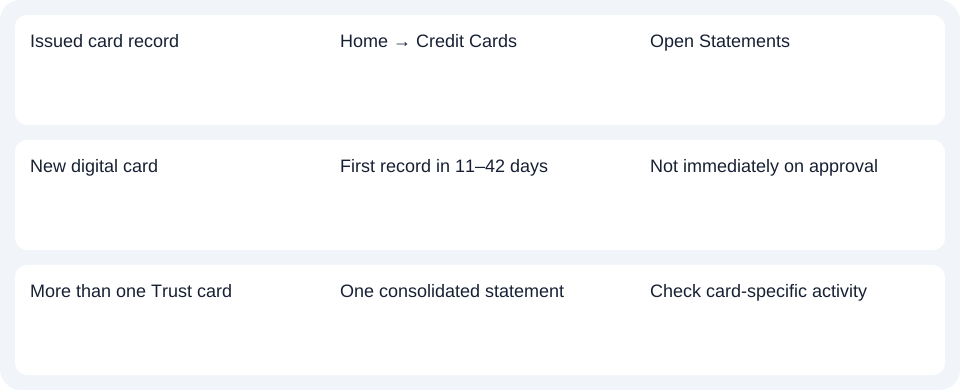
Find each card within the consolidated statement
Trust provides one consolidated statement across Trust cards. Previous-month outstanding amounts are combined, while current transactions are displayed by card when there is activity. If you hold both Link and Freedom cards, a separate record for each card is not the starting assumption. Review the consolidated statement's card sections instead. Consolidated statements.
The FAQ describes access to up to seven years of statement history in the app. This does not establish post-closure access.
For Trust card records, open Statements from the card view and check the first-cycle timing before treating an absent month as missing.
Use the record planner to record your chosen route and the outstanding document period.
For spreadsheet work after obtaining a PDF (Portable Document Format), use the card CSV (Comma-Separated Values) guide. LocalExtract processes one PDF locally to date,description,amount CSV; Excel can save XLSX (Excel workbook format). Check the extracted rows. Download options.
Official sources checked October 14, 2026.
LocalExtract Team
We build LocalExtract, a desktop bank statement converter. Questions or corrections? Contact · Editorial policy