
SoFi Checking and Savings: CSV exports, monthly PDFs and Coach
Updated · 2 min read
The desktop apps export date, description, and amount as CSV. Open CSV in Excel to save an XLSX workbook. Statement support varies: verify the result against your own PDF.
Export your Checking and Savings transactions
The Checking and Savings export instructions give these routes:
| Channel | Documented route |
|---|---|
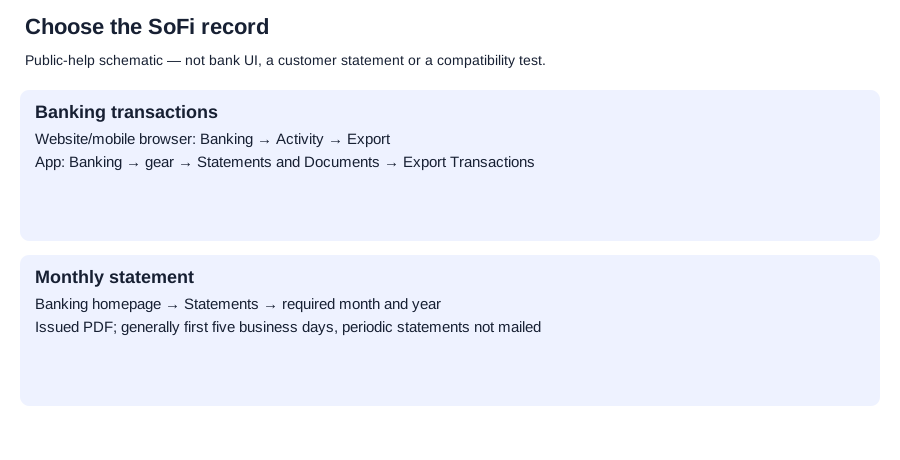
| Website or mobile browser | Banking → Activity → Export |
| SoFi app | Banking → gear icon → Account Management: Statements and Documents → Export Transactions at the bottom |
For either route:
- Select the account and required date range.
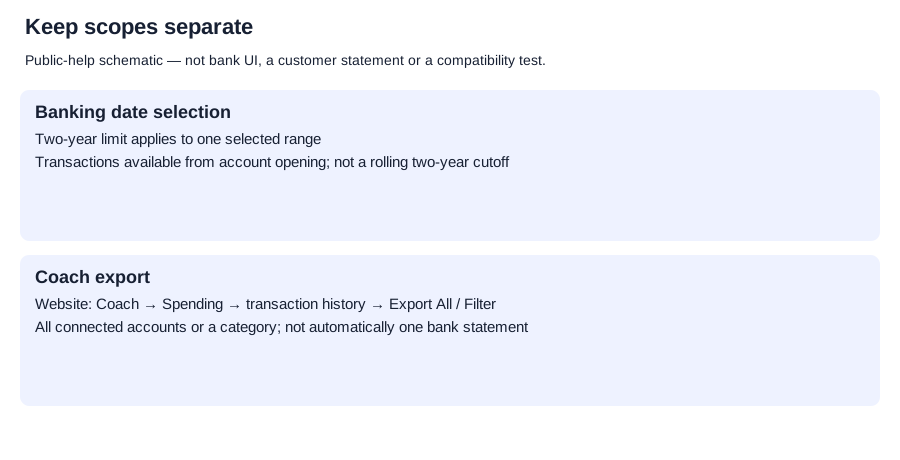
- Keep each selected range within two years.
- On the website choose Export to CSV; in the app choose Export.
SoFi says transactions from account opening are available for download. The two-year condition limits one selected range; it is not stated as a rolling two-year archive cutoff. The resulting columns and row set were not tested.
Retrieve the issued monthly statement
SoFi’s statement instructions give:
- Open the Banking homepage.
- Choose Statements.
- Download/view the PDF for the required month and year.
Statements are generally available within the first five business days of each month. SoFi says it does not mail Checking and Savings periodic statements. Its public help does not establish a maximum statement archive or post-closure access window.
Keep Coach exports separate
Coach’s export instructions describe a website-only CSV route:
- Coach → Spending → View More.
- Recent Transactions → View Transaction History.
- Choose Export All for connected-account transactions, or use Filter for a category.
Coach’s app export restriction does not override the separate Checking and Savings app instructions. An all-connected-account Coach file is not automatically a single SoFi bank account’s issued monthly record. These routes do not establish the same functions for legacy SoFi Money, Invest or credit cards.
Planner and analysis
Record-request planner. CSV formatting and checks.
LocalExtract processes one PDF locally to date,description,amount CSV; Excel can save that CSV as an XLSX workbook. Downloads and limits.
Use the source that fits the task
Choose Banking’s CSV export for the actual account and selected dates, Statements for the issued month, or Coach for connected-account analysis. Wait for the stated monthly publication window before treating the latest issued statement as missing.
LocalExtract Team
We build LocalExtract, a desktop bank statement converter. Questions or corrections? Contact · Editorial policy