
Receipt, card and expense claim: is it the same purchase?
Updated · 4 min read
A receipt image, card transaction, expense claim and reimbursement can describe one purchase at different stages. Do not add them as four expenses or delete records solely because they share an image. Separate Classic Expensify duplicate conditions from New Expensify reimbursement reconciliation.
The desktop apps export date, description, and amount as CSV. Open CSV in Excel to save an XLSX workbook. Statement support varies: verify the result against your own PDF.
Identify the purchase before judging a duplicate
A purchase identity links the supporting receipt to the relevant card movement and claim. A reimbursement describes money repaid to the claimant, rather than a second purchase. The relationship needs evidence; equal amounts or identical images alone do not supply it.
- Retain receipt, card event, expense/report and reimbursement identifiers separately. Record the supported purchase relationship, currencies and dates before comparing amounts.
- If inspecting Classic SmartScan behavior, apply its documented amount/date/currency and single-pair conditions. Preserve the card posting interval and account identity; do not describe them as universal duplicate rules.
- Check the Classic report state and user role before any proposed edit. A legitimate split may keep one receipt image across several expenses. This evidence review does not require merging or deleting anything.
- For New Expensify, an authorized Workspace Admin with Payments enabled and a verified business bank account can use Spend → Accounting → Bank reconciliation, choose Withdrawal type: Reimbursement and the withdrawn date range, then expand the payment row for its report expenses.
- If collecting that New view, select the reimbursements, then choose
Exportin the selection action. If the export options already appear under theExportheading, skip that selection step. Then chooseCurrent view. Preserve the selected columns, currencies and report identity rather than substituting a Classic export description. - Compare the documented withdrawal with independent bank evidence. A manually marked reimbursement or a platform status alone does not establish employee receipt or bank settlement.
Classic’s duplicate-prevention guidance describes the automatic merge conditions; editing expenses explains role/state and splits. New’s reimbursement reconciliation is a separate product path.
Preserve a legitimate split and an unobserved reimbursement
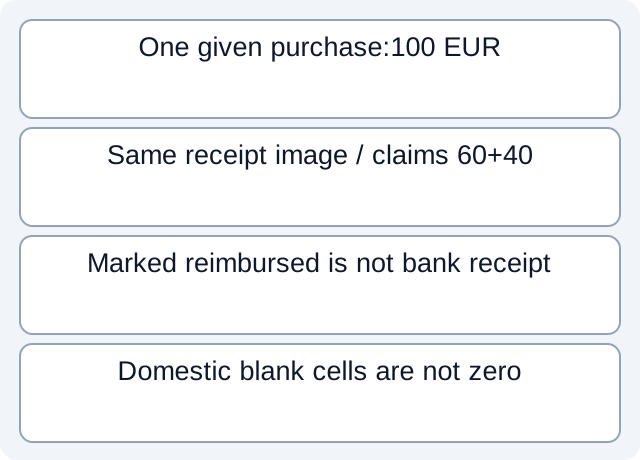
Our fictional case gives one purchase P1 with a 100 EUR card observation C1. Claims E1=60 and E2=40 explicitly split that purchase and share receipt image IMG1. Their sum is 100, not evidence of two 100 purchases. The separate report R1 is marked reimbursed for 100, but the case supplies no employee-bank receipt.
Adding card 100, claims 100 and report 100 would produce 300 of records describing different stages. It does not establish 300 of purchases or receipts. Conversely, removing one claim because IMG1 repeats would discard part of the legitimate split given by this scenario.
In the separate fictional New-view example, domestic report D1 shows Total 50 EUR while conditional Amount debited/Amount reimbursed cells are blank. A cross-border row is also present. Those blanks do not mean D1 cost zero; use its Total and retain the actual currency of each populated cross-border measure.
| Fictional object | Amount | Interpretation |
|---|---|---|
| Card C1 / purchase P1 | 100 EUR | Given purchase observation |
| Claims E1 and E2 | 60 + 40 EUR | Given split; shared image is not duplicate proof |
| Report R1 marked reimbursed | 100 EUR | Bank receipt remains unknown |
| Domestic D1 / conditional cells | Total 50 EUR / blank | Blank cross-border cells are not zeros |
Read the fictional purchase/reimbursement records, conditional-view rows and executed checks. We read constructed author-defined columns and checked finite sums and blanks. We did not run SmartScan, split/merge an expense, export a workspace or test an actual reimbursement.
Keep vendor conditions separate from the conclusion
Classic documents a seven-day card-posting window, only one matching pair and no automatic merge when the FX difference exceeds five percent. It also excludes card-to-card and cross-account automatic merges. These are product conditions, not a test for fraud, eligibility or whether two real purchases were the same.
In New’s documented reconciliation view, a payment row covers one report. Cross-border amount columns appear when the selected results include cross-border reimbursement; domestic rows in a mixed list have blank cells and use Total. Do not promise that every payment represents several reports or that those conditional columns always appear.
Classic’s reimbursement instructions also distinguish manual payment marking from the underlying payment process. Keep the supporting bank evidence and unresolved identity; do not trigger another payment to resolve a reporting difference.
For repeated source-file rows, use the separate bank CSV duplicate guide. If a bank source is PDF-only, download LocalExtract to extract one PDF locally into date,description,amount CSV, then verify the rows. The app does not connect to Expensify, make reimbursement decisions or merge claims.
Official documentation checked October 17, 2026. Classic and New workflows are deliberately separate.
LocalExtract Team
We build LocalExtract, a desktop bank statement converter. Questions or corrections? Contact · Editorial policy