
OneDrive bank PDF and CSV: does this folder synchronize?
Updated · 4 min read
Local PDF processing does not determine whether another application synchronizes the containing folder. For a bank PDF and its exported CSV, inspect both full file paths and OneDrive’s current settings. A green check or paused sync cannot prove that no remote copy exists.
The desktop apps export date, description, and amount as CSV. Open CSV in Excel to save an XLSX workbook. Statement support varies: verify the result against your own PDF.
Record the source and output independently on Windows
A source PDF and output CSV are two files, potentially saved under different roots. OneDrive availability icons concern local/cloud availability and current state; they are not a history of every upload, deletion or retained copy.
- Record the actual full path of the PDF and CSV separately. Identify the relevant personal or organization OneDrive root and account context rather than relying on a folder’s short display name.
- For the documented Windows backup settings, open the OneDrive cloud/tray menu,
Help & Settings → Settings → Sync and backup → Manage backup. Inspect the current folder selections without changing them. - Record each file’s observed icon and time using Microsoft’s official legend. Keep online-only, locally available and always available states distinct.
- Compare the exact paths with the observed root and backed-up folder selection. A path outside that one root is not proof that another provider, account or backup is absent.
- If remote existence or history matters, ask the authorized owner/admin to investigate the correct account and retention scope. Keep that question open; this guide does not establish a complete web-search or audit-log procedure.
Microsoft’s folder backup guidance documents the Windows settings. Its sync explanation describes synchronization with the website. Windows and macOS controls and stop-backup behavior differ; do not apply one platform’s menu or consequences universally.
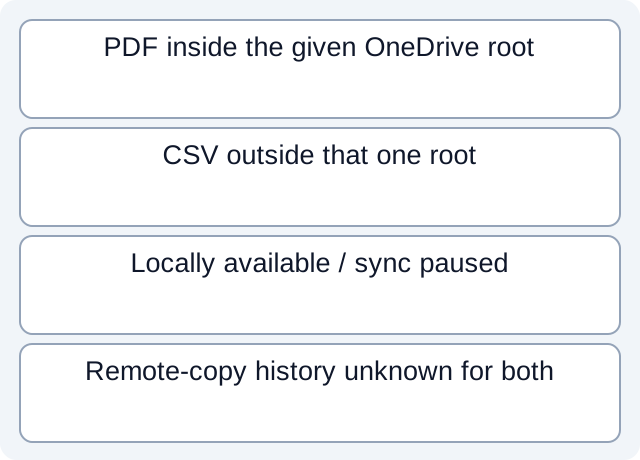
A locally available PDF can still be under the sync root
Our fictional path register places the PDF under an explicitly supplied organization OneDrive root, while the CSV is under another local path. The PDF has a locally-available state and the recorded sync state is paused. The finite path check identifies the PDF as inside the given root and the CSV as outside it.
That calculation does not determine either file’s upload history. The PDF could have both local and remote copies; the CSV’s other storage/sync routes remain unknown. Pausing now says nothing about a prior upload. The files are fictional path strings and observations, not a scan of this user’s disk or cloud.
| Fictional file | Observed relationship | What is not established |
|---|---|---|
| Source PDF | Inside the given organization OneDrive root | Whether or when a remote copy exists |
| Output CSV | Outside that one observed root | Absence of all other sync/backup routes |
| Paused state | A current observation for the case | No past upload or all copies deleted |
Read the fictional path register and executed lexical path check. The check reads constructed Windows paths and tests their relationship to the supplied root. It does not open files, inspect a real OneDrive account, observe network traffic or verify synchronization.
Treat icons and setting changes as limited evidence
Microsoft’s icon legend distinguishes online-only files, locally available files and files kept always available. A local availability check is not a “never uploaded” badge. Record the actual state instead of turning a remembered green icon into a privacy conclusion.
Stopping backup, unlinking or deleting is a different operation with documented consequences. Those actions are unnecessary for the read-only diagnosis and cannot establish that all prior, recycle-bin or retained copies are gone. Do not delete a synchronized bank file merely to test which devices react.
Keep the original path/settings observation for the owner’s follow-up. If the question is who can open a shared document, record that as a separate permission question for the owner; storage location does not establish the full audience. The broader local-processing distinction is covered in LocalExtract privacy information.
For extraction, download LocalExtract. It processes one PDF locally into date,description,amount CSV without requiring upload for conversion. Account/subscription functions still need network access, and the app does not control OneDrive or certify that your chosen folder has no remote copies.
Official documentation checked October 17, 2026. Windows inspection scope.
LocalExtract Team
We build LocalExtract, a desktop bank statement converter. Questions or corrections? Contact · Editorial policy