
MyCard Australia: statements after a Citi account transfer
Updated · 2 min read
The desktop apps export date, description, and amount as CSV. Open CSV in Excel to save an XLSX workbook. Statement support varies: verify the result against your own PDF.
Retrieve the statement belonging to the migrated account
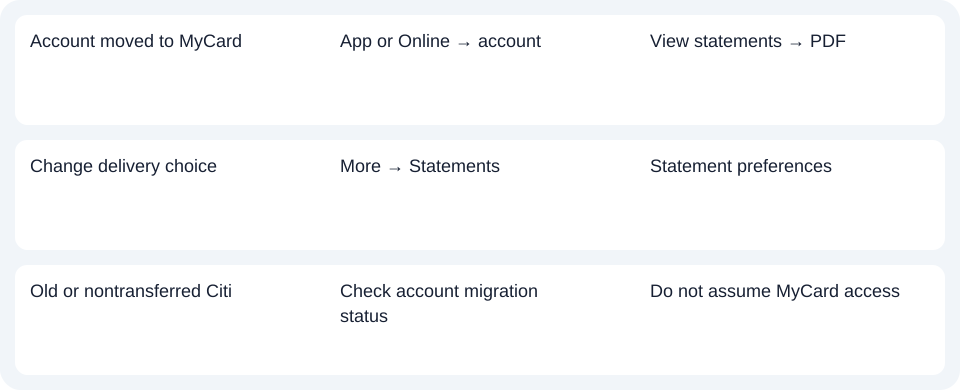
Open MyCard App or MyCard Online, select the account, and choose View statements. MyCard identifies the result as PDF (Portable Document Format) and offers up to seven years of statements through both channels. Check the account and statement period in the opened document. This window is not NAB's deposit-app history limit and should not be replaced with that unrelated rule. Access and history.
MyCard's migration guidance dates the credit-product move to November 24, 2025. Electronic customers receive email or SMS notifications, rather than the statement itself by email. Follow the current authenticated statement area instead of expecting an old emailed attachment to arrive in the same way.
Check delivery fees and current payment references
To review delivery, use More → Statements → Statement preferences. The statement page lists a $2 paper statement fee, with exceptions for MyCard Simplicity and Standard and certain waivers. Check your product and eligibility instead of assuming every paper copy is free. These are paper-delivery terms, not a universal historical-copy price. Statement preferences and paper exceptions.
The move guidance also describes new account and BPAY details on the next statement. Use the details on the current bill when identifying the record or arranging payment; do not use an old reference simply because the card brand once matched. Account-detail changes.
| Needed result | Bank route | Decision |
|---|---|---|
| Account moved to MyCard | App or Online → account | View statements → PDF |
| Change delivery choice | More → Statements | Statement preferences |
| Old or nontransferred Citi | Check account migration status | Do not assume MyCard access |
Identify a record that never transferred
Citi's current Australian presence page distinguishes closed or nontransferred accounts, cards and loans from the consumer business moved to NAB. MyCard's active retrieval route therefore cannot guarantee every historical Citi record. Check the account's status and the relevant provider before treating a missing file as a statement-viewer fault.
Use MyCard for the account that moved, checking the period and delivery terms separately. Use the record planner to record your chosen route and the outstanding document period. The CSV guide covers spreadsheet preparation after obtaining a PDF. LocalExtract converts one PDF locally at a time to date,description,amount CSV (Comma-Separated Values); Excel saves XLSX. Verify the extracted rows. Download options.
Official sources checked October 14, 2026.
LocalExtract Team
We build LocalExtract, a desktop bank statement converter. Questions or corrections? Contact · Editorial policy