
Moneydance: verify the OFX account before remembering its mapping
Updated · 4 min read
The desktop apps export date, description, and amount as CSV. Open CSV in Excel to save an XLSX workbook. Statement support varies: verify the result against your own PDF.
Inspect the source before accepting a destination
This guide is for bookkeepers preparing a bank file for Moneydance. Source identity is the independently established account behind the displayed number; destination is the Moneydance account selected to receive it. Remember this Choice retains routing for later imports, while Unconfirmed identifies rows still to review.
This guide concerns the file-import route in Moneydance. The Infinite Kind’s published import guide, last modified in 2022 and still publicly provided at our documentation check, describes the source-number display and Remember this Choice. Confirm the controls in your installed version; no exact build or bank connection is certified here.
- Keep the bank-downloaded OFX/QFX unchanged. Record the bank, source account evidence, download interval and intended Moneydance account. Do not edit account identifiers to force a match.
- Open File → Import, select the file, or use the documented drag-and-drop route.
- In Import file, inspect the displayed source account number and the selected destination. Moneydance attempts an account match, but the user can select the destination.
- Establish any apparent alias with independent account evidence or the bank’s support. If that relationship cannot be established, stop the import decision rather than choosing the closest-looking name.
QIF follows a different branch with its own date and decimal interpretation. Do not borrow those controls to explain the OFX/QFX account-number decision.
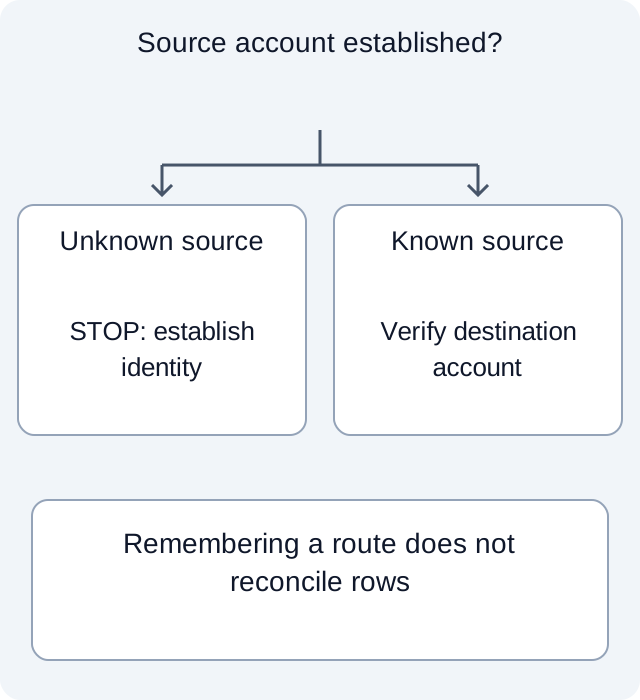
Remembered routing extends the consequence beyond this file
The official guide says Remember this Choice can allow subsequent imports to proceed automatically to the recognised account. Treat that as a persistent routing decision, not merely a convenience for the current screen.
Locate the imported rows without assuming they are together
For an authorised import whose source and destination have been verified, the downloaded-data guide describes new rows as Unconfirmed, with a solid blue dot. The register’s sort order can disperse them; use the Unconfirmed filter instead of inspecting only the bottom of the list. A confirmed item changes to a blue circle in that documented review state.
That state change is not proof that a bank statement has been reconciled. Retain the original file, destination decision and a separate comparison of expected records. An import can route to the intended account yet still require row and balance review. The completed task is a defensible account mapping followed by a bounded review of new data, not a compatibility guarantee or an automatically balanced register.
Separate the routing decision from the row review
| Worksheet case | Source evidence | Selected destination | Routing decision |
|---|---|---|---|
| unknown | Source account not independently established | Looks like account-A | Stop; plausible balance cannot prove identity |
| wrong-target | Source established as account-A | account-B | Stop; resolve the destination before accepting or remembering |
| verified-pair | Source established as account-A | account-A | The authorised user can consider remembering; rows still need separate review |
The fictional mapping worksheet tests three decisions: unknown source, verified source with wrong destination, and verified source with matching destination. Executed Python checks return stop, stop and eligible-for-consideration respectively. A negative control keeps the unknown source blocked even when its balance resembles the target. This is a manual decision model, not Moneydance execution, an alias registry or a tested reset procedure. Its own column names are not OFX or Moneydance import fields.
Synthetic review case. The values are teaching data, not a vendor export or an import file.
For a bank source available only as PDF, download LocalExtract. It processes one PDF locally into date,description,amount CSV; review and adapt those rows for the actual destination.
CSV uses a separate Moneydance import route; LocalExtract does not generate OFX/QFX, and this page does not convert CSV into those formats.
Related guide: Import a bank CSV into GnuCash: map fields and review matches.
Documentation for the added task checked October 17, 2026.
LocalExtract Team
We build LocalExtract, a desktop bank statement converter. Questions or corrections? Contact · Editorial policy