
first direct PDF statements: open older years in the app
Updated · 2 min read
The desktop apps export date, description, and amount as CSV. Open CSV in Excel to save an XLSX workbook. Statement support varies: verify the result against your own PDF.
Open and save the required statement
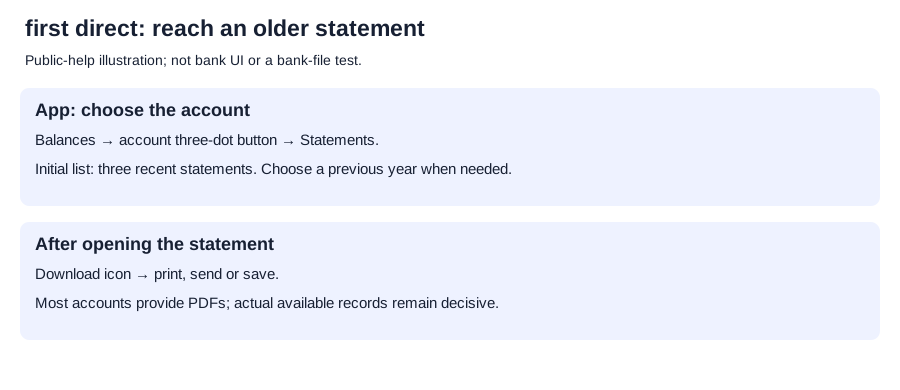
- On Balances, tap the required account's three-dot button.
- Select Statements.
- Choose a previous year below the three recent records when needed.
- Open the statement; its download icon offers print, send or save.
In Online Banking, statements appears at the top right of the transactions page.
Keep the record and view limits separate
Conditions in statement help:
| first direct view | Documented condition |
|---|---|
| Initial app statement list | Three recent statements; previous years below |
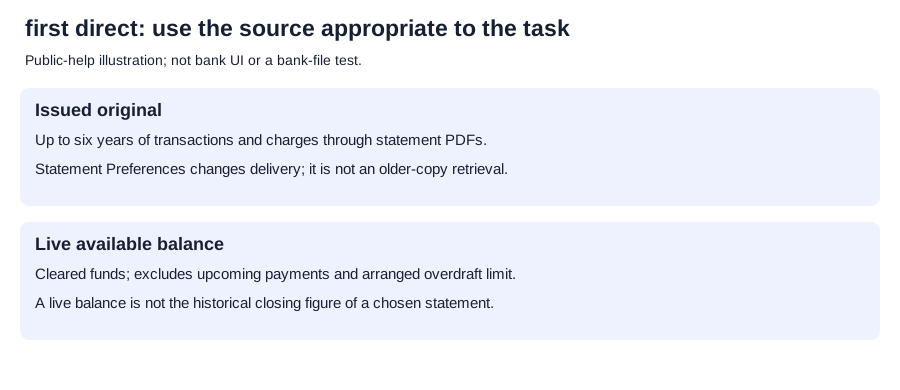
| Transactions and charges history | Up to six years through statement PDFs in app/Online Banking |
| Delivery preferences | Online Banking: my details → Statement Preferences |
| Available balance | Cleared funds; excludes upcoming payments such as Direct Debits and the arranged overdraft limit |
Available balance is not a historical closing figure.
The account help says the Online Banking archive also includes a Statement of Fees; distinguish it from the required transaction statement.
For account identification, the IBAN/BIC help places the International Bank Account Number (IBAN) and Bank Identifier Code (BIC) below the statement's account summary.
Transcribe readable PDF movements and check the original; CSV (comma-separated values) formatting.
LocalExtract processes one PDF locally to date,description,amount CSV; Excel saves XLSX (an Excel workbook). Downloads and limits.
Written October 11, 2026: distinguishes older years, fee documents and account identification.
Select previous year for older records.
LocalExtract Team
We build LocalExtract, a desktop bank statement converter. Questions or corrections? Contact · Editorial policy