
Downloaded bank PDF opens as HTML: check the actual file
Updated · 3 min read
A download named statement.pdf can actually contain an HTML sign-in page. Changing the extension does not recover the statement. Preserve the original bytes and investigate the file type before attempting extraction or entering credentials into the downloaded page.
The desktop apps export date, description, and amount as CSV. Open CSV in Excel to save an XLSX workbook. Statement support varies: verify the result against your own PDF.
Triage without treating the file as trusted
This guide is for bookkeepers screening a client-supplied statement attachment before extraction. A file signature is a recognizable byte pattern, not a certificate of safety or ownership. Here, a strict PDF read means a parser attempted to interpret the file structure; it is separate from checking the statement’s account and period.
- Preserve the downloaded bytes, filename, source context and a local content hash.
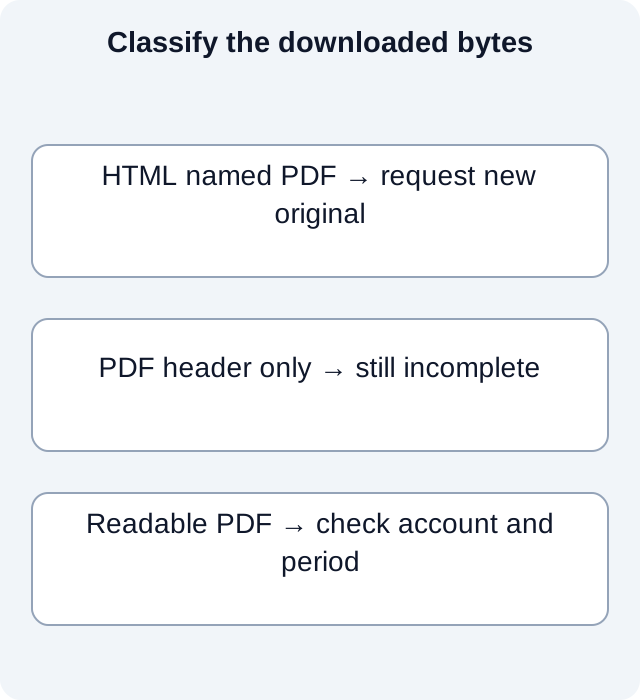
- Inspect a copy using a trusted local text or file-type viewer. Obvious HTML markup identifies this copy as something other than the intended PDF statement.
- If the copy is HTML, do not execute its scripts or sign in through it. Independently open the issuer’s trusted site to reacquire the statement.
- Check account, period and readable contents in the new download. If the issuer’s actual route still fails, retain the failure and request another original.
RFC 8118 describes the PDF header beginning %PDF-. That is a limited format clue, not proof of a complete, valid or safe PDF. A truncated file can contain the header and still be unusable. For a damaged or unreadable bank download, this guide recommends asking the issuer for a new original. Repeatedly renaming the same bytes will not repair them.
A renamed file and a real PDF behave differently
We created four fictional files locally: a short HTML placeholder saved with a PDF extension, an unchanged renamed copy, a file containing only a PDF header, and a valid one-page blank PDF. A strict pypdf read and the local pdfinfo utility were run against these files. No page contained a login form or active script.
| Constructed input | PDF header | Strict PDF read | What follows |
|---|---|---|---|
| HTML named as PDF | Absent | Rejected | Reacquire the issued document |
| Same HTML, renamed | Absent | Rejected | Renaming did not change the bytes |
| PDF header only | Present | Rejected | A header cannot establish completeness |
| Valid blank PDF | Present | One blank page read | Parsing does not establish a bank statement |
The observed parser results include a hash for every constructed input. The HTML file and its renamed copy have identical hashes; the parser rejects both. The header-only file is a counterexample to accepting a download simply because its beginning resembles PDF. The blank file is a separate counterexample: a structurally readable document can contain no bank transactions at all.
These results are a file-format demonstration, not an antivirus scan or a bank compatibility test. Do not run unfamiliar attachments through arbitrary online repair sites. When the new issuer download is readable, compare the account, statement dates and page contents with the request; the presence of PDF syntax alone cannot close that check.
Which failure should you report?
If the bytes contain an HTML sign-in page, report that the download returned a page instead of the requested statement. Retain the time, trusted issuer route and intended period without sharing session tokens or the downloaded page publicly. A saved browser page can contain private session information even when its filename ends in PDF.
If a genuine-looking PDF is truncated or unreadable, report a damaged download and request a new original. If a readable PDF belongs to the wrong account or period, the problem is document selection rather than format. Keep those three outcomes separate so that support is asked to fix the actual failure.
Experiment scope and input hashes.
For a PDF-only bank source, download LocalExtract. It processes one PDF locally to date,description,amount CSV; it does not access platform accounts or synchronize accounting records.
Official sources and scope
Documentation checked October 17, 2026. Official reference 1 — pdf-rfc · Official reference 2 — adobe-filetype
LocalExtract Team
We build LocalExtract, a desktop bank statement converter. Questions or corrections? Contact · Editorial policy