
How to Automate Bank Statement Data Entry
Key Takeaways
- Manual bank statement data entry costs approximately $3-5 per page when accounting for labor time, error correction, and opportunity cost — and error rates of 2-4% compound across large transaction volumes.
- Five automation approaches exist: bank feeds, PDF converters, OCR + extraction tools, RPA bots, and API integrations. Each solves a different slice of the problem.
- Bank feeds work for current, connected accounts — but they cannot help with historical statements, closed accounts, or institutions that do not support direct connections.
- On-device PDF converters like LocalExtract process bank statement PDFs into structured CSV or Excel files locally, without uploading financial data to third-party servers.
Disclosure: This article is published by the LocalExtract team. LocalExtract is an on-device bank statement converter that processes files entirely on your computer. We have a commercial interest in this topic. All cost estimates are based on publicly available labor data and our own workflow analysis. We cover multiple automation approaches fairly, including methods that do not involve our product.
Manual data entry from bank statements is one of the most persistent bottlenecks in bookkeeping. A single bank statement page typically contains 15-30 transactions. Each transaction has a date, description, and amount — sometimes with additional fields like a running balance or check number. Typing those values into a spreadsheet or accounting system one at a time is slow, tedious, and reliably produces errors.
The work scales badly. A bookkeeper managing 30 clients, each with 2-3 bank accounts, might process 60-90 statements per month. At 15-30 minutes per statement for careful manual entry, that is 15-45 hours per month spent on pure data transcription — a task that adds no analytical value.
This guide covers five approaches to automating bank statement data entry, explains when each one works (and when it does not), and includes a realistic cost-benefit analysis so you can evaluate the ROI for your practice. If you are new to the concept, our guide on how to convert bank statement PDFs to CSV covers the fundamentals.
Contents
- The Real Cost of Manual Data Entry
- Five Approaches to Automation
- Comparison: Which Approach Fits Your Workflow
- ROI Calculation: Automation vs. Manual Entry
- Privacy and Compliance Considerations
- LocalExtract: Capabilities and Limitations
- FAQ
The Real Cost of Manual Data Entry
Before evaluating automation tools, it is worth understanding exactly what manual data entry costs. The expense is not just the time spent typing — it includes error correction, verification, and opportunity cost.
Time Cost
An experienced bookkeeper entering transactions from a PDF into accounting software averages about 2-3 transactions per minute, including time to cross-reference the source document and navigate the interface. For a 5-page bank statement with 100 transactions, that translates to 35-50 minutes of focused data entry.
Error and Opportunity Cost
Manual data entry has a well-documented error rate of 1-4% of fields entered. For financial data, the consequences are disproportionate — a transposed digit creates a reconciliation discrepancy that may take far longer to fix than the original entry took. Industry research from organizations including the Association of Certified Fraud Examiners (ACFE) consistently identifies data entry errors as a leading source of accounting discrepancies in small businesses.
Beyond errors, there is opportunity cost. At a typical bookkeeping rate of $25-50/hour, spending 30 hours per month on data entry represents $750-1,500 in labor allocated to a task that technology can handle — time not spent on advisory work, financial analysis, or client communication.
The goal of automation is not to eliminate the bookkeeper — it is to eliminate the mechanical transcription step so the bookkeeper can focus on review, categorization, and analysis. Automation handles the data entry; the professional handles the judgment.
Five Approaches to Automation
There is no single automation solution that works for every situation. The right approach depends on which bank statements you are processing, whether they are digital or scanned, and what systems you need to import the data into.
| Approach | Best For | Key Limitation |
|---|---|---|
| Bank feeds | Current accounts with supported institutions | No historical statements, no closed accounts |
| PDF converters | Digital PDF statements, bulk processing | May not work on image-only scans without OCR |
| OCR + extraction | Scanned or image-based statements | Accuracy depends on scan quality |
| RPA | Repetitive workflows in specific software | High setup cost, brittle to UI changes |
| API integrations | Developer-built custom workflows | Requires programming, not turnkey |
Approach 1: Bank Feeds (Direct Connections)
Bank feeds are the most seamless form of automation. Accounting software like QuickBooks, Xero, and Sage connects directly to your bank through aggregation services (Plaid, Yodlee, MX) and pulls transaction data automatically. No PDF. No conversion. No manual entry.
When they work well: Current, active accounts at major US banks that support direct connections to your accounting platform.
When they do not work: Bank feeds only cover current, connected accounts going forward. They cannot help with historical statements, closed accounts, unsupported institutions (smaller banks, credit unions, international banks), client-provided PDFs, or litigation work involving subpoenaed statements.
Bank feeds are the best solution when they are available. The other four approaches exist for situations where bank feeds are not an option — which, for many bookkeeping practices, is a significant portion of their workload.
Approach 2: PDF Converters
PDF converters extract transaction data directly from PDF bank statements and output structured files — CSV, Excel, QBO, or OFX — ready for import into accounting software. This is the most direct automation path when bank feeds are not available.
Cloud-based converters (e.g., DocuClipper, PDFTables) require uploading the PDF to remote servers. This is convenient but means your client's financial data — account numbers, transaction histories, balances — is transmitted to and processed on third-party infrastructure. Retention policies vary by provider and should be reviewed before use. For professionals subject to the FTC Safeguards Rule, this creates compliance considerations.
On-device converters process the PDF locally on your computer. No data leaves your machine. LocalExtract is one such tool — it runs on macOS and Windows, processes bank statements entirely offline, and outputs CSV and Excel files. The free tier includes 10 pages (lifetime). The Pro plan is $10/month or $60/year.
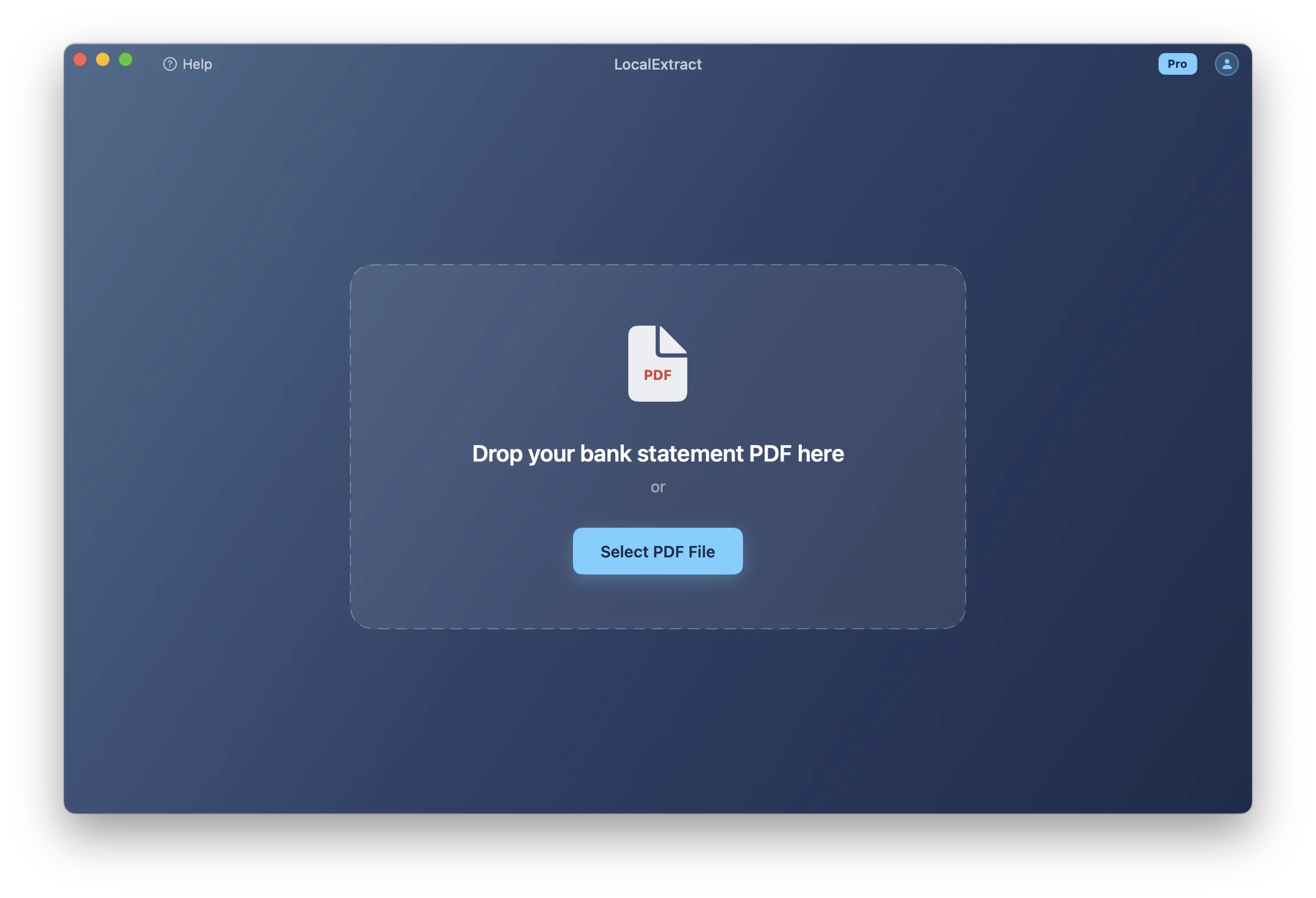
PDF converters work best on digitally generated PDFs — the kind you download from your bank's website. For scanned statements (image-only PDFs), the converter needs OCR capability. Those with OCR (including LocalExtract) can handle scanned documents, but accuracy depends on scan quality.
Approach 3: OCR + Extraction Tools
Standalone OCR platforms like ABBYY FineReader, Google Document AI, and Amazon Textract provide OCR and structured data extraction as a service. They offer high accuracy and configurable extraction rules, but they are general-purpose tools — they do not inherently understand bank statement layouts. You need additional logic to map extracted data to transaction fields. For most bookkeeping practices, a purpose-built PDF converter with integrated OCR is simpler.
Approach 4: Robotic Process Automation (RPA)
RPA tools like UiPath and Microsoft Power Automate automate repetitive tasks by scripting interactions with software interfaces. An RPA bot can open a PDF, read data, switch to your accounting software, and enter each transaction automatically.
When it works: High-volume enterprise workflows and legacy systems that do not support file imports or APIs.
When it does not work: Setup typically requires 20-80 hours of development time plus ongoing maintenance. According to Deloitte's RPA survey, organizations frequently underestimate the maintenance burden. Bots break when bank PDF layouts or software interfaces change.
RPA is frequently oversold for small and mid-sized bookkeeping practices. If your primary need is converting PDF bank statements to CSV for import into QuickBooks or Xero, a dedicated PDF converter accomplishes the same result at a fraction of the cost and complexity.
Approach 5: API Integrations
For practices with development resources, API-based integrations connect document processing APIs (for reading bank statements) with accounting software APIs (for importing transactions) through custom code.
When it makes sense: Large practices processing hundreds of statements per month, custom workflows, or white-label services.
When it does not: The development cost ($5,000-$20,000+ based on typical freelance developer rates) rarely justifies itself for practices processing fewer than 200 statements per month.
Comparison: Which Approach Fits Your Workflow
| Factor | Bank Feeds | PDF Converter | OCR Platform | RPA | API Integration |
|---|---|---|---|---|---|
| Setup time | Minutes | Minutes | Hours-Days | Days-Weeks | Weeks-Months |
| Ongoing cost | Included in software | $0-60/year | $0.01-0.10/page | $5,000-50,000+/year | Dev + maintenance |
| Historical PDFs | No | Yes | Yes | Yes | Yes |
| Scanned statements | N/A | If OCR included | Yes | Depends | If OCR API used |
| Privacy | Aggregator access | Varies (cloud vs. local) | Varies | Local | Varies |
| Technical skill | None | None | Moderate | High | High |
Most bookkeeping practices end up using a combination: bank feeds for current, connected accounts and a PDF converter for historical statements, client-provided PDFs, and unsupported institutions. The two approaches are complementary, not competing. For workflow-specific guides, see importing bank statements into QuickBooks and importing bank statements into Xero.
ROI Calculation: Automation vs. Manual Entry
Here is a concrete cost-benefit analysis for a bookkeeping practice considering PDF converter automation, using conservative estimates.
Assumptions
The following estimates are based on internal workflow timing across 50+ statement conversions and publicly available Bureau of Labor Statistics wage data for bookkeeping clerks. Your actual numbers will vary with transaction complexity, software familiarity, and statement format.
| Parameter | Value |
|---|---|
| Statements processed per month | 50 |
| Average pages per statement | 3 |
| Transactions per page | 20 |
| Manual entry time per statement | 25 minutes |
| Bookkeeper hourly rate (loaded cost) | $35/hour |
| Manual error rate | 2% of transactions |
| Time to find and correct one error | 5 minutes |
Monthly Cost Comparison
| Manual Entry | Automated | |
|---|---|---|
| Data entry / review labor | $729 (20.8 hrs) | $146 (4.2 hrs) |
| Error correction | $175 (60 errors) | $44 (15 errors) |
| Tool cost | $0 | $10 |
| Total | $904 | $200 |
Net savings: $704/month ($8,448/year). Hours recovered: approximately 20 per month. Payback period: immediate.
These numbers vary based on your actual volume and labor rates. The key insight: even at modest volumes, manual entry labor cost significantly exceeds automation tool cost.
The ROI calculation assumes recovered hours have zero alternative value. In practice, a bookkeeper who recovers 20 hours per month can use that time for higher-value work — client advisory, financial analysis, or taking on additional clients. The true economic benefit is often 2-3x the direct labor savings.
Privacy and Compliance Considerations
Bank statements contain sensitive financial data: account numbers, routing numbers, transaction histories, balances, and spending patterns. How you handle this data during automation matters for both client trust and regulatory compliance.
The FTC Safeguards Rule requires certain professional service providers to maintain a comprehensive information security program. According to IBM's 2025 Cost of a Data Breach Report, the average financial services data breach cost $5.56 million.
| Approach | Data Exposure |
|---|---|
| Bank feeds | Shared with aggregation service (Plaid, Yodlee) |
| Cloud PDF converter | Uploaded to provider's servers; retention policies vary |
| On-device PDF converter | No data leaves your computer |
| Cloud OCR platform | Document images uploaded for processing |
| RPA | Local bots keep data local; cloud-hosted bots do not |
| API integration | Data transmitted to API endpoints |
For professionals who want to minimize data exposure, on-device tools eliminate the third-party dimension entirely. The file never leaves your computer, no internet connection is needed during processing, and no external party has access to the contents.
LocalExtract: Capabilities and Limitations
Since this article is published by the LocalExtract team, we want to be transparent about both what our tool does well and where it falls short.
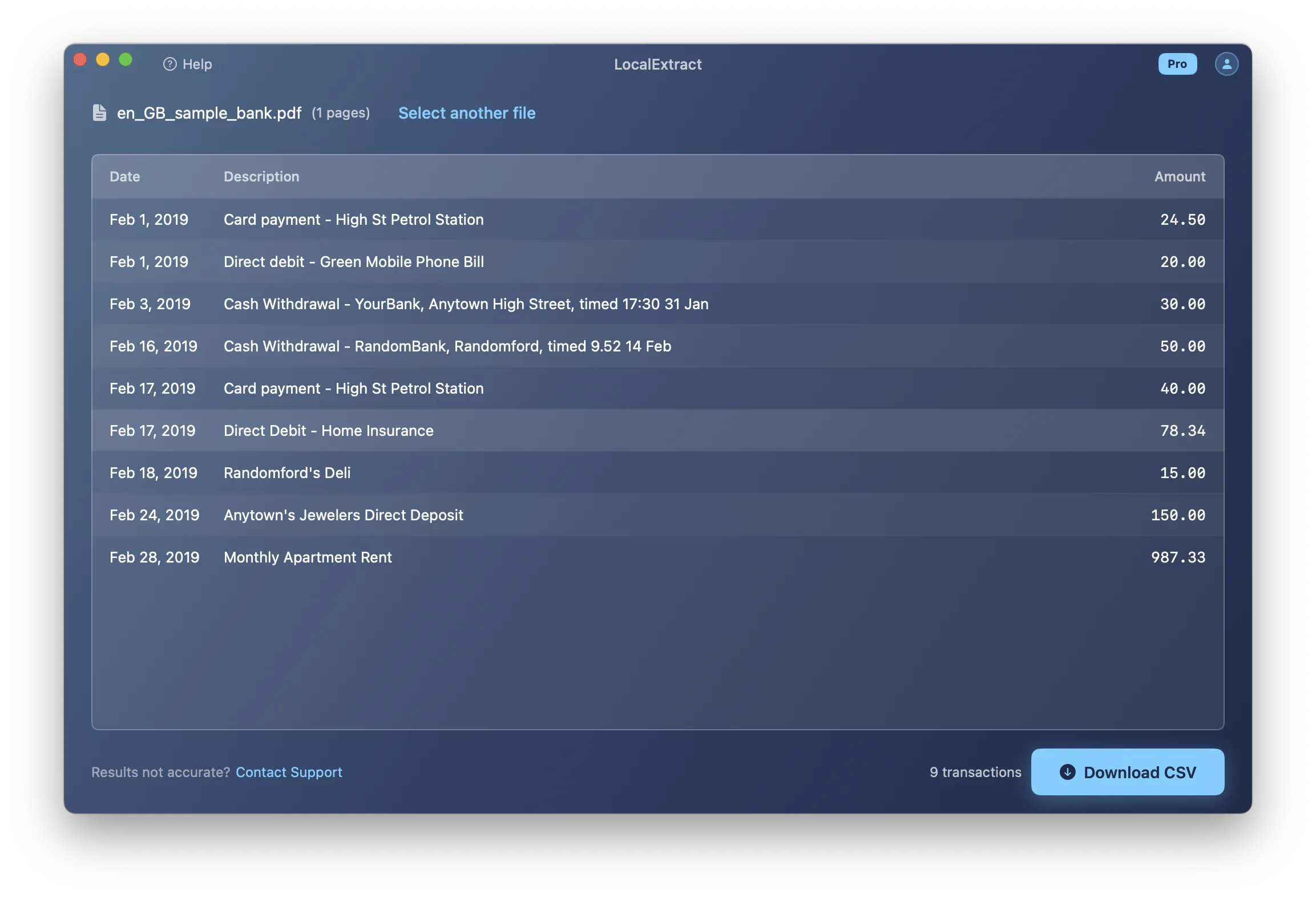
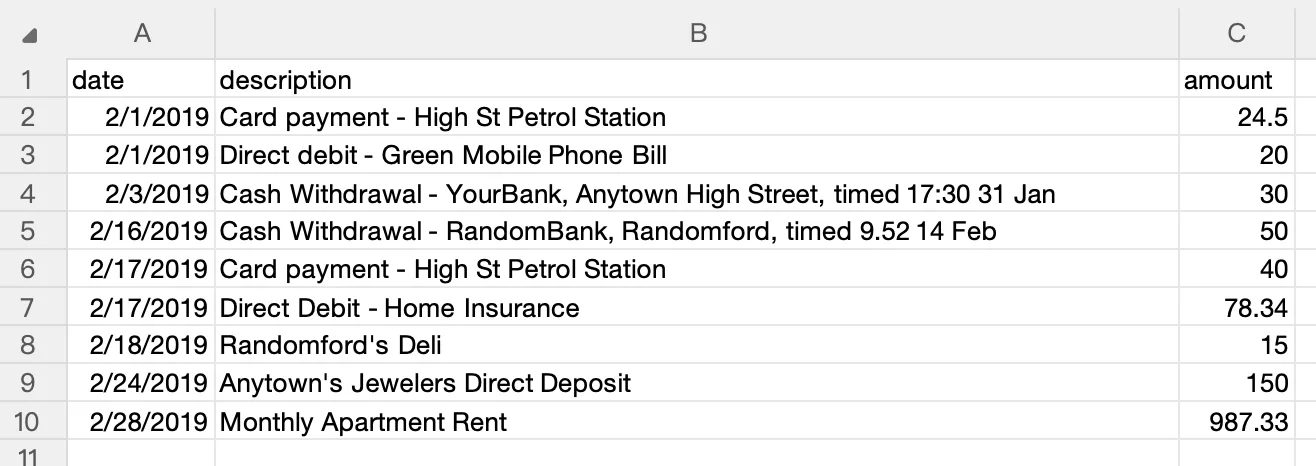
What LocalExtract does: Processes PDF bank statements entirely on your computer (macOS and Windows), outputs CSV and Excel files, handles both digital and scanned statements via integrated OCR, and supports batch processing on the Pro plan. Free tier: 10 pages lifetime. Pro: $10/month or $60/year.
Limitations:
- Output formats: CSV and Excel only. No QBO, OFX, or IIF. If you need QBO format, tools like MoneyThumb support it.
- Bank coverage: Supports a wide range of US bank formats but does not cover every bank or layout variation. Unusual formats may not parse correctly.
- No direct accounting software integration: Produces import-ready files, but does not connect directly to QuickBooks, Xero, or other platforms via API.
- Desktop only: Requires installation. No web-based or mobile version.
- No automated bank feed: Processes PDFs you already have. Does not connect to banks to download statements.
For a broader comparison of converter tools, see our bank statement converter guide for accountants.
Conclusion
Automating bank statement data entry is not an all-or-nothing decision. The right approach depends on whether you are working with live bank connections, historical PDFs, scanned documents, or a mix of all three. Bank feeds handle the easy cases. PDF converters fill the gap for everything else -- historical statements, closed accounts, client-provided documents, and institutions that do not support direct connections. The ROI math is straightforward: even at modest volumes, the labor cost of manual entry far exceeds the cost of automation tooling, and the hours recovered can be redirected to higher-value work.
Start by auditing how many statements you process manually each month and which of the five approaches covers each scenario. Most practices find that a combination of bank feeds and a PDF converter eliminates the majority of manual data entry work.
FAQ
What is the fastest way to automate bank statement data entry? If the bank account supports direct feeds, connecting it to your accounting software is the fastest path. For PDF bank statements, an on-device converter processes a statement in seconds, compared to 15-30 minutes for manual entry.
Can I automate data entry from scanned bank statements? Yes, with a tool that has OCR capability. Accuracy depends on scan quality — 300 DPI or higher with straight alignment produces the best results. Tools with integrated OCR include LocalExtract, ABBYY FineReader, and cloud services like Google Document AI.
How accurate is automated extraction compared to manual entry? For digital PDFs, well-built converters achieve very high accuracy by reading embedded text directly. For scanned statements, accuracy depends on scan quality. Automated extraction is typically more consistent than manual entry (1-4% error rate), but review is always recommended.
Is it safe to upload bank statements to cloud-based tools? Cloud tools transmit financial data to remote servers. Whether this is acceptable depends on your regulatory obligations and risk tolerance. On-device tools process everything locally, avoiding third-party data exposure entirely.
What does bank statement data entry automation cost? Bank feeds are typically included in your accounting software subscription. PDF converters range from free (Tabula) to $10-60/year (LocalExtract Pro) to $20-50+/month (cloud services). RPA and custom API integrations can cost $5,000-50,000+ in setup and annual maintenance.
Do I still need to review automated results? Yes. Automation handles transcription, but you should review extracted data for errors, verify totals against the statement summary, and confirm correct categorization after import.
How do I handle statements that automation tools cannot process? Try a different converter (format coverage varies), use manual copy-paste for that specific statement, or contact the tool's support team — many converters add new bank formats based on user requests.
Can I automate data entry from non-English bank statements? Coverage varies by tool. Most are optimized for English-language statements from US, UK, Canadian, and Australian banks. LocalExtract currently focuses on US bank statement formats.
Disclosure: This article is published by the LocalExtract team. LocalExtract converts bank statement PDFs to CSV and Excel entirely on your device — no uploads, no cloud processing, no third-party access. We covered five automation approaches, including methods that do not involve our product, to help you find the right workflow for your practice. Download free for Mac or Windows.

LocalExtract Team
We build LocalExtract, an on-device bank statement converter for macOS and Windows. Our team includes software engineers and financial workflows specialists focused on private, accurate PDF data extraction. Questions or corrections? Contact us or see our editorial policy.
Related Articles
Ready to convert your bank statements?
100% on-device. Your documents never leave your computer.
By downloading, you agree to our Terms and Privacy Policy.