
Download a Synchrony card statement and choose the correct account portal
Updated · 2 min read
The desktop apps export date, description, and amount as CSV. Open CSV in Excel to save an XLSX workbook. Statement support varies: verify the result against your own PDF.
Find your card and retrieve the issued statement
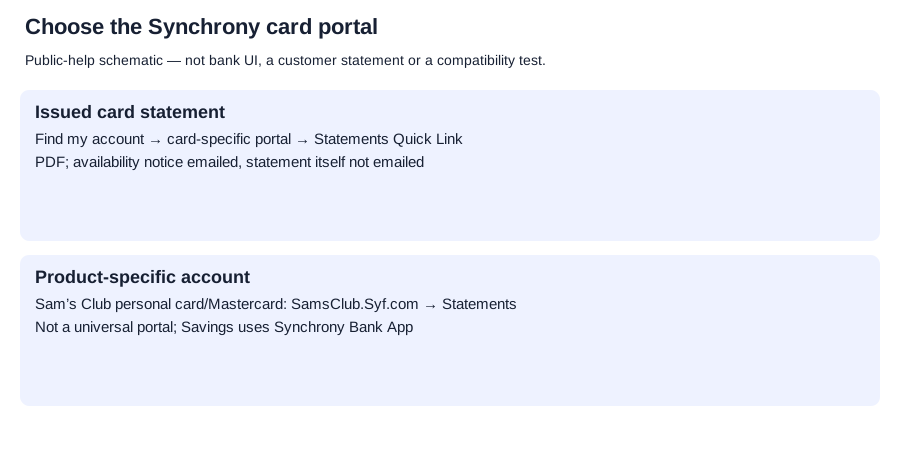
- Use Synchrony’s Find my account directory to identify the card’s account portal.
- Sign in to that card account.
- Choose the Statements Quick Link to view, print or download the paperless statement.
For Sam’s Club Credit Card or Mastercard, the product FAQ specifically gives SamsClub.Syf.com → Statements. That product route is not a universal portal for all Synchrony cards.
Understand paperless delivery
Synchrony’s paperless statement help explains these delivery conditions:
| Synchrony card condition | Consequence |
|---|---|
| Email notification | Notice that the statement is ready; the statement itself is not emailed |
| Electronic billing PDF | Paper-statement information, with the account number omitted |
| Delivery preference | Home page → Statements → change statement delivery method allows a return to paper |
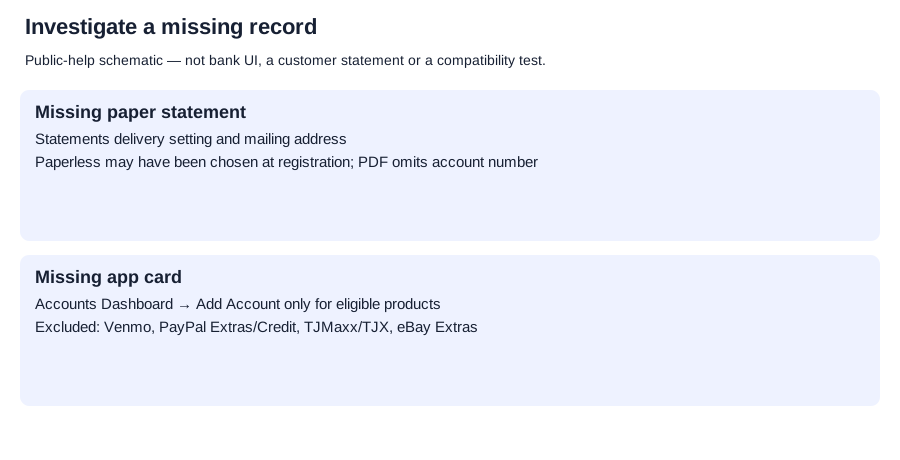
| Missing mailed statement | Check the Statements Quick Link delivery setting and mailing address; paperless may have been selected at registration |
Changing delivery preference is separate from retrieving an already-issued file. Archive age, closed-card availability, export formats and final browser save controls remain unconfirmed.
Check whether MySynchrony serves the card
MySynchrony’s current help supports statement viewing and delivery preferences, and gives Accounts Dashboard → Add Account to associate another eligible account.
The help excludes Venmo, PayPal Extras, PayPal Credit, TJMaxx/TJX and eBay Extras cards. For Synchrony Bank Savings, it directs customers to the Synchrony Bank App. App statement viewing does not establish an app PDF-download button or native CSV (comma-separated values) export.
Planner and analysis
Record-request planner. CSV formatting and checks.
LocalExtract processes one PDF locally to date,description,amount CSV; Excel can save that CSV as an XLSX workbook. Downloads and limits.
Choose the correct entry
Use the card-specific portal and Statements Quick Link for the issued bill. If a card is missing in MySynchrony, check eligibility before using Add Account; a savings account or excluded card needs its own product channel. Use the delivery setting to investigate a missing paper statement, rather than expecting a billing PDF in email.
LocalExtract Team
We build LocalExtract, a desktop bank statement converter. Questions or corrections? Contact · Editorial policy