
Santander US statements: PDF views, downloads and paperless settings
Updated · 3 min read
The desktop apps export date, description, and amount as CSV. Open CSV in Excel to save an XLSX workbook. Statement support varies: verify the result against your own PDF.
Open the statement in the desired format
The Santander US viewing guide describes:
- Sign in to Online Banking.
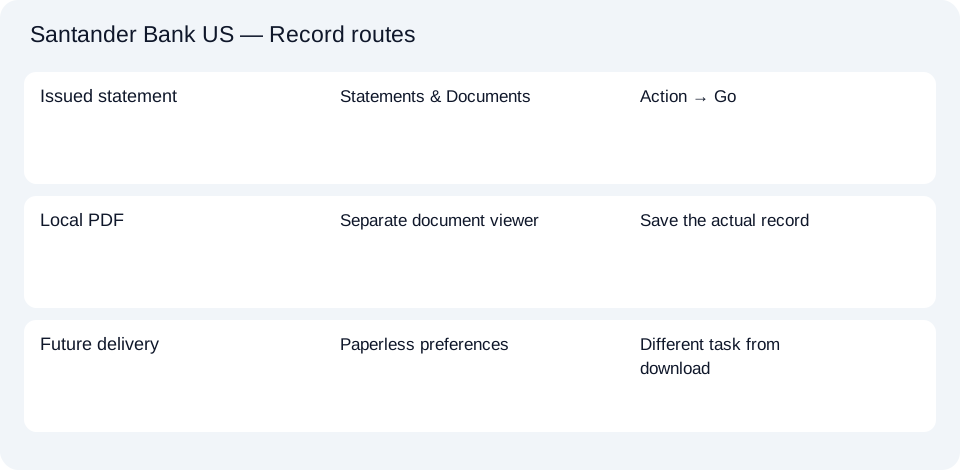
- Open Statements & Documents from the navigation menu.
- Find the required statement.
- Under Action, choose the PDF/text viewing option or Download.
- Select Go to open the statement in a separate window.
PDF means Portable Document Format. A text view is not evidence of a native CSV transaction file. If the document appears in a separate viewer, use its save option to retain the PDF rather than assuming that opening the window has already stored a local copy.
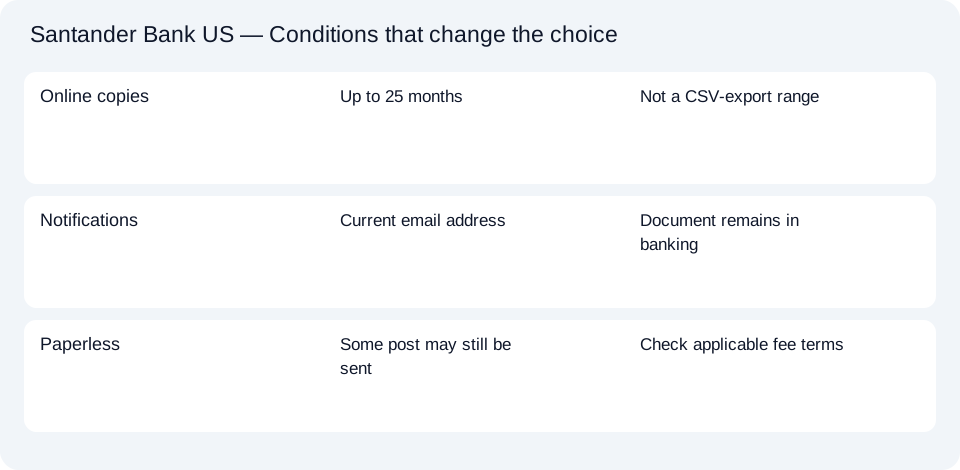
The guide describes up to 25 months of statement copies online. That is a viewing range for statements, not a confirmed transaction-export interval or a promise of access after closing an account.
Paperless settings change delivery
Santander’s paperless overview describes choosing accounts under Customer Service → Turn Off Paper Statements. Follow the delivery controls offered in your account; this is separate from selecting an existing statement’s Action.
The overview describes online history as two years, whereas the dedicated viewing guide gives the more specific 25-month range. Check the documents actually offered for the requested period. Neither statement establishes that every older record will appear after paperless enrollment.
Know which records still arrive separately
Section III.K of the June 2026 Digital Banking Agreement explains that paperless customers receive an email when a new statement or document is available. Keep the email address current so that notice can reach you. The agreement also reserves the bank’s ability to send documents by post: paperless does not mean every communication will always arrive electronically.
The same section refers paper-statement charges to the applicable Personal Deposit Account Fee Schedule. Check the account’s fee terms before changing delivery. It also distinguishes electronic paid-check viewing from printed check images; a transaction line is not itself a copy of a check.
| Task | Correct starting point |
|---|---|
| Retrieve an issued statement | Statements & Documents → Action → Go |
| Retain the bank’s PDF | PDF/document controls in the opened record |
| Change future delivery | Account’s paperless preferences |
| Check a paper-statement charge | Applicable account fee schedule |
Download the Santander US record planner. This guide covers the US personal service, not Openbank, business banking or Santander in another country. For rows from a PDF already obtained, the CSV and Excel guide covers the shared conversion steps. Finish the retrieval before treating a delivery-setting change as a completed document request.
LocalExtract processes one PDF locally into date,description,amount CSV. Excel can save that CSV as XLSX. Check the extracted rows against the source. Download options and limits.
Official sources checked October 13, 2026. This guide brings the bank’s document and export choices together.
LocalExtract Team
We build LocalExtract, a desktop bank statement converter. Questions or corrections? Contact · Editorial policy