
OCBC Velocity GIRO says Authorised: has the bank debit happened?
Updated · 3 min read
For an OCBC Velocity Singapore GIRO batch, compare the existing instruction, item-status records and actual bank debit separately. An approved list is not evidence that every item was processed. Use a user already entitled to the relevant business account and reports; this guide does not create, authorise or resend payments.
The desktop apps export date, description, and amount as CSV. Open CSV in Excel to save an XLSX workbook. Statement support varies: verify the result against your own PDF.
Retrieve the existing status evidence
OCBC’s current general FAQ directs users through Transactions → Transaction Status, then Search Criteria. Identify the existing GIRO instruction and retain the actual search scope rather than assuming the currently displayed list covers every required date or account.
For an unsuccessful item, the FAQ identifies Remarks in the GIRO Summary, GIRO Details and Funds Collection reports as the reason source. Request the applicable report from the authorised account user. This documentation does not establish a universal batch-download format or complete CSV column list, so do not promise an Export button or manufacture a native file schema.
Keep approval and processing states apart
The same FAQ distinguishes Authorised from Submitted to Bank and Successful. If several authorisers are required, one approval does not complete all approvals. GIRO Partially Rejected concerns invalid items at pre-processing; Partially Successful concerns failures emerging during later processing. A total alone cannot identify which item belongs to either group.
Record the observed batch status, observation time and item-specific reason before asking about the bank difference. A Maker or Authoriser role description does not prove a particular reviewer has effective access to this account. If access is unavailable, request the existing records through the organisation’s authorised process; do not broaden roles to investigate.
A fictional population comparison
| Supplied evidence | Amount in SGD | What remains open |
|---|---|---|
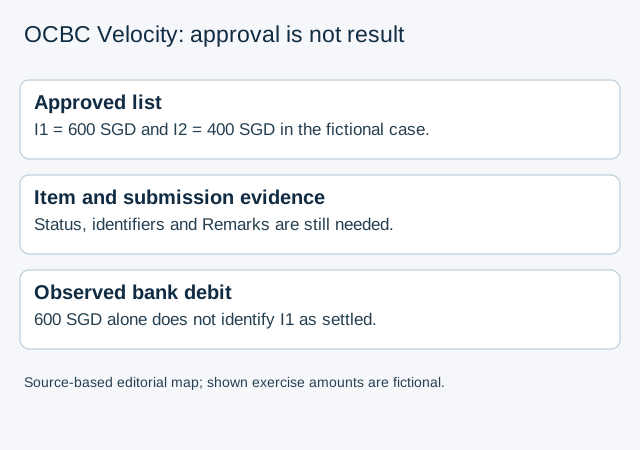
| Approved instruction contains I1 = 600 and I2 = 400 | 1,000 | Approval is not an item-result report |
| Actual bank debit | 600 | Its connection to this instruction must still be evidenced |
| Item reports, submission identity or relevant Remarks missing | Unknown | Neither I2’s failure nor a separate later execution is established |
The finite GIRO comparison has an arithmetic difference of 400 SGD under these constructed premises. It is not a failed-payment list, a split-batch schedule or an instruction to pay 400 again. Even the amount equal to I1 does not prove the debit settled I1. Preserve actual batch/item identifiers and status evidence; an amount match supplies no missing identity.
Finish with the approved population, submitted instruction, observed item results and bank posting as separate records. Leave unobserved results unknown. The bank reconciliation guide covers the wider statement-to-books sequence, not this GIRO status definition.
For a bank source available only as PDF, LocalExtract prepares local CSV, one PDF at a time with date,description,amount. It does not access Velocity, generate GIRO payment files or determine payment authorisation.
Official OCBC Singapore business FAQ checked October 17, 2026. Product, account and report entitlement remain specific to the organisation.
LocalExtract Team
We build LocalExtract, a desktop bank statement converter. Questions or corrections? Contact · Editorial policy