
Monzo statements: native exports and closed-account requests
Updated · 3 min read
The desktop apps export date, description, and amount as CSV. Open CSV in Excel to save an XLSX workbook. Statement support varies: verify the result against your own PDF.
Choose a native export while the account is open
Follow the Monzo statement instructions:
- Open Home in the Monzo app.
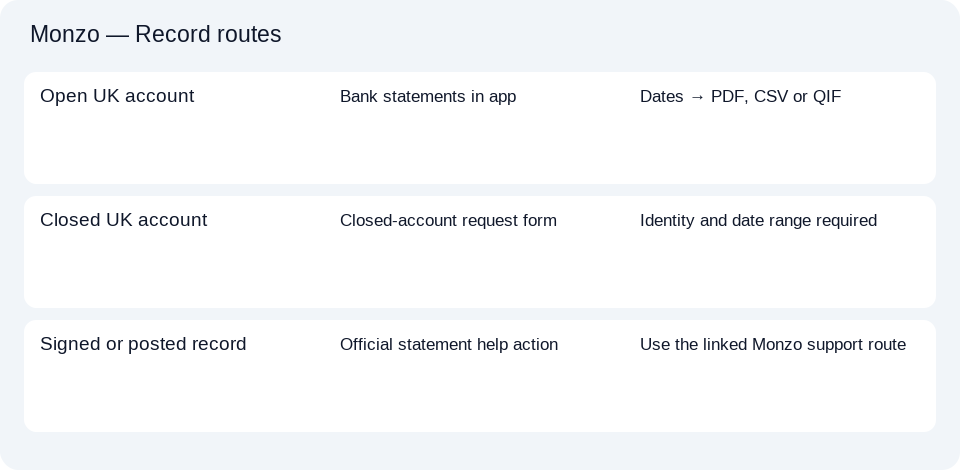
- Open the three-dot menu beneath your card and select Bank statements.
- Set the date range and select PDF, CSV or QIF.
PDF means Portable Document Format; CSV means comma-separated values; QIF is a financial-data interchange format. For spreadsheet work, take Monzo’s native CSV before considering extraction from a PDF. For a document request, select PDF and check the recipient’s requirements.
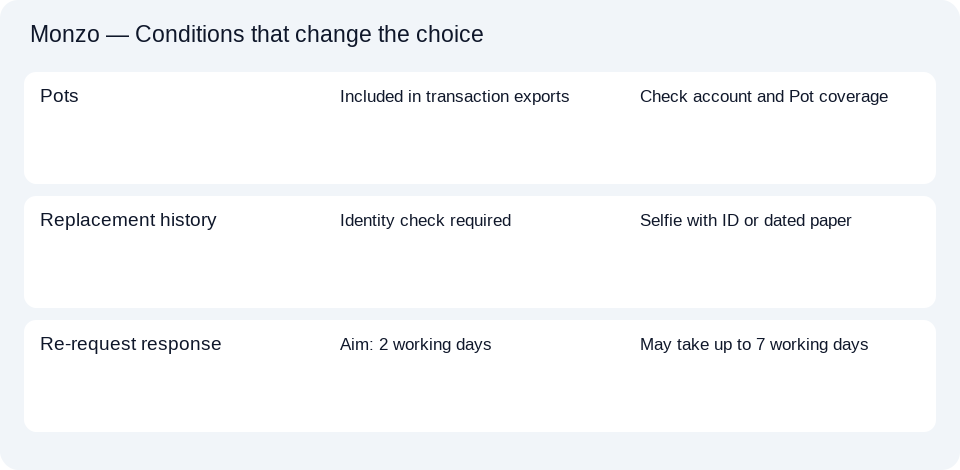
Monzo’s transaction-export instructions explicitly include Pots. A record assembled from account and Pot activity therefore needs a coverage check: moving your own money between them is not another purchase. The help does not specify CSV columns or a Pot-row schema, so do not assume a particular spreadsheet layout.
Request UK records after the account has closed
Monzo sends the full history by protected email at closure. For a replacement, its closed-account help links to a UK-only request form. Prepare:
- Your full name and the email address and phone number used on the account.
- The required dates and account number, or which account you mean if you held several.
- Any changes to your email address or phone number.
- A selfie holding your ID or a sheet showing today’s date, as the help specifies.
Submit identity material only through Monzo’s official request process, not through a statement-conversion service or the planner below. After identity confirmation, Monzo aims to respond within two working days, but allows up to seven. Emailed replacements are password-protected; the password goes by text or to the alternative email address supplied. If you cannot use email, follow the phone route in the same help page. No fixed historical cutoff is stated there.
Choose the record route before converting
| Situation | Next step |
|---|---|
| App access and spreadsheet work | Export Monzo CSV, including the relevant account/Pot coverage |
| Account already closed | Request the required history through the UK form |
| Recipient needs a signed or posted copy | Follow the support action in Monzo’s statement help |
Monzo describes its statements as original documents. Its statement help also offers a support action for postal or signed copies; ask for that document when required instead of adding a signature yourself. Acceptance remains the recipient’s decision.
Use the Monzo route planner to record which retrieval step remains; it needs no identity document or account number. For an exported CSV, the shared spreadsheet formatting guide covers the next step. Keep the bank record as the reference when checking any converted rows.
LocalExtract processes one PDF locally into date,description,amount CSV. Excel can save that CSV as XLSX. Check the extracted rows against the source. Download options and limits.
Official sources checked October 14, 2026. This guide brings the bank’s document and export choices together.
LocalExtract Team
We build LocalExtract, a desktop bank statement converter. Questions or corrections? Contact · Editorial policy