
Two Microsoft subscription charges: compare order history first
Updated · 3 min read
For two similar Microsoft consumer subscription charges, compare the bank observations with the authorised account’s order history and billed periods before classifying them as duplicates. Equal amounts and nearby dates do not establish that the same purchase was collected twice. Keep the account, purchase and subscription period separate in your review.
The desktop apps export date, description, and amount as CSV. Open CSV in Excel to save an XLSX workbook. Statement support varies: verify the result against your own PDF.
Compare more than the two bank lines
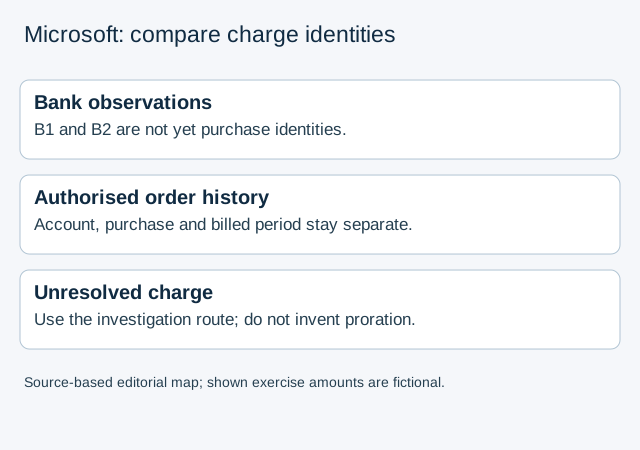
Microsoft’s charged-twice help directs the account holder to review order history alongside several months of bank or card statements. A failed payment followed by a successful retry can appear close to the next regular collection. The same help also describes intentionally purchased additional subscription periods as separate transactions.
Open order history only for an account you are authorised to review. Retain each purchase identifier, service, amount and available period information with the bank date. If a billed period is not available, record it as unknown; do not infer it from the month in which the bank posted the charge.
When one account shows only one purchase
The same official help identifies another possible branch: more than one Microsoft account can use the same payment card. It directs users to their Microsoft account’s Payment options and Investigate when the reviewed order history does not explain the other charges.
That is an evidence route, not permission to enter a family member’s account or collect their credentials. Ask an authorised account holder to supply the relevant purchase information through the appropriate private process. Keep full card details, sign-in codes and unrelated purchases out of a bookkeeping worksheet.
A fictional charge register
| Supplied observation | What the reviewer can conclude |
|---|---|
| B1 and B2 are two posted bank debits of 20 in the same currency, close together | There are two bank observations; purchase identity and period are still missing |
| Authorised account A1 has one matching purchase O1 | O1 can be reviewed once; the other bank debit remains unexplained |
| Separate evidence identifies O2 for a different billed period | Compare O2 separately; the equal amounts do not make it a duplicate of O1 |
| Another account, period or purchase cannot be identified | Leave the charge unresolved and follow Microsoft’s investigation/support route |
The charge-register data use the fictional identifiers and amounts above. This register neither determines whether a particular charge is valid nor calculates refunds, upgrade credits or prorated amounts. It must not create a second expense merely because there are two bank lines, or delete a recorded expense merely because their amounts agree.
State the unresolved question precisely
Prepare the relevant bank observations, reviewed account, order-history results and missing identity or period. Describe whether the difficulty is a missing purchase, a timing discrepancy or an account not yet identified. Microsoft’s help does not establish upgrade/proration behaviour for all subscription services, so do not label an unexplained difference an upgrade charge.
If the only bank record is PDF, LocalExtract can prepare local CSV rows, one PDF at a time with date,description,amount. It cannot retrieve Microsoft orders, identify another account or verify subscription entitlement. The overlapping CSV guide addresses repeated source rows, a different question from whether two posted charges concern one purchase.
Official Microsoft consumer-account help checked October 17, 2026. Keep the particular account and billed-period evidence with the review; a bank descriptor alone is not an account identifier.
LocalExtract Team
We build LocalExtract, a desktop bank statement converter. Questions or corrections? Contact · Editorial policy